Freedom251 › Window Cleaning Software
The Customer Factor
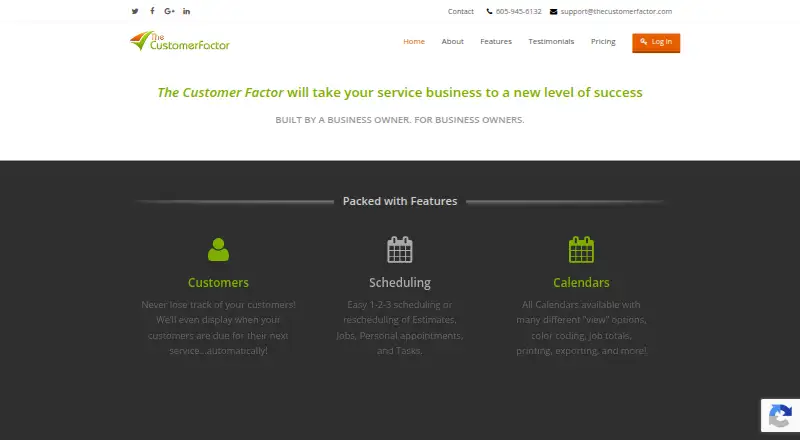
What The Customer Factor is
The Customer Factor is a CRM for service businesses, built around automated follow-up to help reduce time spent on customer communication and lost revenue. It lists window cleaners, cleaning services, carpet cleaners, pressure washers, landscapers, pool cleaners, tree services, air duct cleaners, dryer vent cleaners, blind cleaners and chimney sweeps among its intended users. Its calendar offers day, week and month views, color coding, employee or crew views, task creation, appointment mapping and invoice actions. Users can create estimates, turn them into jobs, and customize, print or email invoices. Automated messages include confirmations, reminders, thank-you notes and receipts, with configurable drip campaigns for customers due for service. Payment options include invoice-payment links and connections to Square, Stripe and Worldpay. QuickBooks Desktop and Online, Google Maps, Google Calendar and website lead forms are also supported. The iOS and Android apps cover scheduling, photos and videos, estimates and invoices, signatures, and employee clock-in and clock-out tracking. Reports span sales, profit and loss, employee pay and hours, taxes, expenses, income forecasts, marketing results and mileage. The Customer Factor was launched in 2004 by CEO and President Steve Wright, who previously owned a window-cleaning business.
Who it suits
The Customer Factor suits cleaning and home-service businesses that need customer follow-up, estimates, invoicing and scheduling in one CRM. Its listed trade users include window cleaners, landscapers, pool cleaners, chimney sweeps and several other cleaning and property-service businesses.
What it does well
- Calendar supports crew views, color coding and appointment mapping.
- Estimates can be converted into jobs.
- Automated emails cover confirmations, reminders, thanks and receipts.
- Connects with QuickBooks Desktop and Online.
- Mobile apps support signatures and employee time tracking.
- Reports include mileage, taxes and marketing results.
What to know first
- No free plan is offered.
- Route optimization is not supported.
- The privacy policy says vulnerability and PCI-standard scanning are not used.
Plans
| Plan | Billed and limits | Price |
|---|---|---|
| Monthly | Monthly · Unlimited employees · Unlimited subusers · Unlimited emails · Unlimited photo/doc uploads · Unlimited data · No contracts · Cancel anytime | $34.95 a month |
| Annual | Annually · 2 months free with this option | $449.50 a year |
| Quarterly | Quarterly · Save 10% with this option · Unlimited employees · Unlimited subusers · Unlimited emails · Unlimited photo/doc uploads · Unlimited data · No contracts · Cancel anytime | $94.36 |
As thecustomerfactor.com lists them, read 2 Oct 2026. The maker's own page has the final word.
Getting started
- Visit https://www.thecustomerfactor.com/.
- Use the web-based software from an internet-connected computer or mobile device.
- Choose a paid plan: Monthly, Quarterly or Annual.
- Use the iOS or Android app for mobile scheduling and field tasks.
- Request a demo account by email.
Verdict
Choose The Customer Factor if your service business needs scheduling, estimates, invoicing and automated customer follow-up across web and mobile. Look elsewhere if route optimization is essential or a free plan is required.
Questions
How much does The Customer Factor cost?
The Monthly plan is listed at $34.95 a month, billed monthly. The Quarterly plan is priced on request, billed quarterly, and the Annual plan is $449.50 a year, billed annually. The pricing note also says from $44.95/mo.
Is there a free plan?
No. The pricing model is paid and there is no free plan.
Which platforms does it support?
It is listed for Android, iOS and web. The FAQ describes it as web-based and accessible from an internet-connected computer or mobile device.
What payment processors does it connect with?
The features page names Square, Stripe and Worldpay as integrated credit card processors. Customers can also pay through invoice-payment links.
Does it connect to accounting software?
Yes. The Customer Factor supports QuickBooks Desktop and QuickBooks Online.
Does it offer a demo or support?
The FAQ says support is available seven days a week and that a demo account can be requested by email.
Facts from The Customer Factor's own pages
- Automated follow-up
- The product supports automated confirmation, reminder, thank-you and receipt emails, plus configurable drip campaigns for customers due for service. · thecustomerfactor.com, 2 Oct 2026
- Company history
- The Customer Factor says CEO and President Steve Wright launched it in 2004 after owning a window-cleaning business. · thecustomerfactor.com, 2 Oct 2026
- Data handling
- The privacy policy says app GPS tracking runs while a user is clocked in, stops at clock-out and is not shared with third-party vendors. · thecustomerfactor.com, 2 Oct 2026
- Estimates and invoicing
- Users can create estimates, convert estimates into jobs, and customize, print or email invoices. · thecustomerfactor.com, 2 Oct 2026
- Founded
- 2004 · thecustomerfactor.com, 28 Sept 2026
- Integrations
- The product supports QuickBooks Desktop and Online, Google Maps, Google Calendar, website lead-form syncing and automated text messaging through an unnamed partner. · thecustomerfactor.com, 2 Oct 2026
- Mobile apps
- The iOS and Android apps support scheduling, photos and videos, invoices and estimates, signatures, and employee time tracking with clock-in and clock-out. · thecustomerfactor.com, 2 Oct 2026
- Payments
- The features page names Square, Stripe and Worldpay as integrated credit card processors and describes customer invoice-payment links. · thecustomerfactor.com, 2 Oct 2026
- Platform model
- The FAQ describes the software as web-based and says it can be accessed from an internet-connected computer or mobile device. · thecustomerfactor.com, 2 Oct 2026
- Purpose
- The Customer Factor describes itself as a CRM designed to save time and reduce lost revenue through automated follow-up. · thecustomerfactor.com, 2 Oct 2026
- Reports
- Reports include sales, profit and loss, employee pay and hours, taxes, expenses, income forecasts, marketing results and mileage. · thecustomerfactor.com, 2 Oct 2026
- Scheduling
- Calendars support daily, weekly and monthly views, color coding, employee or crew views, task creation, appointment mapping and invoice actions. · thecustomerfactor.com, 2 Oct 2026
- Security
- The privacy policy says sensitive or credit information is encrypted using SSL and access to personal information is restricted; it also states the company does not use vulnerability scanning or PCI-standard scanning. · thecustomerfactor.com, 2 Oct 2026
- Support and demo
- The FAQ says support is available seven days a week and offers a demo account by email request. · thecustomerfactor.com, 2 Oct 2026
- Target users
- The product lists window cleaners, cleaning services, carpet cleaners, pressure washing companies, landscapers, pool cleaners, tree services, air duct cleaners, dryer vent cleaners, blind cleaners and chimney sweeps as intended users. · thecustomerfactor.com, 2 Oct 2026
Where The Customer Factor stands on Freedom251
- Window Cleaning Software#27 of 29