Freedom251 › File Conversion Software
TeX2img
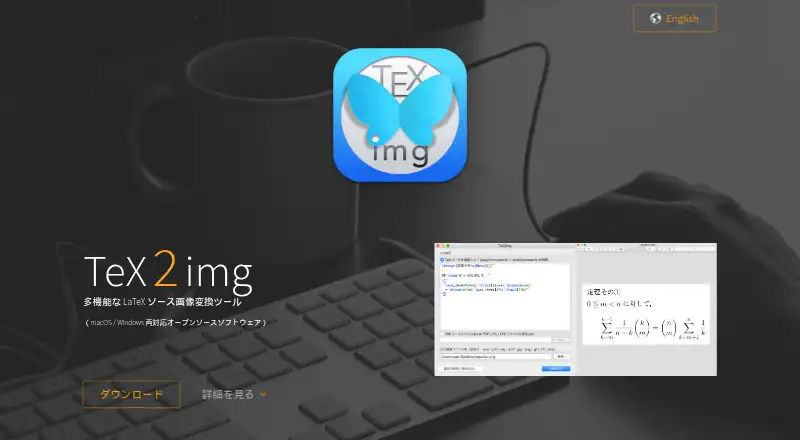
What TeX2img is
TeX2img is a free, open-source desktop application for macOS and Windows that turns TeX material into image files. You can enter TeX directly, convert existing TeX files, or use PDF, PS, and EPS files as inputs. It exports EPS, PDF, SVG, SVGZ, PNG, JPEG, GIF, TIFF, and BMP files; EMF output is listed for Windows. Supported engines include pLaTeX, upLaTeX, pdfLaTeX, XeLaTeX, and LuaLaTeX. Japanese is supported, and suitable XeLaTeX or LuaLaTeX settings can produce Unicode glyphs. TeX2img works offline, supports batch conversion, and can create animated GIFs or SVG animations from multipage documents. On macOS it can place images in Illustrator, Word, PowerPoint, Pages, Numbers, and Keynote. Images may retain recoverable source information. A configured LaTeX engine, pdfTeX, and Ghostscript 9.x or later are required; Windows also needs .NET Framework 4.7.2 or later.
Who it suits
It suits TeX users who need offline image export, batch conversion, varied output formats, or document-application placement on macOS and Windows.
What it does well
- Free and open source
- Works offline as a desktop app
- Supports many TeX engines
- Batch conversion is available
- Can create animated outputs
What to know first
- Requires configured LaTeX and Ghostscript
- Windows also requires .NET Framework
- No cloud conversion
- Support is without warranty
Verdict
TeX2img provides broad TeX input, engine, and output support in an offline desktop workflow. Check its stated dependencies and platform requirements before installing.
Facts from TeX2img's own pages
- Animation
- It can create animated GIFs and SVG vector animations from multipage documents. · tex2img.tech, 11 Oct 2026
- Audience and workflow
- The maker describes command-line versions for both platforms and notes that batch processing can automate image conversion. · tex2img.tech, 11 Oct 2026
- Document apps
- Generated images can be placed in Word, Excel, PowerPoint, Illustrator, InDesign, Pages, Numbers, and Keynote. · tex2img.tech, 11 Oct 2026
- Input files
- It can convert existing TeX source files and PDF, PS, or EPS files into images. · tex2img.tech, 11 Oct 2026
- Integrations
- It can place generated images automatically in Illustrator, Word, PowerPoint, Pages, Numbers and Keynote on macOS. · tex2img.tech, 5 Oct 2026
- Language features
- The site says it supports Japanese and, with suitable configuration, Unicode glyph output using XeLaTeX or LuaLaTeX. · tex2img.tech, 5 Oct 2026
- LaTeX support
- It supports pLaTeX, upLaTeX, pdfLaTeX, XeLaTeX, and LuaLaTeX, among other engines. · tex2img.tech, 11 Oct 2026
- License
- The macOS version is GPL v.2 and the Windows version is BSD 2-Clause licensed. · tex2img.tech, 11 Oct 2026
- Licenses
- The site lists GPL v.2 for the macOS version and modified BSD (BSD 2-Clause) for the Windows version. · tex2img.tech, 5 Oct 2026
- macOS automation
- The macOS version can automatically place generated images in Illustrator, Word, PowerPoint, Pages, Numbers, and Keynote. · tex2img.tech, 11 Oct 2026
- Offline use
- The maker describes it as a standalone application that can be used without an internet connection. · tex2img.tech, 11 Oct 2026
- Output formats
- It exports EPS, PDF, SVG, SVGZ, PNG, JPEG, GIF, TIFF, and BMP; Windows also supports EMF. · tex2img.tech, 11 Oct 2026
- Platform requirements
- The listed requirements include macOS 10.13 or later, or Windows Vista or later with .NET Framework 4.7.2 or later; a configured LaTeX engine, pdfTeX and Ghostscript 9.x or later are also required. · tex2img.tech, 5 Oct 2026
- Purpose
- TeX2img compiles entered TeX source and exports it as images. · tex2img.tech, 11 Oct 2026
- Requirements
- The maker says both versions require a configured LaTeX engine, pdfTeX, and Ghostscript 9.x or later; Windows also requires .NET Framework 4.7.2 or later. · tex2img.tech, 11 Oct 2026
- Security and trust
- The maker says the Windows version does not use the registry; its macOS version history says version 2.4.0 added Hardened Runtime and notarization support. · tex2img.tech, 11 Oct 2026
- Source recovery
- The app can store source information in generated files so the original TeX source can be recovered by dragging the file into TeX2img. · tex2img.tech, 11 Oct 2026
- Support
- The maker lists separate macOS and Windows developers and says it may not be able to fulfill requests and the software is provided without warranty. · tex2img.tech, 11 Oct 2026
- Windows development
- The site says Windows development was transferred to Noriyuki Abe starting with version 1.2.0, and directs users to his page for the latest Windows download. · tex2img.tech, 5 Oct 2026
Where TeX2img stands on Freedom251
- File Conversion Software#61 of 69