Freedom251 › Google Workspace Teacher Resources Software
Teach Starter
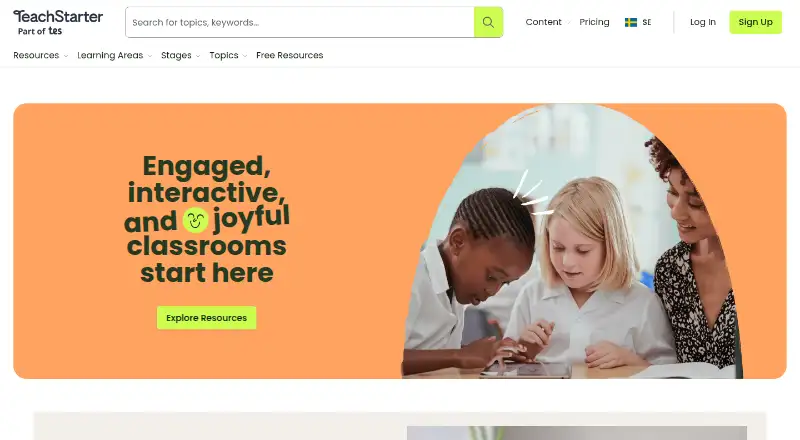
What Teach Starter is
Teach Starter is a web-based library of teaching resources, classroom solutions and educator apps for K–6 teachers. Its curriculum-aligned collection includes printable and digital worksheets, activities, games and classroom materials in formats such as Google Slides, PowerPoint, PDF, Word and Google Sheets. Teach Starter Studio lets users create or customize teaching resources and display materials. Plus adds editable resources, lesson plans with differentiation tips and assessment strategies, unit plans, digital games, classroom videos and advanced tools. The Free plan requires no credit card, but resources are non-editable and downloads are limited to the free collection. Plus costs $6.08 a month, billed 73 USD yearly. School Plan costs $73 a year per teacher, requires at least five teachers and includes Plus, one administrator account, shared invoicing and team management. Access to Plus resources and digital tools expires when the subscription ends. The maker says Google Slides and PowerPoint resources are designed for integration with district learning management systems.
Who it suits
Teach Starter is aimed at K–6 teachers looking for classroom materials and lesson-planning resources. Its School Plan is for groups of at least five teachers needing administrator visibility and team management.
What it does well
- Curriculum-aligned printable and digital resources are available.
- Studio supports creating and customizing materials.
- Plus includes lesson plans and unit plans.
- School Plan includes shared invoicing and team management.
- Free plan requires no credit card.
What to know first
- Free downloads are limited to the free collection.
- Free resources are non-editable.
- School Plan requires at least five teachers.
- Plus access ends when the subscription ends.
Limits
The Free plan has non-editable resources and downloads only from the free collection. Plus resources and digital tools are available only for the subscription period; the School Plan requires at least five teachers.
Plans
| Plan | Billed and limits | Price |
|---|---|---|
| Free | No credit card required · Non-editable resources · Downloads limited to free resource collection | Free |
| Plus | $73 billed yearly · Editable and non-editable resources · All file formats · Unit and lesson plans · Digital games · Classroom videos · Advanced tools | $6.08 a month |
| School Plan | Billed yearly per teacher · Minimum 5 teachers · Plus Plan included · 1 admin account with no downloads · Shared invoicing and team management · Discounts available for 10 or more licenses | $73 a year |
As teachstarter.com lists them, read 30 Sept 2026. The maker's own page has the final word.
Getting started
- Visit the Teach Starter website.
- Choose the Free, Plus, or School Plan option.
- For a School Plan, arrange at least five teacher licenses.
- Browse the resource collection for your subject and classroom needs.
- Use available formats such as Google Slides, PowerPoint, PDF, Word, or Google Sheets.
Verdict
Teach Starter offers a free collection and paid features for editable resources, planning and school administration. Check the download limits and subscription-based access against how your classroom or school will use the materials.
Questions
Is Teach Starter free?
Yes. Its Free plan costs nothing and requires no credit card.
How much does Plus cost?
Plus costs $6.08 a month, billed as $73 yearly.
What does the School Plan cost?
It costs $73 a year per teacher, billed yearly, and requires at least five teachers.
Which platforms and file formats are available?
Teach Starter is web-based. Resources include Google Slides, PowerPoint, PDF, Word, and Google Sheets.
Can resources be edited?
The Free plan's resources are non-editable. Plus includes editable and non-editable resources.
Does Teach Starter integrate with learning management systems?
The maker says its Google Slides and PowerPoint resources are designed for easy integration with district learning management systems.
Facts from Teach Starter's own pages
- Customization
- Teach Starter Studio lets users customize and create teaching resources and display materials. · teachstarter.com, 30 Sept 2026
- Founded
- 2012 · teachstarter.com, 28 Sept 2026
- Integrations
- The maker says Google Slides and Microsoft PowerPoint resources are designed for easy integration with district learning management systems. · teachstarter.com, 30 Sept 2026
- Intended users
- The maker describes its audience as K–6 teachers and says its team operates out of Australia, the US, and the UK. · teachstarter.com, 30 Sept 2026
- Lesson planning
- Plus includes lesson plans with multiple resources, differentiation tips, and assessment strategies, along with unit plans that bundle lessons into units. · teachstarter.com, 30 Sept 2026
- Origins
- Teach Starter says it launched as a teacher newsletter in 2012. · teachstarter.com, 30 Sept 2026
- Product
- Teach Starter offers a curated library of teaching resources, classroom solutions, and educator apps for K–6 teachers. · teachstarter.com, 30 Sept 2026
- Resource formats
- Resources are available in formats including Google Slides, PowerPoint, PDF, Word, and Google Sheets. · teachstarter.com, 30 Sept 2026
- Resources
- The library includes curriculum-aligned printable and digital resources, worksheets, activities, games, and classroom materials. · teachstarter.com, 30 Sept 2026
- School administration
- School Plans include an administrator account for school-wide visibility, user management, and streamlined invoicing. · teachstarter.com, 30 Sept 2026
- Security and privacy
- Teach Starter says it handles personal information under Australia’s Privacy Act and Australian Privacy Principles and makes efforts to comply with applicable US privacy laws, including CCPA and COPPA. · teachstarter.com, 30 Sept 2026
- Subscription limit
- Access to Plus resources lasts for the subscription period, and access to Teach Starter’s digital tools expires when the subscription ends. · teachstarter.com, 30 Sept 2026
- Support
- The plans page says subscribers can cancel in Account Settings or contact Teach Starter for help, and links to its Help Desk and Contact Us pages. · teachstarter.com, 30 Sept 2026
Where Teach Starter stands on Freedom251
- Google Workspace Teacher Resources Software#24 of 33
- Teacher Resource Libraries#26 of 30