Tau
What Tau is
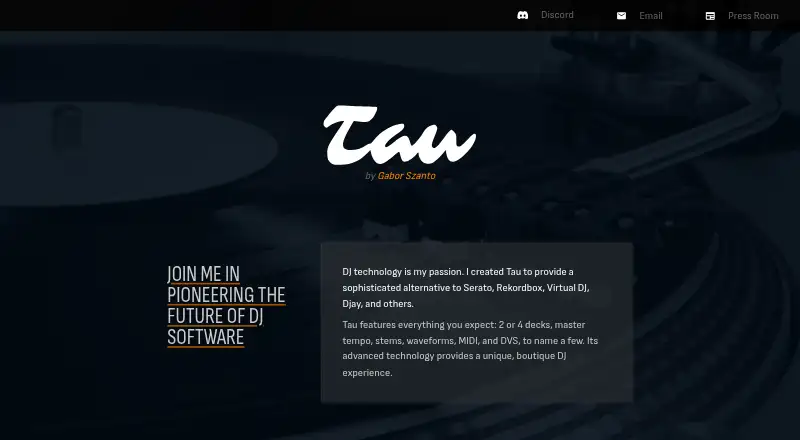
Tau is DJ software by creator Gabor Szanto, offered for iOS, macOS, web, and Windows. It is positioned as an alternative to Serato, Rekordbox, Virtual DJ, and Djay, with two- or four-deck setups, master tempo, waveforms, MIDI, and DVS. Its stem separation can isolate drums, bass, melody, and vocals in real time without pre-analysis or storing generated stems on disk. Tau includes factory MIDI mappings for many controllers, with options to customize mappings or make new ones. Ableton Link can send and receive synchronization with external devices or apps. For music libraries, Tau supports ID3, Traktor, and Serato metadata, as well as Rekordbox libraries. It plays MP3, AAC-LC, FLAC, WAV, AIFF, and ALAC files, but not DRM-protected audio. The listed minimum requirements are macOS 15.6, iOS 17.4, or Windows 10 (19041). Tau supports one or two DVS inputs, assignable to any deck. The maker says settings and music metadata stay locally, and support is available through the Tau Discord community.
Who it suits
Tau suits DJs looking for multi-deck software with real-time separation of drums, bass, melody, or vocals, plus MIDI and DVS support. Its library compatibility and Ableton Link support may also suit DJs working with existing metadata or synchronizing external devices and apps.
What it does well
- Choose between two- and four-deck setups.
- Separate drums, bass, melody, and vocals in real time.
- Factory MIDI mappings and custom mapping options are included.
- Ableton Link sends and receives synchronization.
- Supports Rekordbox libraries and ID3, Traktor, and Serato metadata.
- Free plan available.
What to know first
- DRM-protected audio files cannot be used.
- MP3 Layer II and HE-AAC are unsupported.
- Minimum requirements include macOS 15.6, iOS 17.4, or Windows 10 (19041).
Limits
Tau has a free plan. DRM-protected audio, MP3 Layer II, and HE-AAC are unsupported.
Plans
| Plan | Billed and limits | Price |
|---|---|---|
| Tau | Single price; amount not stated on the page · Pay once · minor updates and bug fixes included · next major version may be separate software from 2030 or later | On request |
As djplayerpro.com lists them, read 7 Oct 2026. The maker's own page has the final word.
Getting started
- Open https://djplayerpro.com/.
- Choose the platform that matches your device: iOS, macOS, web, or Windows.
- Check that your device meets the listed minimum requirement for its platform.
- Start with Tau's free plan.
- Use Tau Discord for support.
Verdict
Choose Tau if you want real-time stem separation alongside MIDI and DVS in a multi-deck DJ app. Its free plan offers a way to start, and it supports several established library formats. Look elsewhere if your audio collection relies on DRM-protected files, MP3 Layer II, or HE-AAC.
Questions
Is Tau free?
Yes. Tau has a free plan.
Which platforms does Tau support?
Tau is available for iOS, macOS, web, and Windows.
Does Tau support DVS?
Yes. It supports one or two DVS inputs, and either input can be assigned to any deck.
Which audio formats can Tau use?
Supported formats are MP3, AAC-LC, FLAC, WAV, AIFF, and ALAC. DRM-protected audio, MP3 Layer II, and HE-AAC are unsupported.
Who makes Tau, and where can users get support?
The site identifies Gabor Szanto as its creator. Support is provided through the Tau Discord community.
How is the Tau plan billed?
The plan is described as a one-time payment. Minor updates and bug fixes are included; a later major version may be separate software from 2030 or later.
Facts from Tau's own pages
- Ableton Link
- Tau can send and receive Ableton Link to synchronize with external devices or apps. · djplayerpro.com, 7 Oct 2026
- Audio formats
- Supported audio formats include MP3, AAC-LC, FLAC, WAV, AIFF, and ALAC; DRM-protected files cannot be used. · djplayerpro.com, 7 Oct 2026
- Core features
- Tau offers 2 or 4 decks, master tempo, stems, waveforms, MIDI, and DVS. · djplayerpro.com, 7 Oct 2026
- DVS input limit
- Tau supports one or two DVS inputs and lets users assign either input to any deck. · djplayerpro.com, 7 Oct 2026
- Library compatibility
- Tau supports ID3, Traktor, and Serato metadata and Rekordbox libraries. · djplayerpro.com, 7 Oct 2026
- Limits
- Tau does not support MP3 Layer II, HE-AAC, or DRM-protected audio files. · djplayerpro.com, 7 Oct 2026
- Maker
- The site identifies Gabor Szanto as Tau's creator. · djplayerpro.com, 7 Oct 2026
- MIDI controllers
- Tau includes factory MIDI mappings for many controllers and lets users customize mappings or create their own. · djplayerpro.com, 7 Oct 2026
- Privacy
- The maker says Tau does not handle personal information and stores settings and music metadata locally, while crash logs are sent through Sentry and said not to contain personal information or unique device identification. · djplayerpro.com, 7 Oct 2026
- Purpose
- Tau is DJ software created as an alternative to Serato, Rekordbox, Virtual DJ, and Djay. · djplayerpro.com, 7 Oct 2026
- Real-time stems
- Its stem separation can isolate drums, bass, melody, and vocals without pre-analysis or disk space for generated stems. · djplayerpro.com, 7 Oct 2026
- Storage and recording
- The site says large music libraries typically use less than 1 GB and one hour of recording needs around 700 MB. · djplayerpro.com, 7 Oct 2026
- Support
- Support is provided through the Tau Discord community. · djplayerpro.com, 7 Oct 2026
- System requirements
- The site lists minimum requirements of macOS 15.6, iOS 17.4, or Windows 10 (19041). · djplayerpro.com, 7 Oct 2026
Where Tau stands on Freedom251
- DJ Software#11 of 29