Freedom251 › Food Delivery Software
TastyIgniter Kitchen Display
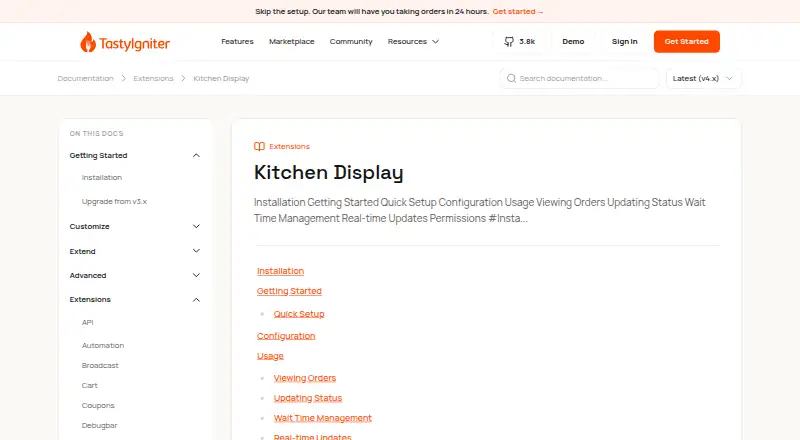
What TastyIgniter Kitchen Display is
TastyIgniter Kitchen Display is an open-source extension that gives restaurant kitchen staff a board for tracking orders through preparation and completion. Staff can move orders among configurable columns, including New, Preparing, Ready, Completed, and On Hold, and change a status with one click. Wait times can be adjusted using increments or custom times. Displays can filter orders by location, status, order type, and menu category. Administrators can set up to five columns, show as many as 100 orders per display (20 by default), hide customer names, order IDs, and order types, and control who can access and manage kitchen displays in the admin area. The extension supports pickup and delivery orders and runs with TastyIgniter v4.x. It is free under the MIT license. Real-time order and status updates require the separate TastyIgniter Broadcast extension to be installed and configured. Installation uses Composer and requires database migrations. The maker provides documentation and a contributing guide, and directs bug reports to its GitHub issue tracker.
Who it suits
It suits restaurants using TastyIgniter v4.x that want a configurable order board for kitchen staff. It is a fit for teams handling pickup or delivery orders that can install and configure its required dependencies.
What it does well
- Free and open source under the MIT license.
- Staff can change order status with one click.
- Filters orders by location, status, type, and menu category.
- Administrators can hide identifying order-card details.
- Supports pickup and delivery orders.
What to know first
- Real-time updates require the Broadcast extension.
- Installation requires Composer and database migrations.
- Supports TastyIgniter v4.x.
Limits
The extension is free. Each display supports up to five columns and up to 100 orders, with 20 shown by default; live updates require the separate Broadcast extension.
Plans
| Plan | Billed and limits | Price |
|---|---|---|
| Kitchen Display | Free · TastyIgniter v4.x | Free |
As tastyigniter.com lists them, read 10 Oct 2026. The maker's own page has the final word.
Getting started
- Open the TastyIgniter Kitchen Display documentation website
- Use Composer to install the extension in a TastyIgniter v4.x setup
- Run the required database migrations
- Configure the display columns, order count, filters, privacy controls, and access permission
- Install and configure TastyIgniter Broadcast if live order and status updates are needed
TastyIgniter Kitchen Display is a free, open-source extension that turns TastyIgniter restaurant orders into a kitchen workflow board. It is best for restaurants already operating TastyIgniter v4.x and able to maintain a self-hosted installation. Its configurable queue and privacy controls are practical strengths, while Composer setup and a separate dependency for live updates narrow its appeal for plug-and-play teams.
Overview
The extension presents orders as cards that staff can move through kitchen stages such as New, Preparing, Ready, Completed, and On Hold. A shared board covers pickup and delivery orders, giving the kitchen one operational view instead of separate queues. Statuses can be changed with a single click, and wait times can be adjusted in preset increments or with custom values.
This is a kitchen operations component, not a complete ordering service. Installation uses Composer and requires database migrations. Orders arriving or changing status in real time require the separate TastyIgniter Broadcast extension to be installed and configured, so a restaurant without technical administration should budget for that additional maintenance.
Key features
Configurable board and filters
Administrators can configure up to five columns and display up to 100 orders at once, with 20 shown by default. That gives small and midsize services room to tailor stages without creating an unbounded wall of tickets. Kitchens that routinely exceed 100 visible orders will need another method for overflow.
Filters can narrow the board by location, status, order type, and menu category. Multi-location operators or kitchens handling different menu sections can therefore focus each display on relevant work rather than sorting every incoming order manually.
Privacy and permissions
Order cards can hide customer names, order IDs, and order types. Those controls help limit personal or identifying information on a shared kitchen screen, especially where screens are visible to visitors or a broad staff group. A registered permission controls who may view and manage kitchen displays in the admin area, allowing access to be restricted by role.
Live workflow updates
The board is useful for advancing work quickly, but immediate arrival and status updates are not self-contained. They depend on the TastyIgniter Broadcast extension and its configuration. Restaurants that cannot support that extra component should not expect a live queue from this extension alone.
Pricing
| Plan | Price | Terms |
|---|---|---|
| Kitchen Display | 0.00 USD | Free; TastyIgniter v4.x |
The plan is free and open source under the MIT license, with no paid tier described. That removes per-seat or subscription cost, but it does not remove the operational work of Composer installation, migrations, self-hosting, or configuring Broadcast for real-time behavior.
Platforms
TastyIgniter Kitchen Display is delivered as an extension for a self-hosted web installation. Marketplace compatibility identifies TastyIgniter v4.x, with version 4.0.2 shown as the latest extension version. It is not presented as a standalone Android or iOS app, so restaurants need an existing TastyIgniter web environment and suitable administration access.
Who it's for
This suits restaurants already using TastyIgniter v4.x that want a low-cost kitchen board for pickup and delivery orders. It is particularly appropriate when an administrator can handle Composer, database migrations, permissions, and the Broadcast dependency. The five-column limit, 100-order display capacity, filtering, and privacy settings fit teams that need a focused operational queue rather than a full enterprise dispatch system.
It is a weaker choice for owners seeking a hosted, immediately live display with no extension maintenance. Restaurants without TastyIgniter should also compare complete ordering or kitchen-display products instead of adopting this component in isolation.
Pros and cons
Pros
- Free and MIT-licensed: there is no listed subscription charge, and the open-source license suits organizations that want to manage their own deployment.
- Useful workflow controls: one-click statuses, adjustable wait times, and up to five configurable columns support fast kitchen handoffs.
- Targeted views: location, status, order type, and menu-category filters help different teams work from the same order stream.
- Screen privacy: administrators can hide names, IDs, and order types, while permissions limit who can access the display.
Cons
- Technical installation: Composer and database migrations make deployment unsuitable for teams expecting a hosted install.
- Broadcast dependency: real-time arrivals and changes require another extension and configuration step.
- Bounded queue: a display tops out at 100 orders, so very high-volume services need overflow handling.
- TastyIgniter lock-in: the extension targets v4.x and does not replace a broader ordering platform.
Alternatives
For a broader directory of products, see Food Ordering Software, Kitchen Display System Software, and Restaurant Online Ordering Software.
- Fee Free Ordering is a better fit when you want Android, iOS, and web access, a free plan capped at 100 orders per month, and a paid custom-domain option at $9.99 a month.
- Ressto suits operators seeking Android, iOS, and web ordering with a free plan and a 100-orders-per-month allowance.
- GloriaFood is preferable when unlimited orders, unlimited locations, and no monthly fee matter more than a self-hosted kitchen extension.
- Lunchbox offers free plans for one or two locations and an enterprise route when a broader restaurant platform is needed.
- Orderlina is an alternative for QR-accessible menus with online ordering and payments on its free plan.
- Uber Eats is aimed at marketplace ordering, with no monthly fee to order but per-order fees and item-price differences.
- Flipdish is for businesses willing to pay $149 a month per site for a branded website, online ordering, and menu management.
- FoodChow offers lifetime-priced online ordering plans with takeaway, dine-in, and order-management features.
Verdict
Choose TastyIgniter Kitchen Display if you already run TastyIgniter v4.x and want a free, configurable board for pickup and delivery preparation. Its filters, privacy settings, permissions, and quick status handling provide a focused kitchen workflow. Look elsewhere if you need a hosted, standalone product or live updates without installing and maintaining the Broadcast extension.
Verdict
The extension provides configurable kitchen order tracking, with privacy controls and support for pickup and delivery. Plan for the Broadcast dependency if live order updates are needed.
Questions
How much does TastyIgniter Kitchen Display cost?
The Kitchen Display plan is free. The extension is open source under the MIT license.
Which TastyIgniter version does it support?
The marketplace listing supports TastyIgniter v4.x.
Can it display pickup and delivery orders?
Yes. It supports both pickup and delivery ordering.
Does it update orders in real time?
Real-time updates when orders arrive or their statuses change require TastyIgniter Broadcast to be installed and configured.
How is it installed?
Installation uses Composer and requires database migrations to be run.
Where can users get help or report a bug?
TastyIgniter provides documentation and a contributing guide, and directs bug reports to its GitHub issue tracker.
Facts from TastyIgniter Kitchen Display's own pages
- Access control
- The extension registers a permission to control who can view and manage kitchen displays in the admin area. · tastyigniter.com, 10 Oct 2026
- Board configuration
- Each display can show up to 100 orders by default 20, and administrators can configure up to five columns. · tastyigniter.com, 10 Oct 2026
- Compatibility
- The marketplace lists version 4.0.2 as the latest version and TastyIgniter v4.x as supported. · tastyigniter.com, 10 Oct 2026
- Delivery orders
- Yes · tastyigniter.com, 20 Sept 2026
- Filtering
- Displays can filter orders by location, status, order type, and menu category. · tastyigniter.com, 10 Oct 2026
- Founded
- 2013 · tastyigniter.com, 28 Sept 2026
- Headquarters
- London, United Kingdom · tastyigniter.com, 28 Sept 2026
- Installation
- The extension is installed with Composer and requires database migrations to be run. · tastyigniter.com, 10 Oct 2026
- License and security reporting
- The extension is open-source software under the MIT license, and its listing directs users to a security policy for reporting vulnerabilities. · tastyigniter.com, 10 Oct 2026
- Order board
- Orders are organized into customizable columns for New, Preparing, Ready, Completed, and On Hold. · tastyigniter.com, 10 Oct 2026
- Order updates
- Staff can update order statuses with a single click and manage wait times using increments or custom times. · tastyigniter.com, 10 Oct 2026
- Privacy controls
- Administrators can hide customer names, order IDs, and order types from order cards. · tastyigniter.com, 10 Oct 2026
- Purpose
- The extension displays restaurant orders in a simplified way so kitchen staff can move them through statuses swiftly. · tastyigniter.com, 10 Oct 2026
- Real-time updates
- Real-time updates when orders arrive or statuses change require the TastyIgniter Broadcast extension to be installed and configured. · tastyigniter.com, 10 Oct 2026
- Support
- The maker directs bug reports to the GitHub issue tracker and provides documentation and a contributing guide. · tastyigniter.com, 10 Oct 2026
Where TastyIgniter Kitchen Display stands on Freedom251
- Food Delivery Software#5 of 22
- Restaurant Online Ordering Software#29 of 127
- Kitchen Display System Software#12 of 49
- Food Ordering Software#9 of 27