Freedom251 › Interactive Game Maps

Tarkov Lab
What Tarkov Lab is
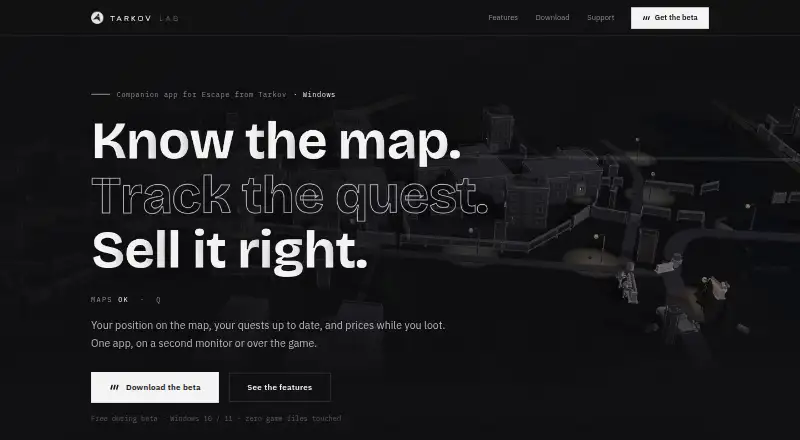
Tarkov Lab is a free Windows companion app for Escape from Tarkov that displays maps, quests, and item prices. It includes all 12 maps and floors, with layers users can toggle for extracts, quest objectives, loot, and keys. The app reads game logs to update progress across 500+ quests and show objectives on maps. Its item browser covers 5,300+ items and displays flea prices, 24-hour averages, price ranges, 48-hour trends, and trader restock timers. A configurable minimap overlay offers live position and raid timer, and the app includes a custom crosshair editor. Squad mode shares live positions and map pings through a room code. The maker says logs and screenshots stay on the PC and are not uploaded; when squad mode is enabled, position and nickname pass through its server during the session. This is a pre-release build for testing and feedback, so features may change or disappear and bugs are expected. It supports Windows 10 and 11, 64-bit, with the live game; there is no macOS or Linux build.
Who it suits
It suits Escape from Tarkov players using Windows 10 or 11, 64-bit, who want maps, quest tracking, item information, or squad position sharing. It is a beta build, so users should expect bugs and possible feature changes.
What it does well
- Includes all 12 maps and floors.
- Tracks progress across 500+ quests.
- Item browser covers 5,300+ items.
- Squad mode shares positions and map pings.
- Free during beta.
What to know first
- Pre-release beta may contain bugs.
- Features may change or disappear.
- No macOS or Linux build.
- Squad position and nickname pass through its server.
Limits
The free plan is a beta build for testing and feedback on Windows 10 or 11, 64-bit. Features may change or disappear, and bugs are expected; the maker says the product will become paid after beta.
Plans
| Plan | Billed and limits | Price |
|---|---|---|
| Tarkov Lab - Free | Free during beta; the maker says the product will become paid after the beta, but does not state a future price. · Beta build for testing and feedback only · Windows 10/11, 64-bit · Personal license key | Free |
As tarkovlab.com lists them, read 4 Oct 2026. The maker's own page has the final word.
Getting started
- Visit the Tarkov Lab website.
- Use a 64-bit Windows 10 or 11 PC with the live version of Escape from Tarkov.
- Get the free beta plan, which includes a personal license key.
- Contact [email protected] or join the Discord for beta feedback and announcements.
Verdict
Tarkov Lab brings maps, quest progress, item information, and squad tools into a Windows companion app. Its free beta has explicit platform limits and may change before release.
Questions
Is Tarkov Lab free?
The beta plan is free. The maker says the product will become paid after beta, but does not state a future price.
Which platforms does it support?
It supports 64-bit Windows 10 and 11 with the live version of Escape from Tarkov. There is no macOS or Linux build.
Is Tarkov Lab open source?
The listed facts do not state whether Tarkov Lab is open source.
Does Tarkov Lab modify or inject into the game?
The maker says it does not inject into the game, read its memory, or modify game files. It reads game logs and screenshots saved on the PC.
What information is shared when squad mode is on?
The maker says logs and screenshots are not uploaded. When squad mode is enabled, squad position and nickname pass through its server for the session.
Who publishes Tarkov Lab?
The legal notice identifies the publisher as a private individual established in France. It does not disclose a founding date.
Facts from Tarkov Lab's own pages
- Affiliation
- Tarkov Lab says it is independent and is not affiliated with, endorsed by or connected to Battlestate Games Ltd. · tarkovlab.com, 4 Oct 2026
- Beta limits
- The app is a pre-release build for testing and feedback, and the maker says features may change or disappear and bugs are expected. · tarkovlab.com, 4 Oct 2026
- Data sources
- Some item data comes from tarkov.dev and the Escape from Tarkov wiki. · tarkovlab.com, 4 Oct 2026
- Game access
- The app reads game logs and screenshots saved on the user's PC; the maker says it does not inject into the game, read its memory or modify game files. · tarkovlab.com, 4 Oct 2026
- Maps
- It includes all 12 maps and floors, with toggleable extracts, quest objectives, loot and keys layers. · tarkovlab.com, 4 Oct 2026
- Market tools
- Its item browser covers 5,300+ items with flea prices, 24-hour averages, price ranges, 48-hour trends and trader restock timers. · tarkovlab.com, 4 Oct 2026
- Overlay
- The app offers a configurable minimap overlay with live position and raid timer, plus a custom crosshair editor. · tarkovlab.com, 4 Oct 2026
- Platform support
- The maker lists Windows 10 and 11, 64-bit, with the live version of Escape from Tarkov; it says there is no macOS or Linux build. · tarkovlab.com, 4 Oct 2026
- Privacy
- The maker says game logs and screenshots stay on the PC and are not uploaded; squad position and nickname pass through its server for the session when squad mode is enabled. · tarkovlab.com, 4 Oct 2026
- Publisher
- The legal notice identifies the publisher as a private individual established in France and does not disclose a founding date. · tarkovlab.com, 4 Oct 2026
- Purpose
- Tarkov Lab is a Windows companion app for Escape from Tarkov that displays maps, quests and item prices. · tarkovlab.com, 4 Oct 2026
- Quest tracking
- It reads game logs to update progress across 500+ quests and shows objectives on maps. · tarkovlab.com, 4 Oct 2026
- Squad
- Squad mode lets users share live positions and map pings through a room code. · tarkovlab.com, 4 Oct 2026
- Support
- Users can contact [email protected] or join the Discord for announcements and beta feedback. · tarkovlab.com, 4 Oct 2026
Where Tarkov Lab stands on Freedom251
- Interactive Game Maps#17 of 21