Freedom251 › Application Deployment Software
Tanium Deploy
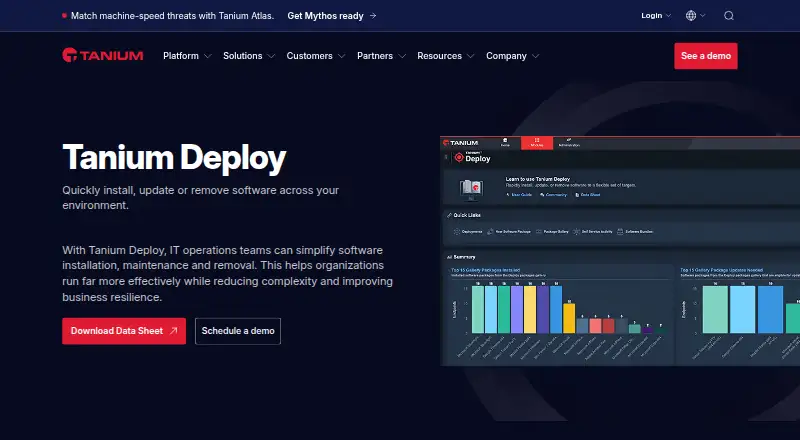
What Tanium Deploy is
Tanium Deploy is a software management module for installing, updating, and removing software across large organizations. Administrators can target computer or user groups, departments, locations, individual devices, or people. Deployments can run once or on an ongoing basis, during maintenance windows, or automatically when rules are met.
Packages combine source files, metadata, detection logic, and commands to manage software on Tanium Client devices. A package workbench supports building and maintaining packages, while a predefined gallery offers templates for importing third-party software. Administrators can make approved or assigned applications available through Self-Service Profiles and Client Applications. Tanium says its architecture can support hundreds of thousands of endpoints on one Tanium server without extra agents or infrastructure for Deploy. It requires a Tanium license that includes Deploy, Tanium Core Platform servers, and a supported Tanium Client. Supported endpoint systems include Windows, macOS, and Linux, and endpoints need at least 2 GB of free disk space. Pricing is available on request.
Who it suits
Tanium Deploy suits administrators managing software across large organizations with Windows, macOS, or Linux endpoints. It requires a Tanium license that includes Deploy, Core Platform servers, and a supported Tanium Client.
What it does well
- Targets groups, departments, locations, devices, or users.
- Supports one-time, ongoing, and rule-triggered deployments.
- Offers templates for third-party software packages.
- Provides user self-service for approved or assigned software.
What to know first
- Pricing is available on request.
- Requires a Tanium license and Core Platform servers.
- Endpoints require at least 2 GB of free disk space.
- Bundles cannot combine packages for different operating systems.
Plans
| Plan | Billed and limits | Price |
|---|---|---|
| Tanium Deploy | Requires a Tanium license that includes Deploy and Tanium Core Platform servers | On request |
As tanium.com lists them, read 4 Oct 2026. The maker's own page has the final word.
Getting started
- Visit the Tanium Deploy website.
- Obtain a Tanium license that includes Deploy and Tanium Core Platform servers.
- Use supported Tanium Core Platform servers and a supported Tanium Client.
- Check that endpoints use a supported Windows, macOS, or Linux system and have at least 2 GB of free disk space.
- Build or import software packages, then target and schedule deployments.
Overview
Tanium Deploy is an agent-based software management module for installing, updating, and removing applications across Tanium-managed endpoints. It suits IT teams running large, mixed-OS estates that need precise targeting, recurring automation, and user self-service. The principal qualification is platform commitment: Deploy depends on a Tanium license, Tanium Core Platform servers, and a supported Tanium Client rather than operating as a standalone tool.
Key features
Administrators can aim a deployment at computer groups, user groups, departments, locations, individual computers, or individual users. Jobs may run once, repeatedly, inside maintenance windows, or automatically when rules fire. That range supports staged rollouts and routine application upkeep; approval steps, reboot deferral, audit logs, and real-time alerts help reduce disruption and document changes. Event triggers, compliance reports, configuration monitoring, remediation tracking, and incident integrations extend the operational picture beyond simply copying an installer.
The package-management workbench combines source files, metadata, detection logic, and commands for detecting, installing, updating, or removing software. Predefined Package Gallery templates provide a practical starting point for importing third-party applications, while third-party patching and remote app removal cover common maintenance work. The important boundary is bundling: a bundle can contain packages for only one platform, so a single bundle spanning different operating systems is unsupported. Mixed-OS teams must therefore organize packages and deployment jobs by platform.
Self-Service Profiles and Client Applications allow administrators to expose approved or assigned software for users to install, update, or remove themselves. This can reduce service-desk requests while keeping the catalog under administrative control. Tanium Gateway exposes the Deploy API through queries and mutations, giving teams a route to extend workflows or connect deployment actions to other systems.
Tanium says its architecture can maintain performance across hundreds of thousands of endpoints on one Tanium server, without extra agents or infrastructure dedicated to Deploy. The deployment method is agent-based and the overall model is hybrid. Security controls include SAML-based single sign-on, role-based access control, four-eyes action approvals, HSM key storage, granular event logging, REST and SOAP APIs, and air-gapped network support. Tanium cites ISO/IEC 27001, ISO 27018, FedRAMP and StateRAMP authorizations, plus a SOC 2 Type II report for Tanium Cloud Commercial.
Pricing
Tanium Deploy uses custom pricing. The Tanium Deploy plan requires a Tanium license that includes Deploy and Tanium Core Platform servers, so there is no free plan or published self-contained entry tier to trial against a smaller fleet. Prospective buyers should size the broader Tanium commitment, supported clients, and endpoint requirements rather than compare Deploy as an independent low-cost utility.
Every endpoint needs at least 2 GB of free disk space. Deploy supports Windows, macOS, and Linux endpoint systems, including Windows 7 SP1 or later, macOS 10.13.6 or later, and several Linux distributions. The requirements and licensing conditions make the product most appropriate where Tanium is already approved and deployed.
Platforms
The service is offered across API, Linux, macOS, self-hosted, and Windows environments, with hybrid deployment. Supported endpoint families include Windows, Linux, Solaris, and AIX in the product capability listing, while the requirements specifically enumerate supported Windows Server and workstation, macOS, and Linux releases. Agentless monitoring is not supported; assessment is agent-based.
Who it's for
Deploy is a strong fit for large enterprises that already operate Tanium and need one control plane for software distribution, patching, removal, approvals, reporting, and self-service. Its targeting granularity is valuable when departments, locations, maintenance windows, and user ownership all matter. It is less suitable for a small organization seeking a standalone installer-delivery product, or for teams unwilling to maintain Tanium licensing and clients. Cross-platform estates should also plan separate bundles for each operating system.
Pros and cons
Pros
- Fine-grained targeting: Jobs can follow organizational, geographic, device, or user boundaries instead of relying only on broad collections.
- Operational safeguards: Maintenance windows, approvals, reboot deferral, event triggers, and audit logs support controlled change.
- Useful package tooling: Detection and install logic, gallery templates, third-party patching, and remote removal cover the full application lifecycle.
- Enterprise governance: SSO, RBAC, four-eyes approvals, logging, APIs, and cited compliance certifications suit regulated environments.
Cons
- Platform dependency: Deploy requires Tanium licensing, Core Platform servers, and a supported Client, limiting its appeal as a new standalone purchase.
- Per-platform bundles: Packages for different operating systems cannot share one bundle.
- Infrastructure prerequisites: Endpoints need 2 GB of free disk space and an agent; agentless monitoring is unavailable.
- Budget uncertainty: Pricing is available only on request and there is no free plan.
Alternatives
Choose Rundeck instead when you want a freemium automation platform with a free Community edition and broad API, web, self-hosted, Linux, macOS, and Windows coverage. Shuffle is a better starting point for teams that prefer a free tier with a stated 2,000 App Runs per month and a hard run limit. StackStorm fits organizations seeking free, open-source automation with no paid products from the project. Tines offers a free edition capped at three live workflows, making it relevant when a small workflow footprint matters. Azure Automation is worth considering for Windows and Linux process automation with published monthly job-time or watcher allowances. Tracecat suits teams wanting self-hosted open-source workflows, cases, and agents. Palo Alto Networks Cortex Cloud API Security is another paid API-focused option. BlinkOps provides a paid, usage-based platform with the full platform included.
For adjacent needs, compare Patch Management Software, Runbook Automation Software, Vulnerability Management Software, Security Configuration Management Software, File Integrity Monitoring Software, and Vulnerability Scanning Software.
Verdict
Choose Tanium Deploy if your enterprise already runs Tanium and needs controlled, highly targeted software lifecycle management across a very large fleet. Its strongest case is the combination of scale, governance, package controls, and self-service. Look elsewhere if you need transparent pricing, a free entry plan, agentless operation, or a deployment product independent of the Tanium platform.
Verdict
Tanium Deploy provides targeting, scheduling, package management, and self-service controls for organization-wide software deployment. Check the license, client, endpoint disk-space, and package-bundling requirements before choosing it.
Questions
How much does Tanium Deploy cost?
Pricing is on request. The Deploy plan requires a Tanium license that includes Deploy and Tanium Core Platform servers.
Is there a free plan?
No. Deploy requires a Tanium license that includes the product.
Which endpoint operating systems are supported?
Requirements list Windows, macOS, and Linux endpoint operating systems.
Can users install or remove software themselves?
Administrators can make approved or assigned software available through Self-Service Profiles and Client Applications, where users can install, update, or remove it.
Can one software bundle contain packages for different operating systems?
No. A bundle manages packages for a single platform, and mixed-operating-system bundles are unsupported.
What deployment controls are available?
Deploy supports one-time or ongoing deployments, maintenance windows, and automatic deployments triggered by rules.
Facts from Tanium Deploy's own pages
- API
- Tanium Gateway can be used to access the Deploy API and extend Deploy functionality with queries and mutations. · help.tanium.com, 4 Oct 2026
- Bundling limitation
- A software bundle manages packages for a single platform; deploying a bundle containing packages for different operating systems is unsupported. · help.tanium.com, 4 Oct 2026
- Certifications
- Tanium’s security page lists ISO/IEC 27001, ISO 27018, FedRAMP authorization, StateRAMP authorization, and a SOC 2 Type II report for Tanium Cloud Commercial. · tanium.com, 4 Oct 2026
- Company
- Tanium describes itself as an Autonomous IT company and says its founders are David and Orion Hindawi. · tanium.com, 4 Oct 2026
- Deployment controls
- Deploy supports one-time or ongoing deployments, maintenance windows, and automatic deployments triggered by rules. · help.tanium.com, 4 Oct 2026
- Endpoint disk space
- Endpoints must have at least 2 GB of free disk space. · help.tanium.com, 4 Oct 2026
- Founded
- 2007 · tanium.com, 28 Sept 2026
- Headquarters
- Kirkland, Washington, USA · tanium.com, 28 Sept 2026
- Integrations
- Tanium's integrations page names Microsoft, ServiceNow, and ScreenMeet and describes integrations with SIEM, SOAR, ITSM, data lakes, and cloud platforms. · tanium.com, 4 Oct 2026
- Package gallery
- The Predefined Package Gallery provides templates with required information to import and deploy third-party software. · help.tanium.com, 4 Oct 2026
- Package management
- Its package management workbench helps build, maintain, and distribute software packages. · tanium.com, 4 Oct 2026
- Platform requirement
- Deploy requires a Tanium license that includes Deploy, Tanium Core Platform servers, and a supported Tanium Client. · help.tanium.com, 4 Oct 2026
- Purpose
- Tanium Deploy installs, updates, and removes software across an organization’s environment. · tanium.com, 4 Oct 2026
- Required license
- Deploy requires a Tanium license that includes Deploy, Tanium Core Platform servers, and a supported Tanium Client. · help.tanium.com, 4 Oct 2026
- Scale and infrastructure
- Tanium says its architecture can maintain performance across hundreds of thousands of endpoints on a single Tanium server, with no extra agents or infrastructure for Deploy. · tanium.com, 4 Oct 2026
- Security capabilities
- Tanium lists SAML-based SSO, REST and SOAP APIs, role-based access control, four-eyes action approvals, HSM key storage, granular event logging, and air-gapped network support. · tanium.com, 4 Oct 2026
- Security certifications and reports
- Tanium's security page lists ISO/IEC 27001, ISO 27018, FedRAMP authorization, StateRAMP authorization, and a SOC 2 Type II report for Tanium Cloud Commercial. · tanium.com, 4 Oct 2026
- Self service
- Administrators can let users install, update, and remove approved or assigned software through Self-Service Profiles and Client Applications. · tanium.com, 4 Oct 2026
- Software packages
- Software packages combine source files, metadata, detection logic, and commands to detect, install, update, or remove software on Tanium Client devices. · help.tanium.com, 4 Oct 2026
- Support
- Tanium directs customers who need support to sign in to the Tanium Customer Community. · help.tanium.com, 4 Oct 2026
- Supported endpoint systems
- The requirements list supported Windows Server and workstation, macOS, and Linux endpoint operating systems. · help.tanium.com, 4 Oct 2026
- Supported operating systems
- Deploy requirements list Windows, macOS, and Linux endpoint operating systems, including Windows 7 SP1 or later, macOS 10.13.6 or later, and several Linux distributions. · help.tanium.com, 4 Oct 2026
- Support resources
- Tanium links customers to its Resource Center and Tanium Account for support resources and account access. · tanium.com, 4 Oct 2026
- Targeting and schedules
- Deployments can target computer groups, user groups, departments, locations, individual computers, or individual users, and can run during a maintenance window. · help.tanium.com, 4 Oct 2026
Where Tanium Deploy stands on Freedom251
- Application Deployment Software#39 of 44