Freedom251 › Construction Takeoff Software

TakeCost
What TakeCost is
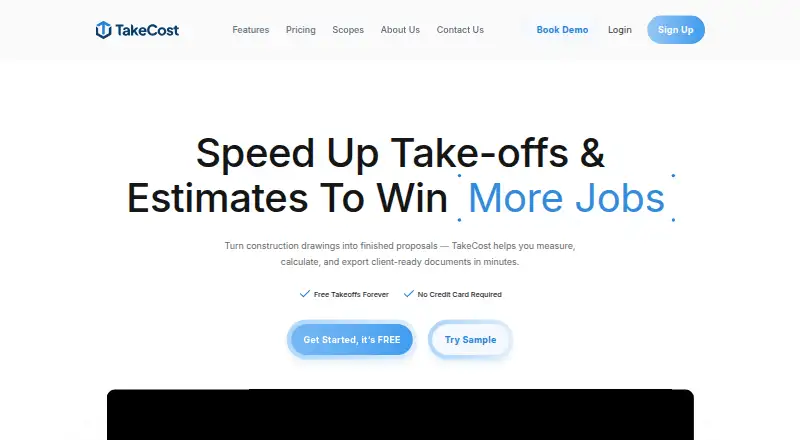
TakeCost is a digital construction takeoff and estimating tool for turning plans into measured quantities, cost estimates, and client-ready proposals. Users can measure areas, lengths, counts, and elevations directly on drawings, then connect quantities to material and labor costs. Smart Scope Assemblies convert measured geometry into material quantities for walls, slabs, framing, and other construction systems. The estimate builder supports markups and pricing adjustments, and users can generate proposals or export and share bid documents. AI-assisted tools can auto-scale drawings, name sheets, suggest assemblies, validate estimates, and prepare inclusions, exclusions, and scope notes. TakeCost accepts single-page and multi-page PDF plans, JPG and PNG images, and Imperial and Metric units. It is available on Android, iOS, macOS, web, and Windows. Core is free and permits one new takeoff file each month, with past projects still accessible. Accelerated is $49 a month, billed $490/year, and includes unlimited takeoffs, scope-based pricing, one-click proposals, spreadsheet and PDF markup exports, Smart Scopes, priority support, and AI automation. A 14-day trial is listed. Enterprise pricing is custom. The maker describes app integrations as a future development item and names no current integrations.
Who it suits
TakeCost is suited to general contractors, builders, subcontractors, and architects or designers who estimate construction work from plans. It fits users who want takeoff measurements connected to pricing, estimates, proposals, and bid-document exports.
What it does well
- Measures areas, lengths, counts, and elevations on drawings.
- Converts measured geometry into material quantities with Smart Scopes.
- Connects quantities to material and labor costs.
- Creates proposals and exports bid documents.
- Accepts PDF, JPG, and PNG plans in Imperial or Metric units.
- Includes AI-assisted drawing, assembly, estimate, and scope tools.
What to know first
- The free Core plan allows one new takeoff file per month.
- Accelerated costs $49 a month, billed $490/year.
- Enterprise requires custom pricing.
Limits
Core allows one new takeoff file per month, although past projects remain accessible. Accelerated is $49 a month, billed $490/year; Enterprise uses custom pricing.
Plans
| Plan | Billed and limits | Price |
|---|---|---|
| Core | Free · 1 new takeoff file each month · Full takeoff tools for area, length, and count · Unlimited proposals and revisions · AI assistant | Free |
| Accelerated | $490/year; Save $98 • 2 months free · Unlimited takeoffs · Scope-based pricing · 1-click proposals · Spreadsheet and PDF markup exports · Smart Scopes · Priority support · AI automation features | $49 a month |
| Enterprise | Contact us for custom enterprise pricing. · Custom enterprise pricing | On request |
As takecost.com lists them, read 29 Sept 2026. The maker's own page has the final word.
Getting started
- Visit the TakeCost website.
- Choose the free Core plan or review the 14-day trial and paid plan options.
- Upload a single-page or multi-page PDF, JPG, or PNG plan.
- Select Imperial or Metric units and measure the drawing.
- Build an estimate, then create a proposal or export and share bid documents.
Overview
TakeCost is construction takeoff and estimating software for contractors and design professionals who turn drawings into priced work and proposals. Its strongest case is the connected path from measurements to bid documents; the main trade-off is that regular takeoff volume requires a paid plan.
Key features
From drawings to quantities
TakeCost measures areas, lengths, counts, and elevations on plans, then Smart Scope Assemblies can turn measured geometry into material quantities for systems such as walls, slabs, and framing. Custom assemblies give estimators room to reflect their own scopes. This is a 2D takeoff workflow, suited to plan-based estimating rather than 3D modeling.
PDF plans, including multi-page files, and JPG or PNG images are supported, along with Imperial and Metric units. That range accommodates common drawing formats and measurement conventions without requiring a single unit system.
Estimates and proposals
The estimate builder links quantities to material and labor costs, with markups and pricing adjustments. Users can generate proposals from estimates, revise them, and export or share bid documents. Keeping takeoff quantities and pricing connected is useful when scope changes need to carry through to client-facing work.
AI and workflow tools
AI-assisted features can auto-scale drawings, name sheets, suggest assemblies, validate estimates, and draft inclusions, exclusions, and scope notes. These tools target repetitive setup and documentation tasks, while the estimate and proposal workflow remains the core value. Accelerated adds spreadsheet and PDF markup exports and AI automation features.
Support is offered through help desk tickets, live chat, email, and phone; Accelerated includes priority support. TakeCost says it uses encrypted storage, daily backups, and limited access controls, while acknowledging that absolute security cannot be guaranteed. It may use anonymized drawings and design data to improve AI features, and says it does not sell personal information. Its integrations are a future development item, so teams that depend on named current integrations should look elsewhere.
Pricing
TakeCost has a free Core plan, a paid Accelerated plan, and custom pricing for Enterprise. The 14-day trial gives prospective users a short evaluation period before committing.
- Core — free. Includes full area, length, and count takeoff tools, unlimited proposals and revisions, and an AI assistant. The decisive cap is one new takeoff file each month; past projects remain accessible. It fits occasional estimating, but not a steady pipeline of new jobs.
- Accelerated — $49 a month (billed $490/year; Save $98 • 2 months free). It includes unlimited takeoffs, scope-based pricing, 1-click proposals, spreadsheet and PDF markup exports, Smart Scopes, priority support, and AI automation features. This is the practical choice for regular estimating work, with the annual billing option lowering the effective cost compared with paying monthly.
- Enterprise — custom pricing. The plan is aimed at enterprise buyers seeking custom pricing; no specific inclusions are stated.
Core preserves proposal work but sharply limits new takeoffs, while Accelerated removes that quota and adds estimating and export tools. The choice is primarily about workload: occasional use can stay free, while repeated takeoffs point to the paid plan.
Platforms
TakeCost is available on Android, iOS, macOS, web, and Windows. Its supported drawing inputs are PDF, JPG, and PNG, with spreadsheet and PDF exports on Accelerated.
Who it's for
General contractors, builders, subcontractors, and architects or designers estimating construction work are the intended audience. It is particularly suitable for people who want quantities, material and labor pricing, and proposals tied together. It is less compelling for users who need more than one new takeoff monthly without paying, current named integrations, or a 3D measurement workflow.
Pros and cons
- Connected takeoff-to-proposal workflow: quantities, pricing, and client-ready outputs sit in one estimating process.
- Broad drawing and unit support: PDF, JPG, and PNG inputs and Imperial and Metric units suit varied plan workflows.
- Useful free starting point: proposals and revisions are unlimited, but one new takeoff file monthly makes Core unsuitable for regular volume.
- Paid-plan threshold is clear: Accelerated offers unlimited takeoffs at $49 a month, though annual billing is $490/year.
- No current named integrations: teams needing established connections to other apps may find the workflow limiting.
Alternatives
Construction Takeoff Software is the broader category to browse if you want to compare takeoff products before settling on a workflow.
- Bidwright is a free alternative with desktop apps for macOS, Windows, and Linux, plus self-hosting options; its desktop app is single-user and AI is disabled until you add your own key. Choose it if desktop or self-hosted access matters more than TakeCost's connected proposal workflow.
- OpenTakeoff is free, open-source under Apache-2.0, and requires no account. It suits readers who prioritize open-source software over TakeCost's paid unlimited-takeoff plan.
- usBIM.platform has a free basic configuration with 10 GB cloud storage and free online applications. Consider it if those online applications and storage are the priority.
- STACK has a free plan limited to one active project per month, 300 plan pages, 50 measurements per project, and one viewer seat. It is an option for readers whose work fits those project and measurement caps.
- Vertigraph Products offers a free BidScreen Cloud Starter tier with two projects monthly, two users, 1 GB storage, and three saves per page. Its $16.66 a month BidScreen Cloud Pro price may appeal to buyers weighing a different paid-plan entry point.
- eTakeoff offers a free Basic viewer and Windows software, with Advanced at $795 a year and Premier at $1,495 a year. Consider it if a Windows-based product with annual per-user plans better fits your purchasing approach.
- MeasureSquare has a Mobile Retail plan at $54 a month for one user, covering iOS and Android for in-store sales and on-site consultations. Choose it for that retail consultation context rather than general plan takeoffs.
- The EDGE is another paid option with pricing not published; request a demo.
Verdict
TakeCost is a strong fit for construction professionals who want to carry drawing measurements through costs and proposals without separating those steps into different tools. Its main reason to choose it is that connected workflow, supported by flexible scopes and proposal exports. Its main reason to look elsewhere is the Core limit of one new takeoff monthly: frequent estimators will need Accelerated, and teams needing current integrations should consider alternatives.
Verdict
Choose TakeCost if you estimate construction work from drawings and want measurements, costs, and proposals in a connected workflow. Core is restricted to one new takeoff file monthly; unlimited takeoffs and additional tools are in Accelerated at $49 a month.
Questions
Is TakeCost free?
Yes. The Core plan is free and allows one new takeoff file per month; past projects remain accessible.
What does Accelerated cost?
Accelerated is $49 a month, billed $490/year. A 14-day trial is listed.
Which platforms can I use?
TakeCost lists Android, iOS, macOS, web, and Windows.
What plan files and units does it support?
It accepts single-page and multi-page PDF plans, JPG images, and PNG images. Measurements can use Imperial or Metric units.
Does TakeCost have integrations?
The maker lists app integrations as a future development item and names no current integrations.
How does TakeCost handle user data and security?
The maker says it uses daily backups, encrypted storage, and limited access controls. It may use anonymized user-generated drawings and design data to improve AI features, and says it does not sell personal information.
Facts from TakeCost's own pages
- AI automation
- AI-assisted tools can auto-scale drawings, name sheets, suggest assemblies, validate estimates, and generate inclusions, exclusions, and scope notes. · takecost.com, 29 Sept 2026
- Connected workflow
- It connects takeoff quantities to pricing and proposal-ready outputs so changes can flow through the project. · takecost.com, 29 Sept 2026
- Estimating
- The estimate builder connects quantities to material and labor costs and supports markups and pricing adjustments. · takecost.com, 29 Sept 2026
- Free tier limit
- The Core plan allows one new takeoff file per month, while past projects remain accessible. · takecost.com, 29 Sept 2026
- Headquarters
- Woodbridge, Ontario, Canada · takecost.com, 28 Sept 2026
- Integrations
- The maker's About page lists app integrations as a future development item and does not name current integrations. · takecost.com, 29 Sept 2026
- Intended users
- The maker presents TakeCost for general contractors, builders, subcontractors, and architects and designers who estimate construction work. · takecost.com, 29 Sept 2026
- Measurements
- Users can measure areas, lengths, counts, and elevations directly on drawings. · takecost.com, 29 Sept 2026
- Privacy and AI data
- TakeCost says it may use anonymized user-generated drawings and design data to improve AI features and says it does not sell personal information. · takecost.com, 29 Sept 2026
- Proposals and exports
- Users can generate client-ready proposals from estimates and export or share bid documents. · takecost.com, 29 Sept 2026
- Purpose
- TakeCost is a digital construction takeoff and estimating tool for uploading plans, measuring materials, building estimates, and creating proposals. · takecost.com, 29 Sept 2026
- Security
- The maker says it runs daily backups and uses encrypted storage and limited access controls; its privacy policy says it takes reasonable security measures and cannot guarantee absolute security. · takecost.com, 29 Sept 2026
- Smart scopes
- Smart Scope Assemblies convert measured geometry into material quantities for walls, slabs, framing, and other construction systems. · takecost.com, 29 Sept 2026
- Support
- Support is available through help desk tickets, live chat, email, and phone; the Accelerated plan includes priority support. · takecost.com, 29 Sept 2026
- Supported files and units
- TakeCost supports single-page and multi-page PDF plans, JPG and PNG images, and Imperial and Metric units. · takecost.com, 29 Sept 2026
Where TakeCost stands on Freedom251
- Construction Takeoff Software#6 of 25