Freedom251 › Construction Estimating Software
CostX
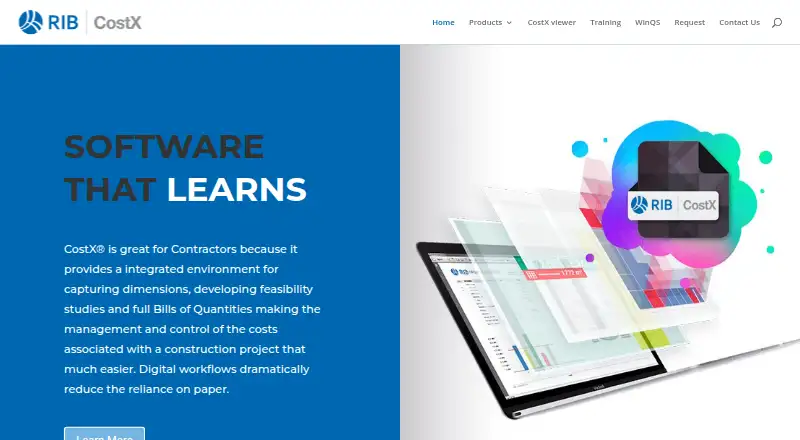
What CostX is
CostX is a construction estimating environment for capturing dimensions, developing feasibility studies, and preparing Bills of Quantities. Its 2D takeoff tools work from scanned, PDF, CAD, and other 2D drawings, calculating areas, lengths, and counts. It can also generate quantities from BIM or 3D models and estimate quantities and costs from BIM files.
Spreadsheet-based workbooks link to drawings and data repositories, keeping quantities and related values connected to project information. Revision mode compares drawings and highlights design changes. Users can prepare estimates, tenders, and Bills of Quantities, build workbooks for subcontractor comparison, and produce customised reports. The CostXL add-in links CostX dimensions, workbook values, rates, and constants with Microsoft Excel spreadsheets.
CostX Core includes 2D takeoff, live-linked workbooks, subcontractor comparison, and reports. The full platform adds BIM and auto-revisioning. CostX Viewer is free to use and distribute for read-only project review; subcontractors can enter tender prices in Viewer and save them to an EXQ quote file for import into CostX. Licenses are available as standalone installations for one user on one PC or as network licenses installed on multiple PCs with a central database. Pricing is on request. The site offers software and sample file downloads and a product walkthrough.
Who it suits
CostX suits construction contractors preparing quantities, feasibility studies, estimates, tenders, and Bills of Quantities. Takeoff 2D is presented for individuals or small businesses on a strict budget who need digital takeoff, while Viewer supports read-only project review by stakeholders.
What it does well
- Takes off quantities from scanned, PDF, CAD, and other 2D drawings.
- Generates quantities from BIM or 3D models.
- Links workbooks to drawings and data repositories.
- Compares drawing revisions and highlights design changes.
- Free Viewer supports read-only project review and tender pricing.
What to know first
- Pricing is available on request.
- CostX Core does not include BIM or auto-revisioning.
- Listed platforms are API and Windows.
Limits
CostX Core includes 2D takeoff, live-linked workbooks, subcontractor comparison, and reports; BIM and auto-revisioning require an upgrade to the full platform. The free CostX Viewer is limited to read-only project review, with subcontractors able to enter tender prices and save them to an EXQ quote file.
Getting started
- Visit the CostX website.
- Download the software and sample files.
- Follow the product walkthrough.
- Choose a standalone license for one user on one PC or a network license with a central database.
- Use CostX Viewer for free read-only project review, or request pricing for CostX.
Verdict
Choose CostX if you need drawing-based takeoff and estimating with linked workbooks, tender outputs, or subcontractor comparison. If your work requires BIM quantities or auto-revisioning, the full platform is needed beyond CostX Core.
Questions
How much does CostX cost?
Pricing is on request. The site describes CostX Takeoff 2D as an option for individuals or small businesses on a strict budget.
Is any version free?
CostX has a free plan, and CostX Viewer is free to use and distribute for read-only project review.
Which platforms does CostX support?
The listed platforms are API and Windows. CostX is also described as desktop software.
Does CostX support BIM?
CostX can generate quantities from BIM or 3D models and estimate quantities and costs from BIM files. CostX Core requires an upgrade to the full platform for BIM.
Can subcontractors use CostX Viewer to submit prices?
They can enter prices against tender items in Viewer and save them in an EXQ quote file for import into CostX.
What license types are available?
CostX offers standalone licenses for one user on one PC and network licenses installed on multiple PCs with a central database.
Facts from CostX's own pages
- 2D takeoff
- It measures areas, lengths and counts from scanned, PDF, CAD and other 2D drawings. · costx.co.za, 3 Oct 2026
- BIM and 3D
- CostX can generate quantities from BIM or 3D models and estimate quantities and costs from BIM files. · costx.co.za, 2 Oct 2026
- BIM quantities
- CostX can generate quantities from BIM or 3D models. · costx.co.za, 3 Oct 2026
- Cloud security
- The CostX Cloud page describes Microsoft Azure security measures and automated data backups. · rib-software.com, 3 Oct 2026
- CostX Core limit
- CostX Core provides 2D takeoff, live-linked workbooks, subcontractor comparison and reports; users can upgrade to the full platform for BIM or auto-revisioning. · costx.co.za, 2 Oct 2026
- CostX Viewer
- CostX Viewer is free to use and distribute, and lets stakeholders review project files in read-only format. · costx.co.za, 2 Oct 2026
- Download and demo
- The site invites visitors to download software and sample files and follow a product walkthrough. · costx.co.za, 2 Oct 2026
- Download and support
- The official site invites visitors to download software and sample files and follow a product walkthrough; its Takeoff 2D page says license holders have support options. · costx.co.za, 3 Oct 2026
- Estimating outputs
- Users can prepare estimates, tenders and Bills of Quantities, and produce customised reports. · costx.co.za, 2 Oct 2026
- Excel integration
- CostXL links CostX dimensions, workbook values, rates and constants to Microsoft Excel, with updates reflected automatically. · costx.co.za, 3 Oct 2026
- Free viewer
- CostX Viewer is free to use and distribute and lets stakeholders review projects in read-only format. · costx.co.za, 3 Oct 2026
- Headquarters
- Stuttgart, Germany · costx.co.za, 28 Sept 2026
- Intended users
- The product range is presented for contractors, quantity surveyors and estimators, including individuals and small businesses seeking 2D takeoff. · costx.co.za, 3 Oct 2026
- License options
- CostX offers standalone licenses for one user on one PC and network licenses installed on multiple PCs with a central database. · rib-software.com, 3 Oct 2026
- Purpose
- CostX provides an integrated environment for construction takeoff, estimating, feasibility studies and Bills of Quantities. · costx.co.za, 3 Oct 2026
- Revision tracking
- Auto-Revisioning compares drawings and highlights new changes. · costx.co.za, 3 Oct 2026
- Subcontractor comparison
- Users can generate workbooks for subcontractor comparison and integrate them with reports. · costx.co.za, 3 Oct 2026
- Viewer collaboration
- Subcontractors can enter prices against tender items in Viewer and save them to an EXQ quote file for import into CostX. · costx.co.za, 2 Oct 2026
- Workbooks
- Its spreadsheet-based workbooks are live-linked to drawings. · costx.co.za, 3 Oct 2026
Where CostX stands on Freedom251
- Construction Estimating Software#6 of 29
- Construction Takeoff Software#7 of 25