Freedom251 › Guitar Tab Software
TabFlow
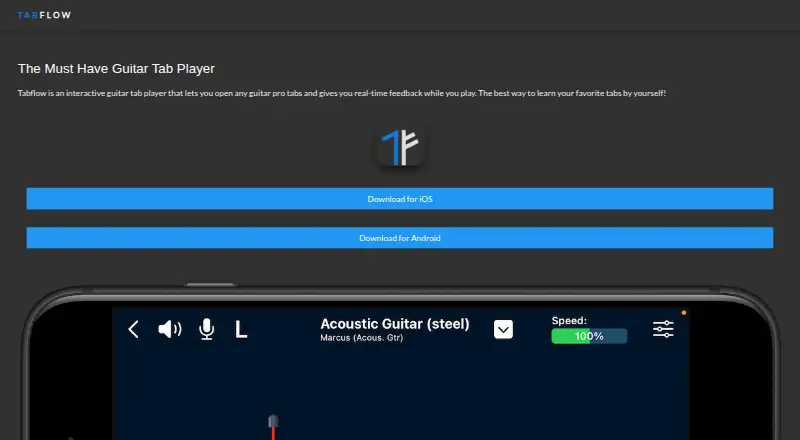
What TabFlow is
TabFlow is an interactive guitar tab player for iOS and Android that provides real-time feedback as you play. Its Interactive Mode listens to guitar playing and changes playback speed and timing to follow the performance. Playback controls let you adjust speed, loop sections, and isolate parts for focused practice. The app also lets musicians create tabs and edit existing guitar and drum tabs.
TabFlow imports Guitar Pro files and exports tabs in Guitar Pro 5 format. It also supports importing and exporting tabs in MIDI format, with both tab and standard notation modes and tab playback. The maker presents it as a tool for learning guitar tabs and working with guitar or drum compositions. The app is available on Google Play and for iPhone and iPad; the iOS listing requires iOS 17.0 or later and the iPad listing requires iPadOS 17.0 or later. TabFlow is free to download with in-app purchases. Its Premium plan is a one-time 7.99 USD payment for lifetime access to all features. The free version has a reported limitation: an App Store reviewer says it does not allow tempo adjustment.
Who it suits
TabFlow suits guitar players learning songs from tabs who want playback that responds to their playing, along with looping and part-isolation controls. It also fits musicians creating or editing guitar and drum tabs, including people who work with Guitar Pro or MIDI files.
What it does well
- Interactive Mode adjusts playback to match guitar playing.
- Create and edit guitar and drum tabs.
- Import Guitar Pro files and export Guitar Pro 5 format.
- Import and export tabs in MIDI format.
- Available on iOS and Android.
What to know first
- A reviewer reports that the free version does not allow tempo adjustment.
- iPhone and iPad versions require iOS 17.0 or iPadOS 17.0, respectively.
- Premium requires a one-time 7.99 USD payment.
Limits
The free version is reported by an App Store reviewer not to allow tempo adjustment. Premium is a one-time 7.99 USD payment for lifetime access to all features.
Plans
| Plan | Billed and limits | Price |
|---|---|---|
| Free | Free to download; app offers in-app purchases | Free |
| Premium | One-time payment; lifetime access · Unlocks all features for life | $7.99, paid once |
As tabflow.app lists them, read 9 Oct 2026. The maker's own page has the final word.
Getting started
- Visit https://www.tabflow.app/.
- Download TabFlow from Google Play for an Android device, or use the App Store listing for iPhone or iPad.
- On iPhone, use a device with iOS 17.0 or later; on iPad, use iPadOS 17.0 or later.
- Start with the free download, which offers in-app purchases.
- Choose the one-time 7.99 USD Premium plan for lifetime access to all features, if desired.
Verdict
Choose TabFlow if you want mobile tab playback that responds to your playing, plus tools to edit tabs and work with Guitar Pro or MIDI files. Consider Premium if you need the full feature set; the free version has a reported tempo-adjustment restriction.
Questions
How much does TabFlow cost?
TabFlow is free to download and offers in-app purchases. Premium is a one-time 7.99 USD payment for lifetime access to all features.
Is there a free plan?
Yes. TabFlow has a free download, though an App Store reviewer reports that the free version does not allow tempo adjustment.
Which devices does TabFlow support?
It is available for Android, iPhone, and iPad. The iPhone listing requires iOS 17.0 or later, and the iPad listing requires iPadOS 17.0 or later.
Can TabFlow work with Guitar Pro or MIDI files?
It imports Guitar Pro files and exports tabs in Guitar Pro 5 format. It also supports importing and exporting tabs in MIDI format.
Can I create or edit tabs in TabFlow?
Yes. The app lets musicians create tabs and edit existing guitar and drum tabs.
What does Interactive Mode do?
It listens to guitar playing and adjusts playback speed and timing to match the player's performance.
Facts from TabFlow's own pages
- Android data safety
- Google Play says the developer reports no data collected and no data shared with third parties, and that data is encrypted in transit. · play.google.com, 9 Oct 2026
- Android support
- TabFlow is available on Google Play for Android devices. · play.google.com, 9 Oct 2026
- Free version limit
- An App Store reviewer reports that the free version does not allow tempo adjustment. · apps.apple.com, 9 Oct 2026
- Guitar Pro
- It imports Guitar Pro files and can export tabs in Guitar Pro 5 format. · apps.apple.com, 9 Oct 2026
- Headquarters
- San Francisco, California, United States · tabflow.app, 28 Sept 2026
- Intended users
- The maker describes TabFlow as a tool for learning favorite guitar tabs and for musicians working with guitar or drum compositions. · tabflow.app, 9 Oct 2026
- Interactive practice
- Interactive Mode listens to guitar playing and adjusts playback speed and timing to match the player's performance. · apps.apple.com, 9 Oct 2026
- iOS support
- The App Store lists the app for iPhone and iPad and requires iOS 17.0 or later and iPadOS 17.0 or later, respectively. · apps.apple.com, 9 Oct 2026
- MIDI
- The app supports importing and exporting tabs in MIDI format. · apps.apple.com, 9 Oct 2026
- Playback controls
- Playback tools control speed, loop sections, and isolate parts for focused practice. · apps.apple.com, 9 Oct 2026
- Privacy
- The App Store listing says the developer indicated that the app does not collect data; Apple says this developer-provided information is not verified by Apple. · apps.apple.com, 9 Oct 2026
- Support
- Google Play lists [email protected] as the support email. · play.google.com, 9 Oct 2026
- Tab editing
- The app lets musicians create tabs and edit existing guitar and drum tabs. · apps.apple.com, 9 Oct 2026
- What it does
- TabFlow is an interactive guitar tab player that provides real-time feedback while you play. · tabflow.app, 9 Oct 2026
Where TabFlow stands on Freedom251
- Guitar Tab Software#20 of 32