Freedom251 › Container Engines
systemd-nspawn
What systemd-nspawn is
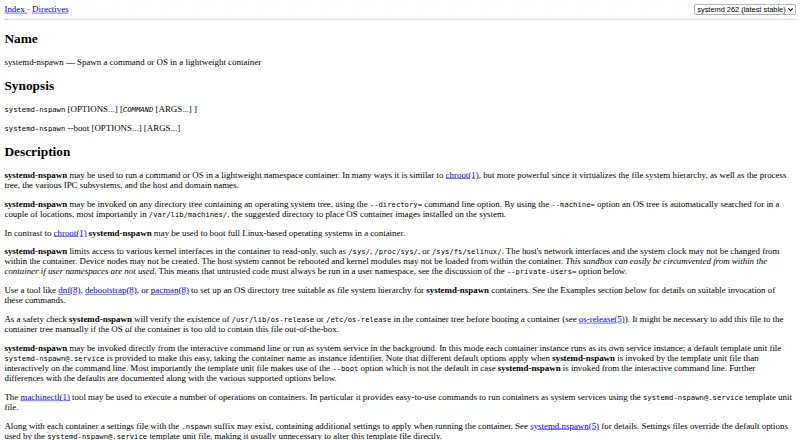
systemd-nspawn runs commands or Linux-based operating systems inside lightweight namespace containers on a Linux host. It isolates the filesystem hierarchy, process tree, IPC subsystems, hostname, and domain name. Containers can use an operating system directory tree or a disk image as their root; named machine images are searched for under /var/lib/machines/. They can run interactively from the command line or as background system services, with machinectl available for management. Running containers register with systemd-machined, which tracks them and provides interfaces for interaction. Per-container .nspawn files can store persistent settings, while command-line options take precedence by default. The manual advises using a user namespace for untrusted code because the sandbox can be circumvented without one. Without privileges, only disk image containers are supported, and networking is limited to private-network and network-veth modes. The tool is free, and Linux is required.
Who it suits
systemd-nspawn may suit Linux users who want to run commands or complete Linux-based systems in namespace containers. Its unprivileged limits and user-namespace guidance matter when handling untrusted code.
What it does well
- Free to use.
- Runs directory-tree or disk-image containers.
- Can run interactively or as a system service.
- Integrates with systemd-machined and machinectl.
- Supports persistent per-container settings.
What to know first
- Requires a Linux host.
- Unprivileged use supports disk images only.
- Unprivileged networking is limited to two modes.
- Untrusted code requires a user namespace for safety.
Limits
Without privileges, only disk-image containers are supported, and networking is restricted to private-network and network-veth modes. For untrusted code, a user namespace is advised because the sandbox may be circumvented without one.
Plans
| Plan | Billed and limits | Price |
|---|---|---|
| systemd-nspawn | No paid plan or usage limits stated on the pages reviewed | Free |
As freedesktop.org lists them, read 11 Oct 2026. The maker's own page has the final word.
Getting started
- Use a Linux system with systemd-nspawn installed
- Prepare an operating-system directory tree or disk image
- Place named machine images under /var/lib/machines/ when using that lookup
- Start a container interactively from the command line
- Optionally create a .nspawn file for persistent per-container settings
- Run containers as services with the [email protected] template
- Manage registered containers with machinectl
Verdict
systemd-nspawn provides container execution and management integrated with systemd on Linux. Review its unprivileged limits and user-namespace guidance before using it for untrusted code.
Questions
How much does systemd-nspawn cost?
The listed plan is free. No paid plan or usage limits are stated.
Which platforms does systemd-nspawn support?
It requires a Linux system and is listed for Linux and self-hosted use.
Can it run containers without root privileges?
Yes, rootless operation is supported. Without privileges, only disk-image containers and private-network or network-veth networking are available.
How are containers managed with systemd?
Containers can run through the [email protected] template, register with systemd-machined, and be interacted with using machinectl.
Can container settings persist between runs?
Yes. Optional .nspawn files store per-container settings, while command-line options take precedence by default.
What license covers systemd-nspawn?
The systemd repository lists GPL-2.0 and LGPL-2.1 licenses.
Facts from systemd-nspawn's own pages
- Configuration
- Per-container .nspawn files provide persistent settings, and command-line options take precedence over those settings by default. · github.com, 11 Oct 2026
- Container images
- It can run from a directory tree or a disk image, and searches /var/lib/machines/ for named machine images. · github.com, 11 Oct 2026
- Container inputs
- It can use an operating system directory tree or a disk image as the container root. · github.com, 11 Oct 2026
- Container interface
- systemd-nspawn implements the systemd Container Interface specification. · github.com, 11 Oct 2026
- Container isolation
- It virtualizes the filesystem hierarchy, process tree, IPC subsystems, hostname, and domain name. · github.com, 11 Oct 2026
- Execution modes
- It can run interactively from the command line or as a background system service. · github.com, 11 Oct 2026
- Image safety
- For .nspawn settings files found next to an image or container root, settings that elevate privileges or grant additional host access are ignored by default. · github.com, 11 Oct 2026
- Integration
- Running containers register with systemd-machined, which tracks them and provides programming interfaces to interact with them. · github.com, 11 Oct 2026
- Isolation
- It virtualizes the filesystem hierarchy, process tree, IPC subsystems, and host and domain names. · github.com, 11 Oct 2026
- License
- The systemd repository includes an LGPL 2.1 license file. · github.com, 11 Oct 2026
- Management integration
- Running containers can be registered with systemd-machined and interacted with through machinectl. · github.com, 11 Oct 2026
- Persistent settings
- Optional .nspawn files store per-container settings that can also be set on the command line. · freedesktop.org, 11 Oct 2026
- Platform
- systemd-nspawn is documented as a Linux container tool and requires a Linux system to run. · github.com, 11 Oct 2026
- Purpose
- systemd-nspawn runs a command or a full Linux-based operating system in a lightweight namespace container. · github.com, 11 Oct 2026
- Security
- For untrusted code, the manual says to use a user namespace because the sandbox can be circumvented without one. · github.com, 11 Oct 2026
- Service management
- A [email protected] template can run each container as a system service, and machinectl can manage containers. · github.com, 11 Oct 2026
- Settings safety
- Settings discovered beside an image or container root ignore options that elevate privileges or grant additional host resource access. · freedesktop.org, 11 Oct 2026
- Support
- The systemd project lists its mailing list, IRC channel, and Matrix channel as support options. · github.com, 11 Oct 2026
- Unprivileged limits
- Without privileges, only disk image containers are supported, and networking is limited to private-network and network-veth modes. · github.com, 11 Oct 2026
Where systemd-nspawn stands on Freedom251
- Container Engines#25 of 31