Freedom251 › Photo Backup Software
SyncShot
What SyncShot is
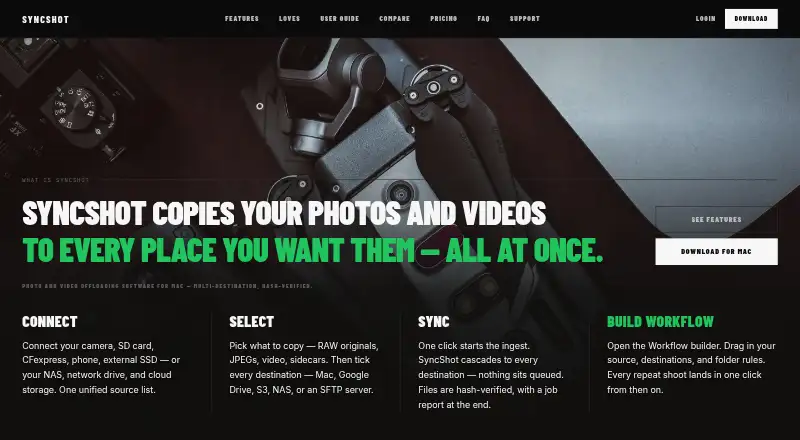
SyncShot is a macOS utility for photographers and filmmakers who need to offload and back up files. Its visual workflow builder connects sources, filters, destinations, and post actions. Destinations listed include a local SSD or NAS, Google Drive, S3-compatible storage, SFTP, and FTP. Filters cover RAW, JPG, HEIC, and video, with camera-aware ingest and MTP/PTP support. SyncShot says transfers are verified with BLAKE3 hashes and can resume from the exact byte after an interruption. Every job produces a report showing delivery by destination and failure reasons, with retry-failed controls and CSV export. Pro costs $49 a year for one Mac and includes unlimited job runs, workflows, destinations per workflow, and full job history. Studio costs $99 a year per seat for one Mac per seat, adding shared credentials, a shared workflow library, full-history report export, and a faster support SLA. A 14-day trial is available; afterward, the app becomes read-only while workflows, history, and destinations remain intact. The download requires macOS 13 or later and Apple silicon.
Who it suits
It suits photographers and filmmakers using Apple silicon Macs to automate file transfers and backups. Studio is aimed at teams needing shared credentials, workflows, and reporting.
What it does well
- BLAKE3-verified transfers can resume after interruption
- Supports local, NAS, cloud, SFTP, and FTP destinations
- Handles RAW, JPG, HEIC, and video filters
- Job reports include retry controls and CSV export
- 14-day trial available
What to know first
- Requires macOS 13 or later and Apple silicon
- No free plan
- Read-only mode starts after the trial
- Support is email-only
Limits
The 14-day trial changes to read-only mode afterward, although workflows, history, and destinations remain intact. Pro is limited to one Mac, and Studio provides one Mac per seat.
Plans
| Plan | Billed and limits | Price |
|---|---|---|
| Pro | $49 a year · 1 Mac · unlimited job runs · unlimited workflows · unlimited destinations per workflow · full job history | $49 a year |
| Studio | $99/ seat / year · 1 Mac per seat · unlimited job runs · unlimited workflows · unlimited destinations per workflow · shared credentials · faster SLA | $99 a year |
As syncshot.io lists them, read 9 Oct 2026. The maker's own page has the final word.
Getting started
- Open the SyncShot website
- Download the macOS 13 or later Apple-silicon app
- Start the 14-day trial
- Build a workflow with sources, filters, destinations, and post actions
- Choose a local, network, or online destination
- Run a job and review its report
Verdict
SyncShot combines configurable ingest workflows with verified transfers and detailed job reporting. Its Mac-only requirements, paid plans, and post-trial read-only mode should shape your decision.
Questions
How much does SyncShot cost?
Pro costs $49 a year for one Mac. Studio costs $99 per seat per year for one Mac per seat.
Is there a free plan?
There is no free plan, but SyncShot offers a 14-day trial.
Which operating systems are supported?
The download page requires macOS 13 or later and Apple silicon.
Where can SyncShot send files?
Listed destinations are local SSD or NAS, Google Drive, S3-compatible storage, SFTP, and FTP.
What does Studio add?
Studio includes a shared workflow library, destination credential synchronisation, full-history job reports with export, and a faster support SLA.
Does SyncShot transmit media files?
Its privacy policy says files, filenames, thumbnails, folder structures, and destination credentials are not transmitted to SyncShot.
Facts from SyncShot's own pages
- Analytics
- SyncShot collects product analytics about feature use and app health, but says analytics do not include file contents or paths. · syncshot.io, 9 Oct 2026
- Destinations
- Supported destinations listed include local SSD or NAS, Google Drive, S3-compatible storage, SFTP, and FTP. · syncshot.io, 9 Oct 2026
- Job reports
- Each job produces a report with per-destination delivery, failure reasons, retry-failed controls, and CSV export. · syncshot.io, 9 Oct 2026
- Maker
- The maker identifies the product as SyncShot and describes the team behind it, but the opened maker pages do not state headquarters or founding year. · syncshot.io, 9 Oct 2026
- Platform requirement
- The download page lists macOS 13 or later and Apple silicon. · syncshot.io, 9 Oct 2026
- Privacy
- The privacy policy says files, filenames, thumbnails, folder structures, and destination credentials are not transmitted to SyncShot. · syncshot.io, 9 Oct 2026
- Purpose
- SyncShot is a macOS utility for offloading and backing up photographers’ and filmmakers’ work. · syncshot.io, 9 Oct 2026
- Security
- The privacy policy says personal data is protected with TLS in transit, backend access controls, and minimal retention. · syncshot.io, 9 Oct 2026
- Source formats
- The feature page lists RAW, JPG, HEIC, and video filters, plus camera-aware ingest and MTP/PTP support. · syncshot.io, 9 Oct 2026
- Studio features
- Studio includes a shared workflow library, destination credential sync, full-history job reports with export, and a faster support SLA. · syncshot.io, 9 Oct 2026
- Support
- Support is email-only, and SyncShot says it replies within one business day. · syncshot.io, 9 Oct 2026
- Transfer verification
- SyncShot says transfers are BLAKE3 hash verified and can resume from the exact byte after interruption. · syncshot.io, 9 Oct 2026
- Trial limit
- After the 14-day trial, the app switches to read-only mode while workflows, history, and destinations remain intact. · syncshot.io, 9 Oct 2026
- Workflow
- A visual workflow builder connects sources, filters, destinations, and post actions. · syncshot.io, 9 Oct 2026
Where SyncShot stands on Freedom251
- Photo Backup Software#22 of 25