Freedom251 › Professional Services Automation Software
Syncro Remote Access
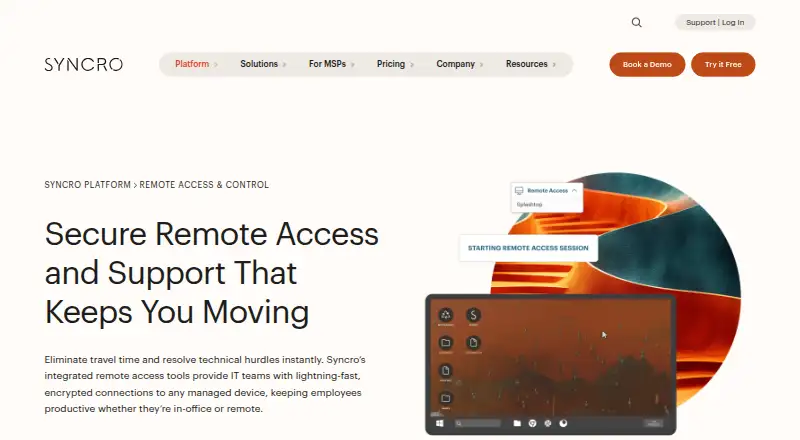
What Syncro Remote Access is
Syncro Remote Access lets IT teams connect to and control managed devices for support and troubleshooting. Technicians can launch a session from a support ticket or device view, and reach an endpoint over the internet without a VPN. The remote desktop feature accesses managed Windows and Mac endpoints. Sessions include multi-monitor viewing, secure file transfer, and remote command prompt and registry tools. A session can require permission from the end user or use unattended access for server maintenance; Syncro says every session is automatically logged.
Splashtop remote access is included with a Syncro subscription at no extra cost. Syncro describes sessions as encrypted and its platform as SOC 2 Type II certified. The cloud platform is aimed at MSPs and internal IT departments, including lean teams. Its mobile app supports remote device access on iOS and Android. Syncro lists 50+ integrations across remote access, documentation, communication, security, and other functions. The Core Plan costs $129 a month when billed annually, or $159 per user per month with monthly billing, and includes unlimited endpoints. A 14-day free trial does not require a credit card; there is no free plan. Syncro was founded in 2011 and is headquartered in Tampa, Florida, United States.
Who it suits
Syncro Remote Access suits MSPs and internal IT teams that need to support and troubleshoot managed devices remotely. Its ticket-based session launch, unattended access, and multi-tenant management are relevant to teams handling ongoing device administration.
What it does well
- Launches sessions from support tickets or device views
- Remote access is included with a Syncro subscription
- Supports unattended access and end-user permission controls
- Automatically logs every remote session
- 14-day trial does not require a credit card
What to know first
- No free plan
- Core Plan starts at $129 a month with annual billing
- Remote desktop feature accesses Windows and Mac endpoints
Limits
The Core Plan costs $129 a month when billed annually, or $159 per user per month with monthly billing. It includes unlimited endpoints; no free plan is offered.
Plans
| Plan | Billed and limits | Price |
|---|---|---|
| Core Plan | Annually; $129 per user/per month (monthly billing: $159) · Per-user pricing · unlimited endpoints · remote access included | $129 a month |
| Team Plan | Annually; $179 per user/per month (monthly billing: $209) · Per-user pricing · unlimited endpoints · remote access included · multi-monitor support | $179 a month |
| Enterprise / Custom | Flexible terms and volume pricing available · For large or complex organizations · PO billing · multi-year terms · custom start dates | On request |
As syncrosecure.com lists them, read 8 Oct 2026. The maker's own page has the final word.
Getting started
- Open the Syncro Remote Access page at https://syncrosecure.com/platform/remote-access/
- Start the 14-day free trial without a credit card, or choose a paid plan
- Use the web platform or the iOS or Android mobile app
- Launch a remote session from a support ticket or device view
- Choose end-user permission or unattended access for the session
Verdict
Choose Syncro Remote Access if your IT team needs managed-device support, session logging, and remote access included with a broader Syncro subscription. The 14-day trial offers a way to evaluate it, but buyers should weigh the per-user price and annual billing for the Core Plan; there is no free plan.
Questions
How much does Syncro Remote Access cost?
The Core Plan is $129 a month when billed annually, or $159 per user per month with monthly billing. The Team Plan is $179 a month billed annually, or $209 per user per month with monthly billing.
Is there a free plan or trial?
There is no free plan. Syncro offers a 14-day free trial that does not require a credit card.
Which platforms does it support?
The listed platforms are Android, iOS, Linux, macOS, web, and Windows. The remote desktop feature accesses managed Windows and Mac endpoints.
Who is Syncro Remote Access for?
Syncro describes its platform as serving MSPs and internal IT departments, including lean IT teams.
What does the Team Plan add?
The Team Plan includes unlimited endpoints and remote access, plus multi-monitor support.
Does it integrate with other tools?
Syncro says it offers 50+ integrations across remote access, documentation, communication, security, and other functions.
Facts from Syncro Remote Access's own pages
- Audit trail
- Syncro says every remote session is automatically logged. · syncrosecure.com, 8 Oct 2026
- Connection features
- Remote sessions support multi-monitor viewing, secure file transfer, and remote command prompt and registry tools. · syncrosecure.com, 8 Oct 2026
- Founded
- 2011 · syncrosecure.com, 28 Sept 2026
- Headquarters
- Tampa, Florida, United States · syncrosecure.com, 28 Sept 2026
- Included remote access
- Splashtop remote access is included with a Syncro subscription at no extra cost. · syncrosecure.com, 8 Oct 2026
- Integrations
- Syncro says it offers 50+ integrations and lists products for remote access, documentation, communication, security, and other functions. · syncrosecure.com, 8 Oct 2026
- Intended users
- Syncro describes its platform as serving MSPs and internal IT departments, including lean IT teams. · syncrosecure.com, 8 Oct 2026
- Mobile access
- The Syncro mobile app supports remote device access and is offered for iOS and Android. · syncrosecure.com, 8 Oct 2026
- Network access
- The product page says technicians can access an endpoint over the internet without requiring a VPN. · syncrosecure.com, 8 Oct 2026
- Purpose
- Syncro Remote Access lets IT teams connect to and control managed devices remotely for support and troubleshooting. · syncrosecure.com, 8 Oct 2026
- Security
- Syncro describes remote sessions as encrypted and says its platform is SOC 2 Type II certified. · syncrosecure.com, 8 Oct 2026
- Session controls
- Sessions can require end-user permission before connection or use unattended access for server maintenance. · syncrosecure.com, 8 Oct 2026
- Support
- The pricing page lists 24/5 live support from a technician, Monday through Friday. · syncrosecure.com, 8 Oct 2026
- Supported endpoints
- The remote desktop feature accesses managed Windows and Mac endpoints. · syncrosecure.com, 8 Oct 2026
- Trial
- Syncro offers a 14-day free trial without requiring a credit card. · syncrosecure.com, 8 Oct 2026
- Workflow integration
- Technicians can launch a remote session directly from a support ticket or device view. · syncrosecure.com, 8 Oct 2026