Freedom251 › Photo Editing Software
Superimpose X
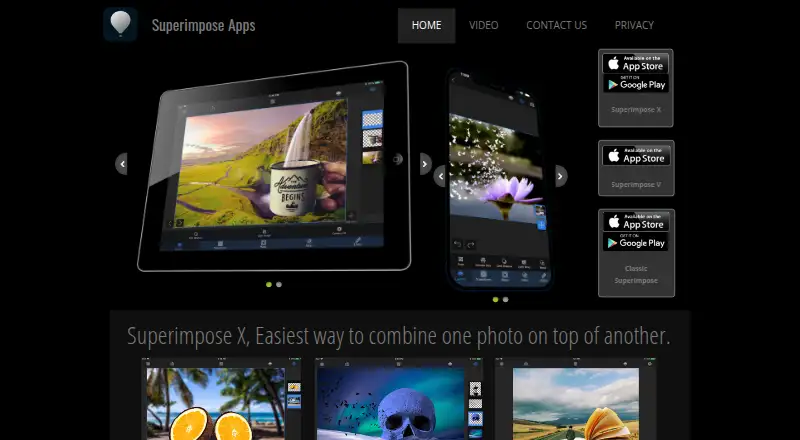
What Superimpose X is
Superimpose X is a mobile photo editor for making photo art and editing pictures on-device. It runs on Android and iOS and provides layers, masking, AI retouching, and a broad set of image tools. Masks include Magic Wand, Magic Lasso, Smart Brush, colour-range selection, and one-tap subject cut-out. Other controls cover colour adjustment, text, gradients, warp, paint, smudge, clone stamp, retouching, and blur. The session library saves projects automatically and reopens them where editing stopped. More than a million royalty-free stock photos are included. The free editor supports two layers and many tools. Exports include JPEG and transparent PNG; layered PSD export requires Pro. Some advanced processing may temporarily send photos to a server before deletion, and shared photos may include EXIF data. Certain functions need an active internet connection.
Who it suits
It suits mobile users who want layered photo editing, masking, retouching, and compositing tools on Android or iOS. The free tier can suit projects limited to two layers.
What it does well
- Runs on Android and iOS
- Includes varied masking tools
- Projects save automatically
- Over a million stock photos
- Exports JPEG and transparent PNG
What to know first
- Free tier supports two layers
- PSD export requires Pro
- Some functions require internet
- Photos may be temporarily server-processed
Plans
| Plan | Billed and limits | Price |
|---|---|---|
| Pro Membership | Pro membership | On request |
| AI Membership | AI membership | On request |
| Superimpose X Pro | Pro membership | On request |
| 500 Pro AI Coins | 500 Pro AI Coins | On request |
| 1000 Pro AI Coins | 1000 Pro AI Coins | On request |
| Superimpose X | One-time app purchase, as listed on the U.S. App Store. · iPhone and iPad · In-app purchases also available | $4.99, paid once |
| SuperimposeX Pro | Google Play lists monthly and yearly subscriptions; it does not show the prices in the opened listing. · Unlocks unlimited layers · All premium tools · PSD export | On request |
As superimposeapp.com lists them, read 22 Sept 2026. The maker's own page has the final word.
Verdict
Superimpose X offers extensive mobile compositing tools with automatic project saving and a free starting tier. Check layer, PSD, connectivity, and photo-processing requirements before relying on it.
Facts from Superimpose X's own pages
- AI retouching
- Yes · superimposeapp.com, 22 Sept 2026
- Developer
- The U.S. App Store lists Pankaj Goswami as the developer. · apps.apple.com, 12 Oct 2026
- Editing tools
- The Google Play listing describes tools for colour adjustment, text, gradients, warp, paint, smudge, clone stamp, retouch, and blur. · play.google.com, 12 Oct 2026
- Exports
- The Google Play listing describes JPEG, transparent PNG, and layered PSD export, with PSD export requiring Pro. · play.google.com, 12 Oct 2026
- Free plan
- No · superimposeapp.com, 22 Sept 2026
- Free tier
- The Google Play listing says the editor is free with two layers and a large set of tools. · play.google.com, 12 Oct 2026
- Internet requirement
- The maker's terms say certain app functions require an active internet connection. · superimposeapp.com, 12 Oct 2026
- Layer editing
- The Google Play listing describes layer-based editing with 18 blend modes and 16 adjustment layers. · play.google.com, 12 Oct 2026
- Layer editing
- Yes · superimposeapp.com, 22 Sept 2026
- Masking
- The app listing describes mask tools including Magic Wand, Magic Lasso, Smart Brush, colour range, and one-tap subject cut-out. · play.google.com, 12 Oct 2026
- Photo processing
- The maker says photos may be temporarily transferred to a server for advanced processing and automatically deleted afterward. · superimposeapp.com, 12 Oct 2026
- Platform
- mobile · superimposeapp.com, 22 Sept 2026
- Privacy
- The maker's privacy policy says its apps collect feature-usage analytics and approximate location derived from IP, but do not access device location. · superimposeapp.com, 12 Oct 2026
- Project saving
- The app listing says the session library saves projects automatically and that projects reopen where editing stopped. · play.google.com, 12 Oct 2026
- Purpose
- Superimpose X is a photo editor for editing photos on-device and creating photo art. · superimposeapp.com, 12 Oct 2026
- Sharing
- The maker's privacy policy says sharing photos from the app may pass the photo and its EXIF data to the destination network. · superimposeapp.com, 12 Oct 2026
- Stock photos
- The app listing says it includes over a million royalty-free stock photos. · play.google.com, 12 Oct 2026
- Support
- The maker's contact page says users will hear back within 48–72 hours if a response is needed. · superimposeapp.com, 12 Oct 2026
Where Superimpose X stands on Freedom251
- Photo Editing Software#75 of 159