Freedom251 › Photo Editing Software

Alcedo Studio
What Alcedo Studio is
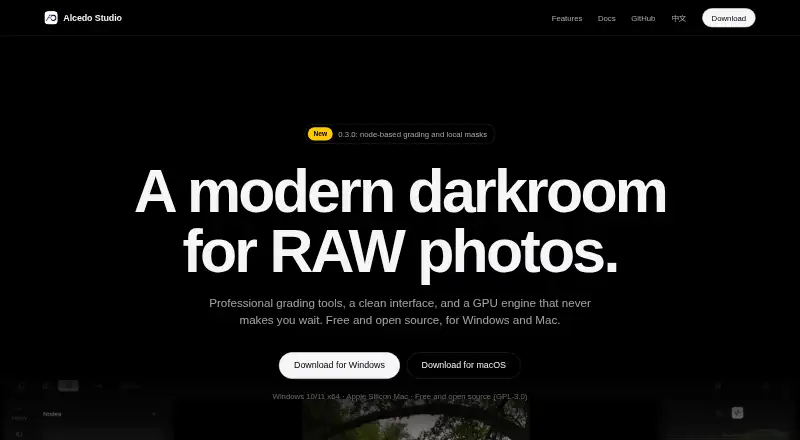
Alcedo Studio is a free, open-source desktop photo application for Windows 10/11 x64 and Apple Silicon Macs. It combines RAW decoding, editing, color grading, library management, and export. Editing tools include exposure, white balance, tone curves, color wheels, selective color, local tone mapping, radial and linear masks, and named versions. Color Grade nodes can be stacked without a stated limit, with separate masks for each node. Processing uses 32-bit floating point calculations and ACEScc grading, with ACES 2.0 and OpenDRT display transforms. Rendering supports CUDA and OpenCL on Windows and Metal on Apple Silicon. The local library uses DuckDB, metadata filters, and semantic search, storing project data in one .alcd file. Optional AI descriptions and ratings use your OpenAI- or Anthropic-compatible key; semantic search uses downloaded local CLIP models. Imports include RAW, JPEG, PNG, TIFF, and OpenEXR. Exports include JPEG, PNG, TIFF, OpenEXR, and Ultra HDR up to 32-bit float. Cloud sync and AI retouching are not included.
Who it suits
It suits photographers wanting a free desktop RAW editor with batch editing, detailed color controls, and local library management. It is less suitable if cloud sync or AI retouching is required.
What it does well
- Free and open source under GPL-3.0
- RAW and batch editing support
- 32-bit floating-point processing
- Local semantic search
- CUDA, OpenCL, and Metal rendering
What to know first
- No cloud sync
- No AI retouching
- Windows or Apple Silicon Mac only
- Older projects may not open after upgrade
Plans
| Plan | Billed and limits | Price |
|---|---|---|
| Alcedo Studio | Free and open source · no subscription · Windows 10/11 x64 and Apple Silicon Mac | Free |
As aoraw.org lists them, read 11 Oct 2026. The maker's own page has the final word.
Verdict
Alcedo Studio offers a substantial local editing and color workflow without a subscription. Its desktop-only design, absent cloud sync, and required third-party API keys for optional AI features define where it fits.
Facts from Alcedo Studio's own pages
- AI
- Optional AI descriptions and ratings use the user's OpenAI- or Anthropic-compatible API key, while semantic search uses local CLIP models after a one-time model download. · aoraw.org, 11 Oct 2026
- AI retouching
- No · aoraw.org, 22 Sept 2026
- Batch editing
- Yes · aoraw.org, 22 Sept 2026
- Cloud sync
- No · aoraw.org, 22 Sept 2026
- Color workflow
- The app uses 32-bit floating point processing and ACEScc grading, with ACES 2.0 and OpenDRT display transforms. · aoraw.org, 11 Oct 2026
- Credentials
- AI API keys are stored in Windows Credential Manager or the macOS Keychain. · aoraw.org, 11 Oct 2026
- Editing
- Its editing tools include exposure, white balance, tone curves, color wheels, selective color, local tone mapping, radial and linear masks, and named versions. · aoraw.org, 11 Oct 2026
- Export
- Export formats include JPEG, PNG, TIFF, OpenEXR, and Ultra HDR, with outputs up to 32-bit float. · aoraw.org, 11 Oct 2026
- Free plan
- Yes · aoraw.org, 22 Sept 2026
- GPU rendering
- The render graph supports CUDA and OpenCL on Windows and Metal on Apple Silicon Macs. · aoraw.org, 11 Oct 2026
- Input limit
- Version 0.3.2 adds import and editing for JPEG, PNG, TIFF, and OpenEXR alongside RAW files. · github.com, 11 Oct 2026
- Integrations
- The maker lists OpenAI- and Anthropic-compatible APIs for optional AI descriptions and ratings; no other external service integrations are specified on the features page. · aoraw.org, 11 Oct 2026
- Library
- The local library uses an embedded DuckDB database, supports metadata filters and semantic search, and stores project data in one .alcd file. · aoraw.org, 11 Oct 2026
- License and support
- The app is free and open source under GPL-3.0; the maker links to documentation and a GitHub issues page. · aoraw.org, 11 Oct 2026
- Node grading
- Color Grade nodes can be stacked without a stated limit, and each node supports its own masks. · aoraw.org, 11 Oct 2026
- Platform
- desktop · aoraw.org, 22 Sept 2026
- Privacy
- The maker says the library lives on the user's computer, search runs locally, and export excludes GPS location, camera serial numbers, and edit history by default. · aoraw.org, 11 Oct 2026
- Purpose
- Alcedo Studio combines RAW decoding, photo editing, color grading, library management, and export in one desktop app. · aoraw.org, 11 Oct 2026
- RAW photo support
- Yes · aoraw.org, 22 Sept 2026
- Upgrade limitation
- Projects created with version 0.2.9 or earlier cannot be opened in version 0.3.0. · aoraw.org, 11 Oct 2026
Where Alcedo Studio stands on Freedom251
- Photo Editing Software#77 of 159