StudyTab
What StudyTab is
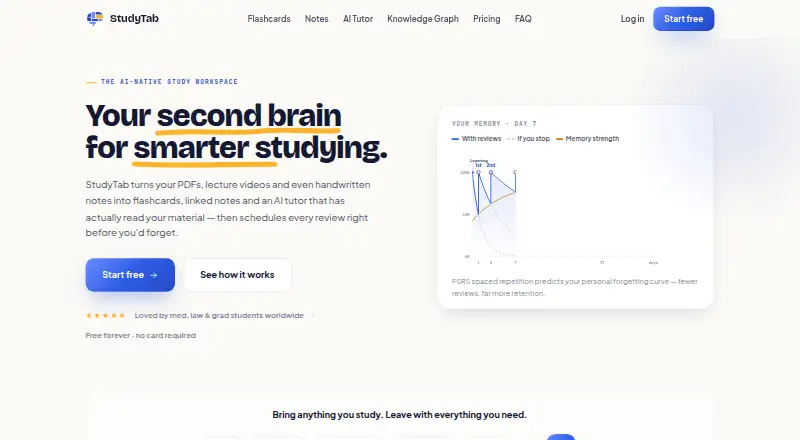
StudyTab is an AI study workspace for collecting course materials, making notes and flashcards, and reviewing them with spaced repetition. It accepts PDFs, web pages, videos, and photos of handwritten notes, then organizes materials by subject. Its AI tutor answers from a learner’s uploaded materials and cites the page or note behind an answer. Notes can be typed or handwritten; users can turn note lines into flashcards and convert handwritten pages into typed text. StudyTab supports ten card types, including cloze, multiple choice, matching, picture quiz, and audio. Review scheduling can use FSRS or classic SM-2, with settings configurable by deck. Users can import standard .apkg decks and retain review scheduling data when the relevant option is enabled, though per-review answer logs and Anki add-ons do not transfer. As a Progressive Web App, StudyTab can cache downloaded decks for offline review and sync progress after reconnecting. It is available on Android, iOS, and the web, and includes export options. The free plan includes notes, flashcards, spaced-repetition review, and starter AI credits. Pro costs ₹199 a month and adds a knowledge graph and larger AI allowance; Premium costs ₹499 a month and offers higher AI limits and advanced features. StudyTab describes its audience as learners preparing for exams including NEET, JEE, UPSC, CAT, GATE, and board exams.
Who it suits
StudyTab suits students who want to organize mixed study materials by subject and turn them into notes and review cards. Its exam use cases include NEET, JEE, UPSC, CAT, GATE, and board exams, and its offline deck review can help learners study without a connection.
What it does well
- Accepts PDFs, web pages, videos, and photos of notes.
- AI tutor cites the page or note used in its answer.
- Supports FSRS and classic SM-2 scheduling, configurable by deck.
- Caches downloaded decks for offline review and syncs on reconnect.
- Offers export options and standard .apkg deck import.
What to know first
- Anki per-review answer logs and add-ons do not transfer.
- The free plan includes only a starter AI credit balance.
- The knowledge graph is included in the paid Pro plan.
Limits
The free plan includes a starter AI credit balance. Pro costs ₹199 a month and adds a knowledge graph and larger AI allowance; Premium costs ₹499 a month and offers higher AI limits and advanced features.
Plans
| Plan | Billed and limits | Price |
|---|---|---|
| Free | Notes, flashcards and spaced-repetition review; free plan includes a starter AI credit balance | Free |
| Premium | ₹499/mo · Higher AI limits; most advanced features | On request |
| PRO | ₹199/month · Knowledge graph; larger AI allowance | On request |
As studytab.ai lists them, read 7 Oct 2026. The maker's own page has the final word.
Getting started
- Visit https://studytab.ai/ on the web or use StudyTab on Android or iOS.
- Add study materials such as PDFs, web pages, videos, or photos of notes.
- Organize materials by subject and create typed or handwritten notes.
- Turn note lines into flashcards or import a standard .apkg deck.
- Choose a free plan or a paid plan: Pro is ₹199 a month and Premium is ₹499 a month.
Verdict
Choose StudyTab if you want one workspace for source materials, notes, an AI tutor, and spaced-repetition review. Its free plan covers notes and review, while the knowledge graph and larger AI allowance start with Pro at ₹199 a month. Learners who rely on Anki add-ons or per-review answer logs should account for those items not transferring with imported decks.
Questions
Does StudyTab have a free plan?
Yes. The free plan includes notes, flashcards, spaced-repetition review, and a starter AI credit balance.
How much do the paid plans cost?
Pro costs ₹199 a month. Premium costs ₹499 a month.
Which platforms support StudyTab?
StudyTab is available on Android, iOS, and the web.
Can I use StudyTab offline?
It can cache downloaded decks for offline review and sync progress when you reconnect.
Can I import Anki decks?
Yes. Standard .apkg decks can be imported, and review scheduling data can be retained when the relevant option is enabled. Per-review answer logs and Anki add-ons do not transfer.
What happens to my materials and notes?
StudyTab says user materials and notes are not sold and can be exported or permanently deleted at any time.
Facts from StudyTab's own pages
- Adaptive review
- Yes · studytab.ai, 20 Sept 2026
- AI tutor
- The AI tutor answers using a user's own uploaded materials and cites the page or note used. · studytab.ai, 7 Oct 2026
- Anki import
- Users can import standard .apkg decks and retain card review scheduling data when the relevant import option is enabled. · studytab.ai, 7 Oct 2026
- Audience
- StudyTab says it is built for India's competitive exams and lists NEET, JEE, UPSC, CAT, GATE and board exams among its use cases. · studytab.ai, 7 Oct 2026
- Card formats
- mixed · studytab.ai, 20 Sept 2026
- Export options
- Yes · studytab.ai, 20 Sept 2026
- Flashcards
- The site says the product supports ten flashcard types, including cloze, multiple choice, matching, picture quiz and audio. · studytab.ai, 7 Oct 2026
- Free plan
- Yes · studytab.ai, 20 Sept 2026
- Limit
- StudyTab's Anki import guide says the per-review answer log and Anki add-ons do not transfer with an imported deck. · studytab.ai, 7 Oct 2026
- Notes
- Users can type notes or write them by hand, turn note lines into flashcards, and convert handwritten pages into typed text. · studytab.ai, 7 Oct 2026
- Offline use
- StudyTab is a Progressive Web App that can cache downloaded decks for offline review and sync progress when the user reconnects. · studytab.ai, 7 Oct 2026
- Privacy
- The FAQ says user materials and notes are not sold and can be exported or permanently deleted at any time. · studytab.ai, 7 Oct 2026
- Product
- StudyTab describes itself as an AI study workspace that connects notes, flashcards, source materials, a knowledge graph and an AI tutor. · studytab.ai, 7 Oct 2026
- Scheduling
- StudyTab supports FSRS and classic SM-2 spaced-repetition scheduling, configurable by deck. · studytab.ai, 7 Oct 2026
- Source formats
- mixed · studytab.ai, 20 Sept 2026
- Study materials
- It accepts materials including PDFs, web pages, videos and photos of notes, and files them by subject. · studytab.ai, 7 Oct 2026
- Study modes
- mixed · studytab.ai, 20 Sept 2026
- Support
- StudyTab lists email and in-app help and says it usually replies within 24 hours. · studytab.ai, 7 Oct 2026
Where StudyTab stands on Freedom251
- Flashcard apps#17 of 27
- AI Flashcard Generators#24 of 27