Freedom251 › Storyboard Software

StoryboardCanvas AI
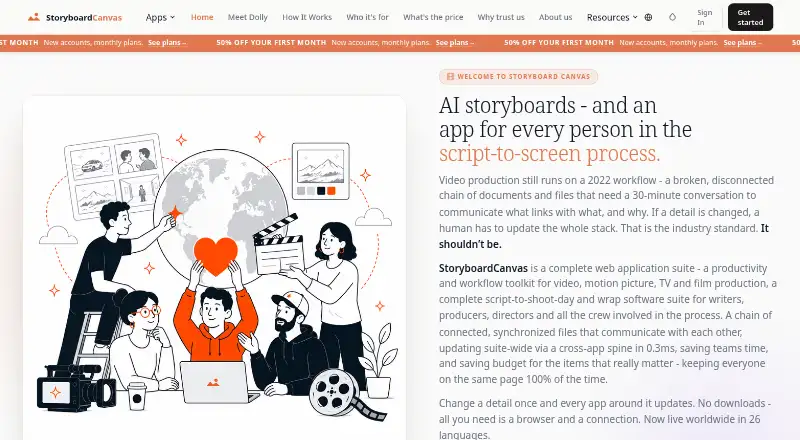
What StoryboardCanvas AI is
StoryboardCanvas AI is a web application suite for video, motion picture, TV, and film production. Its 20 connected apps share a project file, and its DollyAI assistant is described as an AI director available across the suite. The AI Artist creates storyboard images with a style-lock engine. A change to a scene heading can update dependent production documents such as the breakdown, schedule, call sheet, and storyboard. For drawing and motion planning, the suite includes a browser based drawing app with more than 450 brushes and an Animate app that turns storyboard frames into an animatic. Screenplay imports include FDX, Fountain, Celtx, PDF, DOCX, RTF, and HTML; animatics can be handed off in formats for Premiere, DaVinci, and Final Cut Pro X. Teams can collaborate in real time, leave comments, hold review sessions, use role based permissions and team chat, and invite unlimited free read only viewers. The maker lists plans from Free through Enterprise, with paid plans starting at £19/mo. Free includes all 20 apps and 2 GB of cloud storage, but no monthly AI credits. Apps are designed for tablets, laptops, or desktops; smaller phone screens direct users to a larger device. StoryboardCanvas AI is based in the United Kingdom.
Who it suits
StoryboardCanvas AI suits film and video production teams that need storyboards connected to other production documents and animatics. Its collaboration tools and plans with multiple included seats may also suit teams sharing projects and review work.
What it does well
- Twenty connected production apps use one project file.
- AI Artist generates storyboard images with a style-lock engine.
- Scene heading changes can update dependent production documents.
- Imports screenplay files including FDX, Fountain, PDF, and DOCX.
- Real time collaboration includes comments, review sessions, and team chat.
- Animatics can be handed off in formats for Premiere, DaVinci, and Final Cut Pro X.
What to know first
- The Free plan has no monthly AI credits.
- The Free plan includes 2 GB of cloud storage.
- Production apps direct users on smaller phone screens to a larger device.
- The Free plan includes one seat.
Limits
The Free plan includes one seat, 2 GB of cloud storage, and no monthly AI credits. Hobbyist is £19 a month, with the first month at £9.50 and then £19/mo; it includes one seat, 700 AI credits per month, 5 GB storage, and a 25 MB upload limit.
Plans
| Plan | Billed and limits | Price |
|---|---|---|
| Free | Free forever · 1 seat · no AI credits · 2 GB cloud storage · community support | Free |
| Network | First month £799.50, then £1599/mo · 30 seats included · 110,000 AI credits/month · 50% rollover · 2 TB storage · 2 GB upload · 500 GB video export · SSO/SAML · full API · 99.9% SLA | £1,599 a month |
| Hobbyist | First month £9.50, then £19/mo · 1 seat · 700 AI credits/month · 5 GB storage · 25 MB upload limit · community support | £19 a month |
| Studio | First month £134.50, then £269/mo · 6 seats included · 16,000 AI credits/month · 25% rollover · 250 GB storage · 500 MB upload · 25 GB video export · priority support | £269 a month |
| Enterprise | First month £1664.50, then £3329/mo · 75 seats included · 200,000 AI credits/month · 75% rollover · 5 TB storage · 5 GB upload · 1 TB video export · SSO/SAML · SCIM · full API · 99.95% SLA | £3,329 a month |
| Solo | First month £19.50, then £39/mo · 1 seat included · 2,000 AI credits/month · 10 GB storage · 50 MB upload limit · email support | £39 a month |
| Agency | First month £299.50, then £599/mo · 15 seats included · 40,000 AI credits/month · 50% rollover · 1 TB storage · 1 GB upload · 100 GB video export · read-only API · 99.5% SLA | £599 a month |
| Team | First month £49.50, then £99/mo · 3 seats included · 5,500 AI credits/month · 50 GB storage · 200 MB upload limit · 5 GB video export · email support | £99 a month |
As storyboardcanvas.ai lists them, read 8 Oct 2026. The maker's own page has the final word.
Getting started
- Visit storyboardcanvas.ai in a browser.
- Choose the Free plan or a paid plan.
- Import a screenplay in a supported format or create a project.
- Use the storyboard and connected production apps on a tablet, laptop, or desktop.
- Optionally add the DollyAI Chrome extension to chat with the assistant and send references into project apps.
Verdict
Choose StoryboardCanvas AI if your production workflow benefits from connected apps, storyboard image generation, animatics, and team collaboration. The Free plan includes all 20 apps, but teams seeking monthly AI credits need a paid plan, which starts at £19/mo.
Questions
Is StoryboardCanvas AI free?
Yes. The Free plan costs nothing and includes all 20 apps, one seat, 2 GB of cloud storage, and community support.
How much do paid plans cost?
Paid plans start with Hobbyist at £19 a month. The first month is £9.50, then £19/mo.
Does the Free plan include AI credits?
No. The Free plan has no monthly AI credits. Credit Boosters are available from £5.
Which platforms are supported?
The listed platforms are web and a Chrome extension. The maker says production apps are designed for tablets, laptops, or desktops.
Can teams collaborate in StoryboardCanvas AI?
Yes. The maker describes real time collaboration, comments and review sessions, role based permissions, team chat, and unlimited free read only viewers.
Does StoryboardCanvas AI offer a free trial?
No. The facts list no free trial.
Facts from StoryboardCanvas AI's own pages
- AI tools
- DollyAI is described as an AI director available across the suite, and the AI Artist generates storyboard images using a style-lock engine. · storyboardcanvas.ai, 8 Oct 2026
- Browser extension
- The maker offers an optional DollyAI Chrome extension for chatting with the assistant and sending references into project apps. · storyboardcanvas.ai, 8 Oct 2026
- Collaboration
- The maker describes real time collaboration, comments and review sessions, role based permissions, team chat, and unlimited free read only viewers. · storyboardcanvas.ai, 8 Oct 2026
- Connected workflow
- The maker says changes to a scene heading can update dependent production documents, including the breakdown, schedule, call sheet, and storyboard. · storyboardcanvas.ai, 8 Oct 2026
- Data use and ownership
- The maker says users retain commercial rights to their work and that it does not train its models on user projects. · storyboardcanvas.ai, 8 Oct 2026
- Device requirements
- The maker says the production apps are designed for tablets, laptops, or desktops, while smaller phone screens direct users to a larger device. · storyboardcanvas.ai, 8 Oct 2026
- Drawing and animatics
- The maker describes a browser based drawing app with more than 450 brushes and an Animate app that turns storyboard frames into an animatic. · storyboardcanvas.ai, 8 Oct 2026
- Free tier limits
- The Free plan includes all 20 apps and 2 GB of cloud storage but has no monthly AI credits; the maker says credit Boosters are available from £5. · storyboardcanvas.ai, 8 Oct 2026
- Headquarters
- United Kingdom · storyboardcanvas.ai, 23 Sept 2026
- Integrations and imports
- The maker lists screenplay imports including FDX, Fountain, Celtx, PDF, DOCX, RTF, and HTML, and says animatics can be handed off in formats for Premiere, DaVinci, and Final Cut Pro X. · storyboardcanvas.ai, 8 Oct 2026
- Production suite
- StoryboardCanvas describes itself as a web application suite for video, motion picture, TV, and film production, with 20 connected apps in one project file. · storyboardcanvas.ai, 8 Oct 2026
- Security and payments
- The maker says Stripe handles payments through PCI-DSS Level 1 hosted checkout, Clerk handles sign in and passwords, and data is encrypted in transit and at rest. · storyboardcanvas.ai, 8 Oct 2026
- Support
- The pricing page lists community support for Free and Hobbyist, email support for Solo and Team, and priority support for Studio and Agency. · storyboardcanvas.ai, 8 Oct 2026
Where StoryboardCanvas AI stands on Freedom251
- Storyboard Software#12 of 30
- AI Storyboard Generators#13 of 26