Freedom251 › Email Recovery Software

Stellar Undelete Email for Outlook
Visit Stellar Undelete Email for Outlook Alternatives Pricing
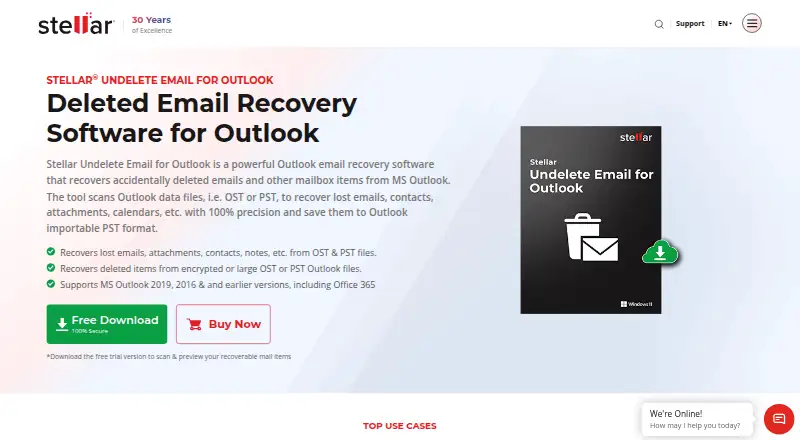
What Stellar Undelete Email for Outlook is
Stellar Undelete Email for Outlook scans Outlook PST and OST files to recover deleted emails, contacts, attachments, calendars, and notes. It can scan password-protected or encrypted data files and save recovered items to an unencrypted PST. Before saving, you can preview results and search or filter by sender, recipient, subject, folder, date, and importance. Recovered items can be saved in PST, MSG, EML, HTML, RTF, or PDF formats. The product can work with PST files of 50 GB or more, split large PST files when saving, and save scan details in a DAT file so recovery can resume later, including on another system.
The software runs on Windows desktop and laptop computers; it is not for mobile, and Outlook must be installed for recovery. Its listed requirements include 64-bit Windows 11, 10, 8.1, or 8, an Intel-compatible x64 processor, 4 GB of memory, and 250 MB of installation space. Outlook versions listed as compatible range from 2000 through 2021. The free trial scans and previews recoverable items. The Standard plan is $39 a year for one system, and the Toolkit plan is $199 a year for one system and includes additional Outlook tools. Stellar was founded in 1993 and is headquartered in Gurugram, Haryana, India.
Who it suits
It suits Windows users who need to recover deleted Outlook mail or other mailbox items from PST or OST files and want to preview results before saving. The maker also describes it as a purchase option for IT support technicians who repair Outlook issues.
What it does well
- Recovers emails and other items from PST and OST files.
- Scans encrypted and password-protected Outlook files.
- Offers preview, search, and filters before saving.
- Exports recovered items in six listed formats.
- Can save scan details to resume recovery later.
What to know first
- Runs on Windows desktop or laptop computers, not mobile.
- MS Outlook must be installed for recovery.
- Does not recover MBOX or EDB files.
- Does not offer batch recovery.
Limits
The free trial can scan and preview recoverable items. The Standard plan is limited to one system and costs $39 a year; the Toolkit plan is limited to one system and costs $199 a year.
Plans
| Plan | Billed and limits | Price |
|---|---|---|
| Toolkit | 1 Year License · Single System · includes Undelete Email for Outlook and additional Outlook tools | $199 a year |
| Standard | 1 Year License · Single System · recover deleted Outlook emails and mailbox items · PST, MSG, EML, HTML, RTF, PDF | $39 a year |
As stellarinfo.com lists them, read 7 Oct 2026. The maker's own page has the final word.
Getting started
- Open the Stellar product website.
- Use a Windows desktop or laptop that meets the listed system requirements.
- Install MS Outlook on that system for recovery.
- Start a free trial to scan and preview recoverable items.
- Choose the Standard or Toolkit one-year license for a single system if you want a paid plan.
Verdict
Choose Stellar Undelete Email for Outlook if you need Windows-based recovery from Outlook PST or OST files, with previews and several export formats. Look elsewhere if you need mobile use, batch recovery, or MBOX or EDB support.
Questions
Is there a free plan or trial?
There is no free plan. The free trial can scan and preview recoverable mail items.
How much does it cost?
The Standard plan is $39 a year for one system. The Toolkit plan is $199 a year for one system and includes additional Outlook tools.
Which platforms and Outlook versions are supported?
It runs on Windows desktop and laptop computers, not mobile. Listed Outlook compatibility includes versions 2000, 2002, 2003, 2007, 2010, 2013, 2016, 2019, and 2021.
What files and mailbox items can it recover?
It scans Outlook OST and PST files for emails, contacts, attachments, calendars, and notes. It does not support MBOX or EDB recovery.
Can I preview or choose an export format?
Yes. You can preview recovered items and save them in PST, MSG, EML, HTML, RTF, or PDF format.
Who makes the software?
Stellar makes the product. The company was founded in 1993 and is headquartered in Gurugram, Haryana, India.
Facts from Stellar Undelete Email for Outlook's own pages
- Desktop requirement
- The maker says the software works on desktop or laptop and is not for mobile. · stellarinfo.com, 7 Oct 2026
- Encrypted files
- It can scan encrypted or password-protected Outlook data files and save recovered items to an unencrypted PST. · stellarinfo.com, 7 Oct 2026
- Founded
- 1993 · stellarinfo.com, 28 Sept 2026
- Headquarters
- Gurugram, Haryana, India · stellarinfo.com, 28 Sept 2026
- Intended users
- The purchase page describes the product as a worthwhile purchase for IT support technicians who do repair work for Outlook users. · stellarinfo.com, 7 Oct 2026
- Large files
- The product page says it can recover from PST files of 50 GB or more and automatically split large PST files when saving. · stellarinfo.com, 7 Oct 2026
- Outlook compatibility
- The purchase page lists compatibility with MS Outlook 2021, 2019, 2016, 2013, 2010, 2007, 2003, 2002, and 2000. · stellarinfo.com, 7 Oct 2026
- Outlook installation
- The FAQ says MS Outlook must be installed on the system for successful recovery. · stellarinfo.com, 7 Oct 2026
- Output formats
- Recovered mail items can be saved in PST, MSG, EML, HTML, RTF, and PDF formats. · stellarinfo.com, 7 Oct 2026
- Purpose
- Scans Outlook OST or PST files to recover deleted emails and other mailbox items such as contacts, attachments, calendars, and notes. · stellarinfo.com, 7 Oct 2026
- Resume scans
- Scan information can be saved in a DAT file and loaded later to resume recovery, including on a different system. · stellarinfo.com, 7 Oct 2026
- Search and preview
- It previews recovered mailbox items and offers filters and search to find messages by fields including sender, recipient, subject, folder, date, and importance. · stellarinfo.com, 7 Oct 2026
- Security and certifications
- Stellar describes its organization as ISO 9001 and ISO 27001 certified; the product page describes recovery from protected files without compromising confidential user data. · stellarinfo.com, 7 Oct 2026
- Support
- The purchase page lists pre-sales support at +1-877-778-6087 and technical support at +1-732-584-2700. · stellarinfo.com, 7 Oct 2026
- System requirements
- The specification page lists 64-bit Windows 11, 10, 8.1, or 8, an Intel-compatible x64 processor, 4 GB minimum memory, and 250 MB installation space. · stellarinfo.com, 7 Oct 2026
- Trial limits
- The free trial can scan and preview recoverable mail items. · stellarinfo.com, 7 Oct 2026
Where Stellar Undelete Email for Outlook stands on Freedom251
- Email Recovery Software#23 of 33