Freedom251 › Virtual Lab Software
Steam to Teach Virtual Labs
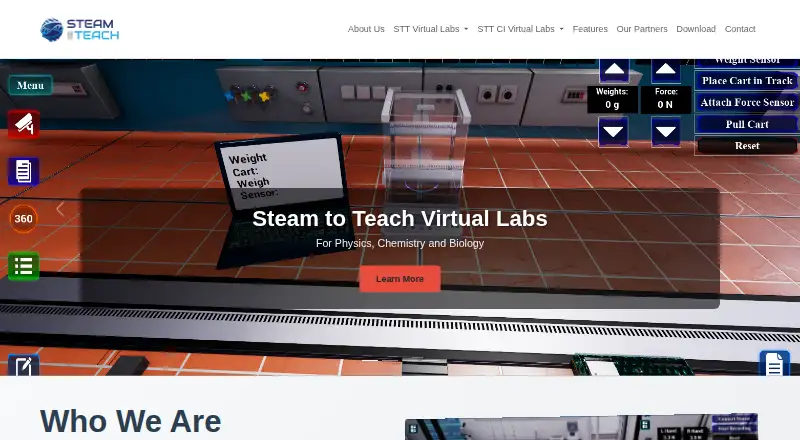
What Steam to Teach Virtual Labs is
Steam to Teach Virtual Labs provides Windows-based laboratory simulations for physics, chemistry, biology, and other science subjects. The maker describes the product as intended for K4–K12 students worldwide, with a curriculum that includes experiments from British, American, French, and IB curricula. Its library contains over 300 experiments across major science disciplines. Students can explore labs in 360° views, rotate and zoom, use first-person perspectives, and observe from multiple angles. They can adjust variables such as temperature, pressure, and concentration, save configurations, and compare scenarios. Assessment tools include questions before experiments, customizable quizzes, automatic grading, feedback, and a learning analytics dashboard. The product also describes real-time data capture, interactive graphing, data export, and statistical analysis integration. Experiment instructions provide visual guides, safety reminders, troubleshooting tips, and multilingual support; the maker presents virtual labs as a safe environment for hazardous experiments. Physics 101, Chemistry 101, and several Cambridge International lab packages have download links through the Epic Games Store. Steam to Teach identifies itself as a spinoff by PNX Labs, and the site says it is powered by PNX Labs Americas GmbH. A free plan is available. VR/AR compatibility and multi-user VR/AR collaboration are marked as coming soon.
Who it suits
Steam to Teach suits K4–K12 students and educators seeking simulated science experiments across several subjects and curricula. Its assessment and data tools may also suit teachers who want quizzes, feedback, graphs, and learning analytics alongside virtual lab work.
What it does well
- Library includes over 300 science experiments.
- 360° views offer rotation, zoom, and multiple perspectives.
- Students can adjust variables and compare saved scenarios.
- Assessments include automatic grading and feedback.
- Data tools include interactive graphing and export.
- Free plan is available for Windows.
What to know first
- The listed platform is Windows.
- VR/AR compatibility is marked as coming soon.
- Multi-user VR/AR collaboration is marked as coming soon.
Getting started
- Visit the Steam to Teach website.
- Use a Windows device.
- Choose Physics 101, Chemistry 101, or a Cambridge International lab package available through the Epic Games Store.
- Start with the free plan.
Verdict
Choose Steam to Teach if you need Windows virtual labs for school-level science, with experiment controls, assessments, and data tools. Its free plan offers a way to get started. Look elsewhere if you need VR/AR features now, since those capabilities are marked as coming soon.
Questions
Is Steam to Teach free?
Yes. The product has a free plan.
Which devices does it support?
The listed platform is Windows.
What subjects and curricula does it cover?
It offers physics, chemistry, biology, and science simulations. Its curriculum includes experiments from British, American, French, and IB curricula.
How many experiments are in its library?
The maker describes the library as containing over 300 experiments across major science disciplines.
Are VR and AR available?
VR/AR compatibility and multi-user VR/AR collaboration are marked as coming soon.
Who makes Steam to Teach?
Steam to Teach identifies itself as a spinoff by PNX Labs. The site footer says it is powered by PNX Labs Americas GmbH.
Facts from Steam to Teach Virtual Labs's own pages
- Assessments
- The assessment system includes pre-experiment questions, customizable quizzes, automatic grading and feedback, and a learning analytics dashboard. · steamtoteach.com, 8 Oct 2026
- Audience
- The maker describes the product as serving K4–K12 students and education professionals. · steamtoteach.com, 8 Oct 2026
- Coming soon
- The features page labels VR/AR compatibility and VR/AR multi-user collaboration as coming soon. · steamtoteach.com, 8 Oct 2026
- Curriculum
- The maker says its curriculum covers experiments in British, American, French, and IB curricula. · steamtoteach.com, 8 Oct 2026
- Data tools
- Students can monitor and graph experimental data and export it in multiple formats. · steamtoteach.com, 8 Oct 2026
- Distribution
- The maker lists physics and chemistry lab packages for download through the Epic Games Store. · steamtoteach.com, 8 Oct 2026
- Experiment controls
- Students can adjust variables such as temperature, pressure, and concentration, save configurations, and compare scenarios. · steamtoteach.com, 7 Oct 2026
- Experiment library
- The maker describes its library as containing over 300 experiments across major science disciplines. · steamtoteach.com, 8 Oct 2026
- Immersive views
- The features page describes 360° lab views with rotation, zoom, first-person perspectives, and multi-angle observation. · steamtoteach.com, 7 Oct 2026
- Instructions
- Experiment instructions include visual guides, safety reminders, troubleshooting tips, and multilingual support. · steamtoteach.com, 7 Oct 2026
- Lab features
- Listed features include 360° views, adjustable experiment parameters, step-by-step instructions, assessments, and real-time data visualization. · steamtoteach.com, 8 Oct 2026
- Maker
- The site describes Steam to Teach as a PNX Labs spinoff and says it is powered by PNX Labs Americas GmbH. · steamtoteach.com, 8 Oct 2026
- Partner integrations
- The homepage identifies ArborXR as an XR distribution platform partner and Epic Games as a provider of Unreal Engine and virtual creation tools. · steamtoteach.com, 8 Oct 2026
- Product
- Steam to Teach offers virtual laboratories for physics, chemistry, biology, and science education. · steamtoteach.com, 8 Oct 2026
- Safety
- The maker describes virtual labs as a safe environment for hazardous experiments and lists safety limits and warnings for adjustable experiments. · steamtoteach.com, 8 Oct 2026
- Support
- Teachers, parents, and education professionals can contact the maker through its contact form. · steamtoteach.com, 8 Oct 2026
Where Steam to Teach Virtual Labs stands on Freedom251
- Virtual Lab Software#15 of 27