StarSpell
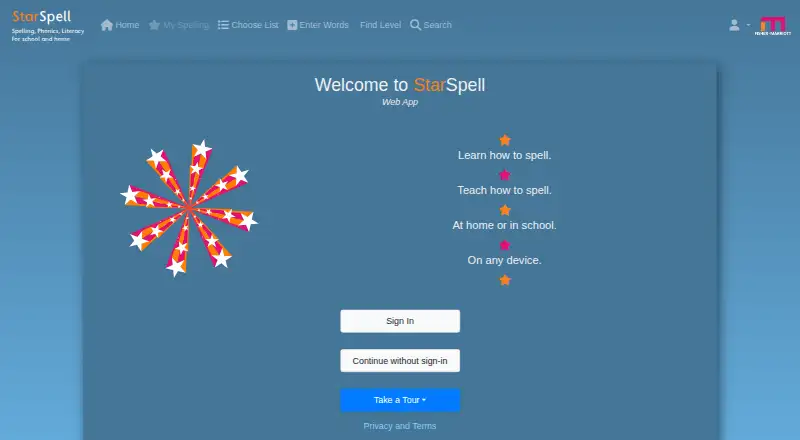
What StarSpell is
StarSpell is a spelling, phonics and literacy program for use at school and at home, on Android, iOS, macOS, web and Windows. Its spelling practice uses Look-Cover-Write-Check, pairing spoken sound with pictures and a supporting sentence. More than 5,000 spoken words are organized by phonic progression; learners can also use an early-learning phonics section, lists that support or extend the National Curriculum in England, and words or lists added by users. Teachers can use a free classroom mode to set the pace on a large screen or whiteboard, print worksheets, and create assignments in Google Classroom, Microsoft Teams or Satchel One Show My Homework. The web app supports single sign-on through Google Classroom or Microsoft. StarSpell is described as suitable for all ages and for learners with dyslexia and special educational needs; it does not compare students’ performance with others. An internet connection is required, though some features are available offline. There is no charge during the preview period, after which a subscription is required. The Student plan is £12 a year; Classroom and School plans are also available.
Who it suits
StarSpell suits learners practicing spelling or phonics individually, in one-to-one work, or in classroom groups. Teachers can use its classroom mode, worksheets and assignment integrations for group instruction.
What it does well
- More than 5,000 words arranged by phonic progression.
- Users can add words and custom lists.
- Free teacher mode supports large-screen classroom use.
- Worksheets can include teacher-created exercises.
- Assignments connect with three named classroom services.
What to know first
- Requires an internet connection to use.
- A subscription is required after the preview period.
- Web sign-in requires Google Classroom or Microsoft.
Limits
There is no charge during the preview period, but a subscription is needed to continue afterward. The Student plan is for one student; classroom plans cover a single class of up to 36 students, and the School plan is for the whole school.
Plans
| Plan | Billed and limits | Price |
|---|---|---|
| Student | 12 month licence · For one student to use at home or in school · Cloud-based | £12 a year |
| School | 12 month licence, Excludes VAT · For the whole school · Cloud-based | £150 a year |
| Additional Classroom | 12 month licence, Excludes VAT · Each additional class of up to 36 students · Requires StarSpell Classroom · Cloud-based | £25 a year |
| Classroom | 12 month licence, Excludes VAT · For a single class of up to 36 students · Cloud-based | £30 a year |
As starspell.app lists them, read 9 Oct 2026. The maker's own page has the final word.
Getting started
- Visit https://starspell.app/.
- Choose a supported platform: Android, iOS, macOS, web or Windows.
- Use the no-charge preview period before continuing with a subscription.
- For the web app, sign in through Google Classroom or Microsoft.
- Choose the Student plan for one learner, or a classroom or school plan for group use.
Verdict
StarSpell combines structured spelling practice, early phonics and teacher tools across school and home settings. Check the subscription plan and web sign-in requirements against how learners will use it.
Questions
How much does StarSpell cost?
The Student plan is £12 a year for a 12-month licence. Classroom and school plans are also available; the listed Classroom plan is £30 a year, the Additional Classroom plan is £25 a year, and the School plan is £150 a year. Classroom and school plan prices exclude VAT.
Is there a free plan or trial?
There is no free plan, but a free preview period is available. A subscription is required to continue after the preview ends, and teacher mode is free for classroom use.
Which platforms does StarSpell support?
StarSpell is available on Android, iOS, macOS, web and Windows.
Does StarSpell work offline?
An internet connection is required to use the app, although some features are available offline.
What classroom tools and integrations are included?
Teachers can print worksheets and create assignments in Google Classroom, Microsoft Teams and Satchel One Show My Homework. The web app supports single sign-on through Google Classroom or Microsoft.
Who makes StarSpell?
StarSpell is made by Fisher-Marriott Software. The maker says it was started by two teachers.
Facts from StarSpell's own pages
- Accessibility
- The maker describes StarSpell as suitable for learners with dyslexia and special educational needs, and says it does not compare student performance with others. · starspell.app, 9 Oct 2026
- Connectivity
- An internet connection is needed to use the app, although the maker says some features are available offline. · starspell.app, 9 Oct 2026
- Custom lists
- Users can add their own words and lists for spelling practice. · starspell.app, 9 Oct 2026
- Integrations
- Teachers can create assignments in Google Classroom, Microsoft Teams and Satchel One Show My Homework. · starspell.app, 9 Oct 2026
- Intended users
- The maker describes StarSpell as suitable for all ages and for individual use, one-on-one work, classroom groups and interactive whiteboards. · starspell.app, 9 Oct 2026
- Maker history
- Fisher-Marriott Software says it was started by two teachers and that StarSpell has been used in over 16,000 schools. · starspell.app, 9 Oct 2026
- Phonics and curriculum
- It includes a phonics section for early learners and lists supporting and extending the National Curriculum in England. · starspell.app, 9 Oct 2026
- Preview period
- There is no charge during the preview period, and a subscription is required to continue after it ends. · starspell.app, 9 Oct 2026
- Purpose
- StarSpell is a multi-sensory program for spelling, phonics and literacy, for use at school and at home. · starspell.app, 9 Oct 2026
- Sign-in
- The web app supports single sign-on and requires Google Classroom or Microsoft sign-in. · starspell.app, 9 Oct 2026
- Spelling practice
- Its spelling mode uses Look-Cover-Write-Check with sound, pictures and a supporting sentence. · starspell.app, 9 Oct 2026
- Teacher mode
- Teacher mode is free for classroom use and lets teachers set the pace on a large screen or whiteboard. · starspell.app, 9 Oct 2026
- Word lists
- The main spelling lists contain more than 5,000 words, which are spoken and organized according to a phonic progression. · starspell.app, 9 Oct 2026
- Worksheets
- Teachers can print spelling worksheets for exercises, including exercises they create themselves. · starspell.app, 9 Oct 2026
Where StarSpell stands on Freedom251
- Spelling Apps#20 of 25