Freedom251 › Word Processing Software
SSuite WordGraph
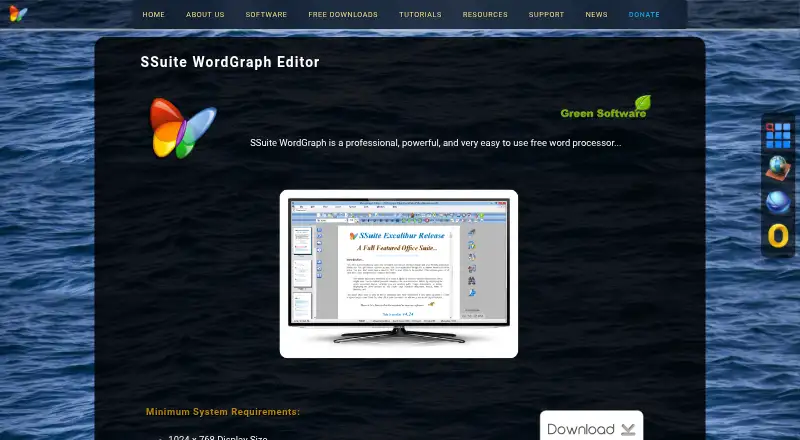
What SSuite WordGraph is
SSuite WordGraph is a word processor for creating, editing, and viewing documents, from letters to illustrated books with tables of contents, indexes, and bibliographies. It supports graphics, tables, charts, and spreadsheets created with SSuite Accel, along with formatting controls for text, pages, sections, and full documents. Tabbed documents and thumbnail previews are included. Listed export formats include PDF, PNG, GIF, JPG, BMP, EMF, TIFF, and SSP; the product page also lists compatibility with RTF, DOC, TXT, RTC, and SSP. PDF creation is included. Writing tools cover serial letters, envelope printing, and spelling checks in American and British English, Dutch, French, German, Italian, and Spanish. WordGraph can also create presentations described as viewable in a web browser and the included EZPhoto album viewer. The maker offers desktop, portable, and online editions, and says the portable edition needs no installation. Direct online cloud access is listed without a named provider. The desktop edition supports Windows XP, 7, 8, 10, 11 and later in 32-bit or 64-bit, with a minimum display size of 1024 × 768.
Who it suits
WordGraph may suit first-time and experienced computer users looking for a free word processor. Its desktop edition is for Windows, and the maker also offers portable and online editions.
What it does well
- Free desktop, portable, and online editions.
- Creates PDFs without additional PDF software.
- Exports to PDF and multiple image formats.
- Spelling checks cover seven listed languages.
- Portable edition requires no installation.
What to know first
- Desktop edition requires a minimum 1024 × 768 display.
- Desktop edition is listed for Windows.
- Cloud access is listed without a named provider.
Plans
| Plan | Billed and limits | Price |
|---|---|---|
| SSuite WordGraph | Freeware · Windows desktop and portable editions · Online edition | Free |
As ssuiteoffice.com lists them, read 11 Oct 2026. The maker's own page has the final word.
Getting started
- Open the SSuite WordGraph website
- Choose the Windows desktop, portable, or online edition
- Install the desktop edition or launch the portable edition without installation
- Use the online edition through its web access
- Create or open a document in a supported format
Verdict
WordGraph combines document editing with export, PDF creation, and presentation tools across desktop, portable, and online editions. Check the Windows desktop requirements if that is the edition you plan to use.
Questions
What does WordGraph do?
It creates, edits, and views documents, including illustrated works with tables of contents, indexes, and bibliographies. It also creates presentations and PDFs.
Is WordGraph free?
Yes. The listed plan costs nothing, and there is no free trial because the software itself is freeware.
Which platforms can I use?
WordGraph is available online and on Windows. The desktop edition supports Windows XP, 7, 8, 10, 11 and later in 32-bit or 64-bit.
Which files can it export or open?
Listed exports include PDF, PNG, GIF, JPG, BMP, EMF, TIFF, and SSP. Compatibility includes RTF, DOC, TXT, RTC, and SSP.
Does it include PDF creation?
Yes. PDF creation is built in and does not require additional PDF software.
What editions are available?
SSuite offers desktop, portable, and online editions. The portable edition requires no installation.
Facts from SSuite WordGraph's own pages
- Audience
- The maker says its free software is intended for both first-time and experienced computer users. · ssuiteoffice.com, 11 Oct 2026
- Cloud access
- The feature list includes direct online cloud access; it does not name a specific provider on this product page. · ssuiteoffice.com, 11 Oct 2026
- Desktop requirements
- The desktop edition lists Windows XP, 7, 8, 10, 11 and later, in 32-bit or 64-bit, and a minimum display size of 1024 × 768. · ssuiteoffice.com, 11 Oct 2026
- Document tools
- It supports graphics, tables, charts, and spreadsheets created with SSuite Accel. · ssuiteoffice.com, 11 Oct 2026
- Editions
- The maker offers desktop, portable, and online editions; it describes the portable edition as requiring no installation. · ssuiteoffice.com, 11 Oct 2026
- Export formats
- The page lists exports to PDF, PNG, GIF, JPG, BMP, EMF, TIFF, and SSP. · ssuiteoffice.com, 11 Oct 2026
- Formatting
- It offers formatting controls for text, pages, sections, and whole documents, along with tabbed document interfaces and thumbnail previews. · ssuiteoffice.com, 11 Oct 2026
- Office compatibility
- The product page lists MS Office compatibility with RTF, DOC, TXT, RTC, and SSP formats. · ssuiteoffice.com, 11 Oct 2026
- PDF creation
- WordGraph includes PDF creation and does not require additional PDF software, according to the maker. · ssuiteoffice.com, 11 Oct 2026
- Presentations
- WordGraph can create presentations that the maker says are viewable in any web browser and the included EZPhoto album viewer. · ssuiteoffice.com, 11 Oct 2026
- Purpose
- WordGraph is a word processor for creating, editing, and viewing documents, from letters to books with illustrations, tables of contents, indexes, and bibliographies. · ssuiteoffice.com, 11 Oct 2026
- Security and privacy
- The maker’s privacy policy says Van Loo Software does not rent, sell, collect, or share personal information except to provide requested free software or services. · ssuiteoffice.com, 11 Oct 2026
- Support
- The support page links to a helpdesk, tutorials, installation guidance, and service packs. · ssuiteoffice.com, 11 Oct 2026
- Writing features
- The maker lists serial letters, envelope printing, and spelling checks in seven languages: American English, British English, Dutch, French, German, Italian, and Spanish. · ssuiteoffice.com, 11 Oct 2026
Where SSuite WordGraph stands on Freedom251
- Word Processing Software#28 of 45