Freedom251 › Hardware monitoring tools
SSD Fan Control
What SSD Fan Control is
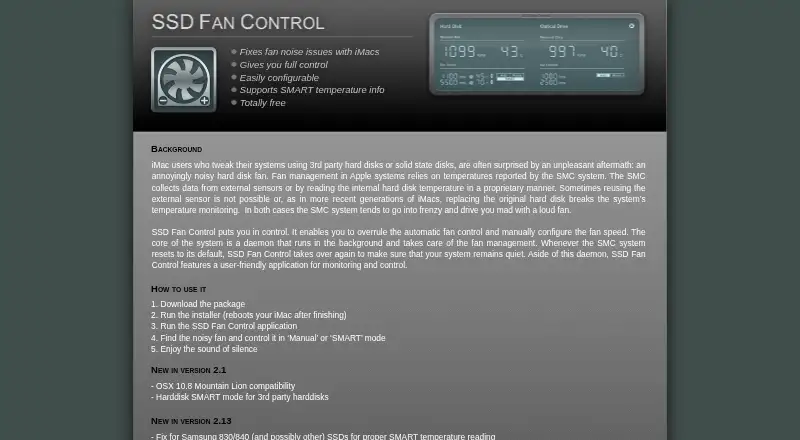
SSD Fan Control is a free macOS utility for noisy hard-drive fans in iMacs fitted with third-party hard disks or solid-state drives. It includes an application for monitoring and controlling fans, plus a background daemon that resumes management if the SMC resets. Users can override automatic control and set fan speed manually, or choose SMART mode for third-party hard disks. The product lists SMART temperature information. The latest listed version is 2.13, dated October 31st 2013; that release fixes SMART temperature readings for Samsung 830/840 SSDs and possibly other SSDs. The page states compatibility with macOS 10.13 High Sierra and lists OS X 10.8 Mountain Lion support as an earlier addition. Installation requires downloading the package and running an installer that reboots the iMac. If the app fails after an operating-system upgrade, the page advises trying an SMC reset, with reinstallation possibly required.
Who it suits
SSD Fan Control suits iMac owners whose third-party drives cause noisy fans and who need manual or SMART-based control. It is specifically listed for macOS systems.
What it does well
- Manual fan-speed control overrides automatic behavior
- SMART mode uses temperature information
- Background daemon resumes after SMC resets
- Includes monitoring and control application
- Free to download and use
What to know first
- Latest listed version dates from October 31st 2013
- Installation reboots the iMac
- Compatibility is stated for macOS 10.13 High Sierra
- An operating-system upgrade may require reset or reinstall
Plans
| Plan | Billed and limits | Price |
|---|---|---|
| Free | Manual fan-speed control · SMART temperature information · Monitoring and control application | Free |
| SSD Fan Control | Totally free; latest version 2.13 | Free |
As exirion.net lists them, read 23 Sept 2026. The maker's own page has the final word.
Verdict
SSD Fan Control offers focused fan management for affected iMac hardware, including manual and SMART modes. Its free availability is useful, but the listed release is old and installation requires a reboot.
Facts from SSD Fan Control's own pages
- App
- The product includes an application for monitoring and controlling fans. · exirion.net, 9 Oct 2026
- Background service
- A background daemon manages the fan and takes over again if the SMC resets to its default. · exirion.net, 9 Oct 2026
- Compatibility
- The page states compatibility with macOS 10.13 High Sierra and advises trying an SMC reset if the app fails after an OS upgrade; reinstalling may be required in some cases. · exirion.net, 9 Oct 2026
- Donations
- The page thanks people who donated. · exirion.net, 9 Oct 2026
- Fan control
- It lets users overrule automatic fan control and configure fan speed manually. · exirion.net, 9 Oct 2026
- Free plan
- Yes · exirion.net, 23 Sept 2026
- Installation
- Installation involves downloading the package and running the installer, which reboots the iMac when finished. · exirion.net, 9 Oct 2026
- Modes
- Users can control a noisy fan in Manual or SMART mode. · exirion.net, 9 Oct 2026
- Older compatibility
- The page lists OS X 10.8 Mountain Lion compatibility as an addition in version 2.1. · exirion.net, 9 Oct 2026
- Purpose
- SSD Fan Control addresses noisy hard disk fans in iMacs using third-party hard disks or solid state disks. · exirion.net, 9 Oct 2026
- SMART temperature
- The page lists support for SMART temperature information and describes SMART mode for third-party hard disks. · exirion.net, 9 Oct 2026
- Supported platforms
- macOS · exirion.net, 23 Sept 2026
- Version
- The latest version listed is 2.13, dated October 31st 2013. · exirion.net, 9 Oct 2026
- Version update
- Version 2.13 includes a fix for proper SMART temperature reading on Samsung 830/840 SSDs and possibly other SSDs. · exirion.net, 9 Oct 2026
Where SSD Fan Control stands on Freedom251
- Hardware monitoring tools#44 of 59
- Hardware Monitoring Software#52 of 59