Freedom251 › Financial Literacy Apps
Squirrel
What Squirrel is
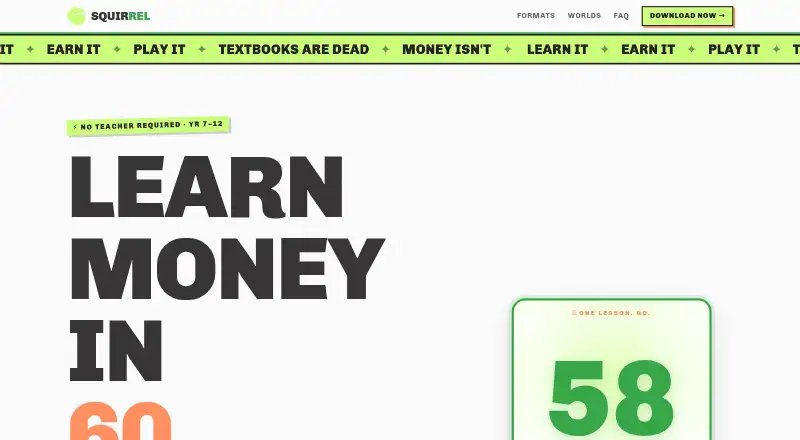
Squirrel is a free iOS app that teaches financial skills to students in Years 7–12 through short, game-based lessons. Its 26 lesson formats cover subjects such as budgeting, debt, tax, shares, and cryptocurrency. The app says its curriculum aligns with the National Consumer & Financial Literacy Framework, with 40 topics for each year level. Students receive 100 acorns for each completed lesson and can spend them in the in-app shop. Squirrel describes 48 collectible worlds, including 22 mature skins for older students, and lists weekly challenges, monthly drops, a live stock market, and AI-voiced chats. Investing lessons use a simulated market, so trades do not use real money. The app is designed for students to use without a teacher. Squirrel is available on iOS, with Android described as coming soon. The operator is Roger That Investments trading as Squirrel Education, based in Moorooka, Queensland, Australia. Users can contact support by email or delete their account and learning data in the app; deletion cannot be undone.
Who it suits
Squirrel suits students in Years 7–12 who want to learn money skills through brief game-based lessons and challenges. Its lessons cover budgeting and simulated investing, and the app is designed for use without a teacher.
What it does well
- Free plan is available.
- Covers budgeting, debt, tax, shares, and cryptocurrency.
- Lessons use 26 game formats.
- Curriculum offers 40 topics per year level.
- Simulated investing uses no real money.
- Account and learning data can be deleted in the app.
What to know first
- Available on iOS; Android is coming soon.
- Account and learning data deletion cannot be undone.
Plans
| Plan | Billed and limits | Price |
|---|---|---|
| Squirrel Financial Literacy | App Store lists the app as Free; no paid tiers or price are stated on the maker’s site | Free |
As squirrel.app lists them, read 8 Oct 2026. The maker's own page has the final word.
Getting started
- Open the Squirrel website or find the app in the App Store.
- Install Squirrel on an iOS device.
- Use the app’s lessons, challenges, and in-app shop.
Verdict
Choose Squirrel for student-focused financial lessons that combine a broad range of money topics with game formats and rewards. It is suited to learners using iOS; students waiting for Android will need to wait for that platform to arrive.
Questions
Is Squirrel free?
Yes. The app is listed as free, and the pricing model is free.
Which devices can run Squirrel?
Squirrel is available on iOS. Android is described as coming soon.
What financial topics does it teach?
Topics include budgeting, debt, tax, shares, and cryptocurrency.
Does Squirrel use real money for investing lessons?
No. Its stock market is fully simulated, with no real-money trading.
Who operates Squirrel?
The operator is Roger That Investments trading as Squirrel Education, based in Moorooka, Queensland, Australia.
Can users delete their account and learning data?
Yes. They can delete both in the app, and the deletion cannot be undone.
Facts from Squirrel's own pages
- Account deletion
- Users can delete their account and learning data in the app; the action cannot be undone. · squirrel.app, 8 Oct 2026
- Challenges
- The site lists weekly challenges, monthly drops, a live stock market, and AI-voiced chats. · squirrel.app, 8 Oct 2026
- Curriculum
- The site says content aligns with the National Consumer & Financial Literacy Framework and offers 40 topics per year level. · squirrel.app, 8 Oct 2026
- Headquarters
- Moorooka, Queensland, Australia · squirrel.app, 28 Sept 2026
- Intended users
- The app is built for students in Years 7–12 and is described as requiring no teacher. · squirrel.app, 8 Oct 2026
- Lesson format
- Lessons are bite-sized and use 26 game formats to teach money skills. · squirrel.app, 8 Oct 2026
- Maker
- The support page identifies the operator as Roger That Investments trading as Squirrel Education and gives a Moorooka, Queensland, Australia address. · squirrel.app, 8 Oct 2026
- Platform availability
- The site says Squirrel is available on iOS and that Android is coming soon. · squirrel.app, 8 Oct 2026
- Privacy and security
- The privacy policy says the company uses technical and organisational measures to protect personal information, while noting that security cannot be guaranteed. · squirrel.app, 8 Oct 2026
- Purpose
- Squirrel is a gamified financial education app for students in Years 7–12. · squirrel.app, 8 Oct 2026
- Rewards
- Learners earn 100 acorns for each lesson and can use them in the in-app shop. · squirrel.app, 8 Oct 2026
- Simulated investing
- The stock market is fully simulated, with no real-money trading. · squirrel.app, 8 Oct 2026
- Support
- Users can email [email protected] for help, questions, or feedback. · squirrel.app, 8 Oct 2026
- Topics
- Topics include budgeting, debt, tax, shares, and cryptocurrency. · squirrel.app, 8 Oct 2026
- Worlds
- The site describes 48 collectible worlds, including 22 mature skins for older students. · squirrel.app, 8 Oct 2026
Where Squirrel stands on Freedom251
- Financial Literacy Apps#19 of 25