Freedom251 › Mailroom Management
Splan Delivery Management
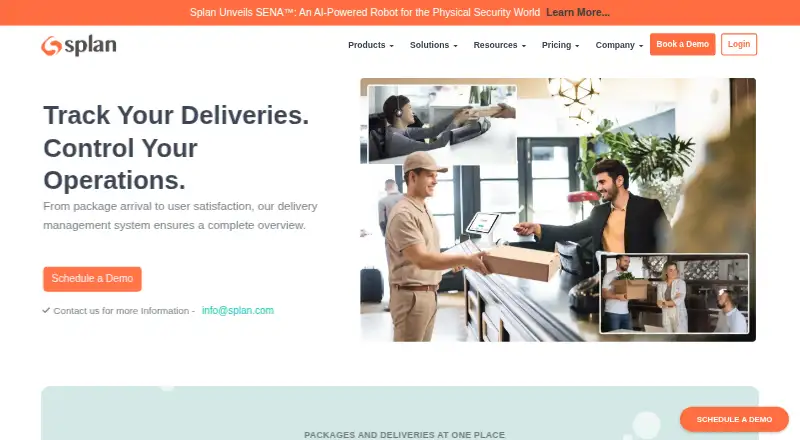
What Splan Delivery Management is
Splan Delivery Management helps organizations register incoming packages, alert employees, and coordinate outgoing deliveries. Arrival notifications can go by email, SMS, or phone call, and completed handoffs can be documented with a signature or photo. Staff can record failed attempts or unavailable recipients, then reschedule or redirect packages. Access is available through self-service kiosks, the SignInEasy mobile app, and a web portal. A central dashboard shows package activity, while analytics surface delivery trends and workflow bottlenecks. The Standard plan lists unlimited package delivery, role-based access, Active Directory integration, pre-registration, email notifications, lobby workstation and kiosk check-ins, reports, and dashboards. Its price is listed as “Book a Demo,” with personalized quotes available from sales. Splan names SMS, Teams, Slack, and emergency notifications as add-ons. Deployments can be cloud-based or on-premises. Security details include TLS and AES-256 encryption in transit and at rest, tenant isolation, SOC 2 Type 2 attestation, and ISO/IEC 27001 certification.
Who it suits
It suits organizations that need to track mailroom packages, notify recipients, and manage delivery exceptions. Kiosk, mobile, web, cloud, and on-premises access options are listed.
What it does well
- Unlimited package delivery in Standard
- Email, SMS, or phone arrival alerts
- Digital delivery proof by signature or photo
- Kiosk, mobile app, and web portal access
- TLS and AES-256 encryption with tenant isolation
What to know first
- Pricing requires a personalized quote
- SMS, Teams, Slack, and emergency notifications are add-ons
Limits
Standard has unlimited package delivery. The Standard price is listed as “Book a Demo”; SMS, Teams, Slack, and emergency notifications are add-ons.
Plans
| Plan | Billed and limits | Price |
|---|---|---|
| Standard | Unlimited package delivery · Role based access · Active Directory Integration · Pre-registration · Email notifications · Lobby workstation and kiosk check-ins · Reports and dashboards | On request |
As splan.com lists them, read 4 Oct 2026. The maker's own page has the final word.
Getting started
- Visit the Splan Delivery Management website.
- Contact sales to request a personalized quote and book a demo.
- Choose cloud or on-prem deployment.
- Use the web portal, self-service kiosks, or SignInEasy mobile app to access package management.
Splan Delivery Management is a package and mailroom system for organizations coordinating inbound parcels and outgoing deliveries. It is best suited to workplaces that need traceable handoffs and a shared process for delivery exceptions. Unlimited package delivery is a meaningful strength, though buyers must obtain a quote and budget separately for some integrations.
Overview
Splan brings package registration and tracking together with recipient alerts, proof of delivery, and tools for handling failed deliveries. Staff can record a signature or photo, then log an unsuccessful attempt or unavailable recipient and arrange a redirection or later delivery. That makes it a stronger fit for mailrooms that need accountable handoffs than for teams seeking only a basic parcel log.
A central dashboard summarizes package activity, while analytics cover delivery trends and workflow bottlenecks. Those views can help teams understand recurring operational issues. Access through kiosks, the SignInEasy mobile app, and a web portal gives staff more than one way to work with the system.
Key features
- Registration and tracking: Pre-registration and package tracking help staff connect expected deliveries with mailroom activity. Standard includes unlimited package delivery, so it does not impose a stated package-volume cap.
- Recipient notifications: Employees can receive alerts by email, SMS, or phone call. Standard includes email notifications; SMS and emergency notification integrations are add-ons, so organizations should confirm which channels are included in their quote.
- Delivery records and exceptions: Signatures or photos can serve as digital proof of delivery. Staff can also document failed attempts and unavailable recipients and reschedule or redirect packages, which is useful when delivery completion needs to be auditable.
- Access and reporting: Self-service kiosks, the SignInEasy mobile app, and a web portal support different mailroom workflows. Reports, dashboards, and delivery analytics give teams a way to review activity and bottlenecks.
- Security and deployment: Splan says customer data is encrypted in transit and at rest with TLS and AES-256 and isolated by tenant. It has SOC 2 Type 2 attestation and ISO/IEC 27001 certification, and its solutions support cloud and on-prem deployments. These may matter to organizations with security or hosting requirements.
Pricing
Splan's paid Standard plan uses custom pricing: organizations are directed to book a demo and request a personalized quote. It includes unlimited package delivery, role-based access, Active Directory integration, pre-registration, email notifications, lobby workstation and kiosk check-ins, and reports and dashboards. That bundle suits organizations needing package tracking and shared access without a stated package quota, but the sales-led process makes costs harder to compare before engaging with Splan.
SMS, Teams, Slack, and emergency notification integrations are add-ons rather than included Standard features. Buyers who need those channels should account for their separate cost when assessing the plan. No seat limit or trial term is stated.
Platforms
Splan supports Android, web, API, and self-hosted deployments. Its Google Play app includes mailroom package tracking and delivery notifications. The cloud and on-prem deployment options give organizations a choice of hosting approach, while API access may suit teams connecting the system to other software.
Who it's for
Splan is a good fit for organizations with recurring mailroom activity that need package tracking, recipient notifications, delivery evidence, and a process for exceptions. Its unlimited package volume and dashboards are useful when volume or workflow oversight matters. It is less suitable for buyers who need transparent upfront pricing or expect SMS and collaboration-platform integrations to come in the base plan.
Pros and cons
- Pros: Unlimited package delivery in Standard avoids a stated volume ceiling; signatures and photos create a record of delivery; exception handling supports rescheduling and redirection; security certifications and cloud or on-prem deployment options address organizational requirements.
- Cons: Standard requires a personalized quote, making direct price comparison difficult; SMS, Teams, Slack, and emergency notification integrations are add-ons; buyers seeking a published per-seat or package price cannot assess that cost from the plan terms.
Alternatives
For a wider range of mailroom options, browse Mailroom Management.
- Parcel Tracker is a better fit for teams wanting a freemium option: its Free plan allows 100 parcels per month, while Plus is $87 a month billed monthly for unlimited parcels.
- WookiPost is another freemium alternative; its Starter plan covers one building, 250 rooms, 500 residents, and 500 parcels.
- Smart Lockers Mailroom is a paid alternative for buyers comparing mailroom systems.
- ConnX Mailroom is another paid mailroom alternative.
- PitneyTrack Inbound is a paid alternative with web access.
- TekTrack may suit buyers seeking a published starting price: its Cloud plan starts at $99 a month and includes unlimited recipients and users.
- Castatus Deliveries is a paid alternative with web access.
- EzeScan is a paid alternative available on web and Windows.
Verdict
Choose Splan Delivery Management if your organization needs unlimited package handling, documented handoffs, and exception management across a mailroom workflow. Its strongest case is the combination of tracking, delivery evidence, and reporting, backed by flexible deployment options. Look elsewhere if published pricing or included SMS and collaboration integrations are essential to your buying decision.
Verdict
Splan combines package registration, recipient notifications, delivery exception handling, and activity reporting. Buyers should note that pricing is by quote and some notification integrations are add-ons.
Questions
How much does Splan Delivery Management cost?
Standard is listed as “Book a Demo.” Organizations can contact sales for a personalized quote.
What does the Standard plan include?
It includes unlimited package delivery, role-based access, Active Directory integration, pre-registration, email notifications, lobby workstation and kiosk check-ins, reports, and dashboards.
Which platforms can access it?
Listed access options include Android, API, self-hosted, and web. The delivery page also describes self-service kiosks, the SignInEasy mobile app, and a web portal.
Can it notify recipients and record delivery proof?
Employees can receive arrival notices by email, SMS, or phone call. Digital proof of delivery can use a signature or photo.
What integrations are available?
Active Directory is included in Standard. MS Teams and Slack integrations are add-ons; SMS and emergency notifications are also named as add-ons.
What security and compliance information is provided?
Splan describes TLS and AES-256 encryption in transit and at rest, tenant isolation, SOC 2 Type 2 attestation, and ISO/IEC 27001 certification.
Facts from Splan Delivery Management's own pages
- Company
- Splan's news page identifies the company as Splan, Inc. and lists Newark, California, as a location. · splan.com, 4 Oct 2026
- Compliance
- Splan's security page states that it has SOC 2 Type 2 attestation and ISO/IEC 27001 certification. · splan.com, 4 Oct 2026
- Dashboard and analytics
- The delivery page describes a centralized dashboard for package activity and analytics for delivery trends and workflow bottlenecks. · splan.com, 4 Oct 2026
- Deployment
- Splan's about page says its solutions support both cloud and on-prem deployments. · splan.com, 4 Oct 2026
- Exceptions
- The delivery page describes logging failed delivery attempts or unavailable recipients and rescheduling or redirecting packages. · splan.com, 4 Oct 2026
- Founded
- LinkedIn lists Splan as founded in 2013 and headquartered in Newark, California. · linkedin.com, 4 Oct 2026
- Integrations
- The pricing page lists Active Directory integration in Standard and MS Teams and Slack integrations as add-ons for package delivery. · splan.com, 4 Oct 2026
- Kiosks and mobile access
- The delivery page lists access through self-service kiosks, the SignInEasy mobile app, and a web portal. · splan.com, 4 Oct 2026
- Mobile app
- The Google Play listing says the Splan app includes mailroom package tracking and delivery notifications. · play.google.com, 4 Oct 2026
- Notifications
- The delivery page says employees can receive arrival notifications by email, SMS, or phone call. · splan.com, 4 Oct 2026
- Plan limits and add-ons
- The pricing page lists unlimited package delivery in Standard and names SMS, Teams, Slack, and emergency notification integrations as add-ons. · splan.com, 4 Oct 2026
- Pricing
- The pricing page lists Standard as “Book a Demo” and directs organizations to sales for a personalized quote. · splan.com, 4 Oct 2026
- Proof of delivery
- The delivery page says digital proof of delivery can use signatures or photos. · splan.com, 4 Oct 2026
- Purpose
- Splan describes its Delivery / Mailroom Management software as a way to pre-register packages, notify employees, and manage outgoing deliveries. · splan.com, 4 Oct 2026
- Security
- Splan's security page says customer data is encrypted in transit and at rest using TLS and AES-256 and isolated by tenant. · splan.com, 4 Oct 2026
Where Splan Delivery Management stands on Freedom251
- Mailroom Management#4 of 14