Freedom251 › Speed Reading Apps
SpeedyRead
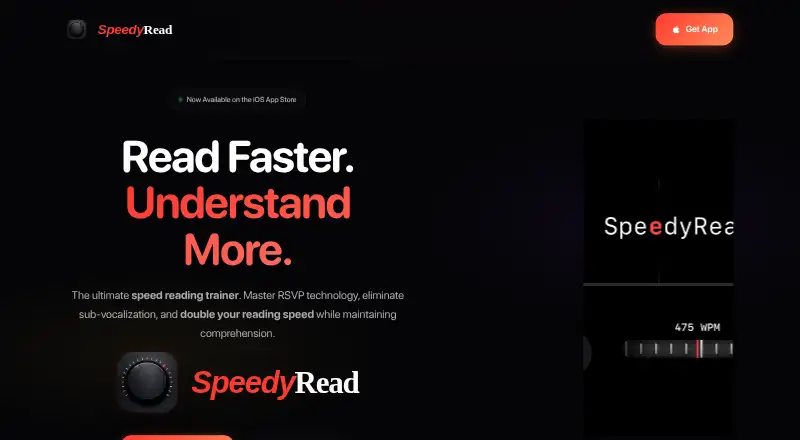
What SpeedyRead is
SpeedyRead is an iPhone speed-reading app that displays text one word at a time using Rapid Serial Visual Presentation. You can import PDFs, Word documents, ePubs, Markdown, HTML, and other content, or open documents from Files. For web reading, paste a URL to extract an article without ads or clutter. A camera scanner uses live OCR and torch support to capture printed pages. Reading speed is adjustable from 300 to 725 WPM with a tactile speed wheel and haptic feedback. Audio mode speaks each word in sync with the display, with adjustable audio speed from 50 to 450 WPM and multiple voices.
The app includes comprehension exercises and guided training, as well as dark and light modes and five accent colors. Automatic session saving and reading-position resumption help readers continue where they left off. The privacy policy says the reading library and progress are stored locally, and personal files are not synced to servers unless a future cloud backup is enabled. It also says anonymous usage statistics are collected and device model and OS version may be collected for diagnostics; support contact may involve an email address. SpeedyRead is listed for iPhone only and requires iOS 18.0 or later. The Free plan is a free download with in-app purchases available. Monthly Premium costs $1.99 a month and includes a 14-day free trial.
Who it suits
SpeedyRead suits students, professionals working through reports and articles, lifelong learners, and people managing read-later lists. It is for iPhone users who want to import or scan reading material, adjust pacing, or listen along as each word appears.
What it does well
- Imports PDFs, Word documents, ePubs, Markdown, and HTML.
- Extracts web articles from pasted URLs without ads or clutter.
- Scans printed pages with live OCR and torch support.
- Offers synchronized audio with adjustable speed and multiple voices.
- Saves reading progress locally and resumes at the previous position.
- Includes comprehension exercises and guided training.
What to know first
- Available for iPhone only.
- Requires iOS 18.0 or later.
- The privacy policy says anonymous usage statistics are collected.
Plans
| Plan | Billed and limits | Price |
|---|---|---|
| Free | Free download · in-app purchases available | Free |
| Monthly Premium | monthly · Premium access · 14-day free trial | $1.99 a month |
As speedyread.app lists them, read 15 Oct 2026. The maker's own page has the final word.
Getting started
- Visit the SpeedyRead website or find the app in the App Store.
- Use an iPhone running iOS 18.0 or later.
- Download the free app or choose Monthly Premium, which includes a 14-day free trial.
- Import a supported document, open a file, paste an article URL, or scan a printed page.
- Adjust the reading speed and choose visual or audio reading.
Verdict
Choose SpeedyRead if you read on an eligible iPhone and want adjustable one-word pacing, broad document imports, or synchronized audio. Consider another option if you need a platform other than iPhone; Premium is a monthly purchase after its 14-day trial.
Questions
How much does SpeedyRead cost?
The Free plan is a free download, with in-app purchases available. Monthly Premium costs $1.99 a month.
Does Premium include a free trial?
Yes. The Monthly Premium plan includes a 14-day free trial.
Which devices can use SpeedyRead?
It is listed for iPhone only and requires iOS 18.0 or later.
What kinds of content can I read?
The listing says it imports PDFs, Word documents, ePubs, Markdown, HTML, and other content. It can also open documents from Files, extract web articles from URLs, and scan printed pages.
Is reading progress stored online?
The privacy policy says the library and progress are stored locally. Personal files are not synced to servers unless a future cloud backup is enabled.
What information does the app collect?
The privacy policy says SpeedyRead collects anonymous usage statistics and may collect the device model and OS version for diagnostics. Contacting support may involve sharing an email address.
Facts from SpeedyRead's own pages
- API and SDK availability
- The published home page, privacy policy and terms describe the consumer app but provide no public API, SDK, developer documentation or self-hosting option. · speedyread.app, 15 Oct 2026
- Apple privacy disclosure
- Apple lists identifiers, usage data and other data as potentially used for tracking or linked to the user, including device ID and product interaction. · apps.apple.com, 15 Oct 2026
- App size and category
- The App Store lists an 18.1 MB Productivity app in English with a 4+ age rating. · apps.apple.com, 15 Oct 2026
- App Store provider
- Apple identifies Jake Rogers as the seller and developer. · apps.apple.com, 15 Oct 2026
- Audio mode
- Audio mode speaks each word in sync with the display, with adjustable audio speed from 50 to 450 WPM and multiple voices. · apps.apple.com, 15 Oct 2026
- Camera OCR
- Users can scan printed pages with the camera using live OCR and torch support. · apps.apple.com, 15 Oct 2026
- Camera scanning
- The listing says users can scan printed pages with the camera using live OCR and torch support. · apps.apple.com, 7 Oct 2026
- Company attribution
- The App Store copyright line identifies Klikkit as the 2026 copyright holder. · apps.apple.com, 15 Oct 2026
- Company location
- Klikkit identifies itself as a UK business serving South London and Kent. · klikkit.co.uk, 15 Oct 2026
- Compatibility
- The App Store lists the app as iPhone-only and requiring iOS 18.0 or later. · apps.apple.com, 7 Oct 2026
- Comprehension drills
- The home page says built-in exercises train retention while reading at higher speeds. · speedyread.app, 15 Oct 2026
- Data collected
- The policy describes anonymous usage statistics, device model and OS data for diagnostics, and email collection when contacting support. · speedyread.app, 15 Oct 2026
- Data collection
- The privacy policy says it collects anonymous usage statistics and may collect device model and OS version for diagnostics; support contact may collect an email address. · speedyread.app, 7 Oct 2026
- Data storage
- The privacy policy says the library and progress are stored locally and personal files are not synced unless a future cloud-backup feature is enabled. · speedyread.app, 15 Oct 2026
- Developer implementation
- Klikkit describes the product as a native SwiftUI app using StoreKit 2, RevenueCat, iOS Share Sheet integration and PDF/ePub parsing. · klikkit.co.uk, 15 Oct 2026
- Developer-reported outcome
- Klikkit says users consistently report reading articles three to five times faster than their normal pace. · klikkit.co.uk, 15 Oct 2026
- Files and share integration
- The app can open documents from Apple Files and receive content through the Safari or system Share Extension. · apps.apple.com, 15 Oct 2026
- Focus and progress
- The app offers dark and light modes, five accent colors, automatic session saving, and reading-position resumption. · apps.apple.com, 7 Oct 2026
- Import formats
- The app listing says it imports PDFs, Word documents, ePubs, Markdown, HTML and other content. · apps.apple.com, 15 Oct 2026
- Intended users
- The listing identifies students, professionals handling reports and articles, lifelong learners, and people with read-later lists as intended users. · apps.apple.com, 7 Oct 2026
- Licence and ownership
- The terms state that the app, its original content, features and functionality remain the exclusive property of SpeedyRead and its licensors. · speedyread.app, 15 Oct 2026
- Limit: accessibility disclosure
- Apple says the developer has not indicated which accessibility features the app supports. · apps.apple.com, 15 Oct 2026
- Limit: platform coverage
- The App Store listing says SpeedyRead is only for iPhone and requires iOS 18 or later. · apps.apple.com, 15 Oct 2026
- Limit: service guarantees
- The terms provide the app as-is and as-available and do not guarantee uninterrupted or error-free operation. · speedyread.app, 15 Oct 2026
Where SpeedyRead stands on Freedom251
- Speed Reading Apps#21 of 27