Freedom251 › Audio Restoration Software

SpectraLayers Pro
What SpectraLayers Pro is
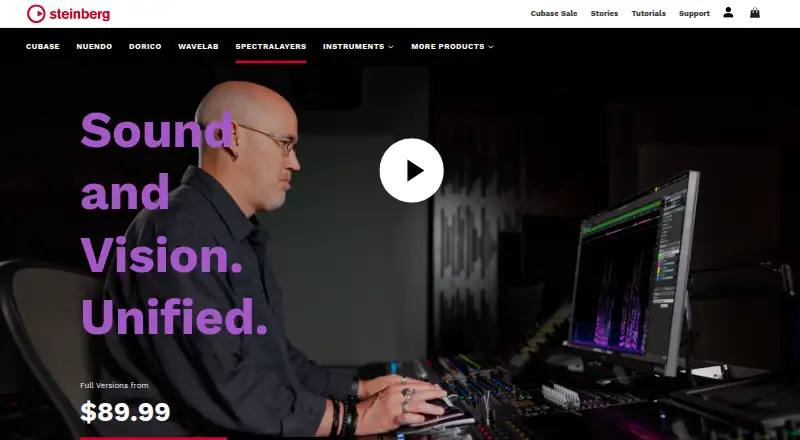
SpectraLayers Pro is Steinberg’s spectral audio editor, presenting sound as visual objects for editing, repair, restoration, and sound design. Pro 13 adds Unmix Sound Effects to separate brief sounds from continuous backgrounds such as wind, crowds, traffic, and nature. Ambience Heal fills spectral gaps with ambience from the source layer, while Reconstruct resynthesizes selected spectral data. Voice DeClick targets mouth noises, and Voice DeCrosstalk isolates unwanted voices from a target voice. The software also supports spectral repair, noise reduction, click and crackle removal, hum removal, declip repair, and batch processing.
SpectraLayers Pro can run standalone or as an external editor. Integrations include Ableton Live, Apple Final Cut Pro and Logic Pro, Cockos Reaper, DaVinci Resolve, FL Studio, MAGIX ACID Pro and Vegas Pro, KONTAKT, REAKTOR, HALion, and Tracktion Waveform. When used as an external editor, edited audio can be sent back to the calling application with File › Replace Project Audio. Pro 13 supports macOS 12, 13, 14, 15, and 26 on Intel and Apple silicon Macs, and Windows 10 or 11 64-bit from version 21H2; Windows 11 on Arm requires 24H2 or later. A trial is available, but there is no free plan. Steinberg lists July 1, 2026 as SpectraLayers 13’s first release date.
Who it suits
SpectraLayers Pro suits audio editors, restoration specialists, and sound designers who want to work with sound as spectral visuals. It may also suit users who need batch processing or an external editor that can return edited audio to a supported calling application.
What it does well
- Pro 13 separates short sound effects from continuous ambient backgrounds.
- Repair tools include Ambience Heal and spectral-data reconstruction.
- Voice DeClick and Voice DeCrosstalk address two voice cleanup tasks.
- Supports batch processing and standalone or external-editor workflows.
- Edited audio can be returned to the calling application.
What to know first
- There is no free plan.
- Supports macOS and Windows only.
- Standalone installation requires Steinberg Activation Manager.
Plans
| Plan | Billed and limits | Price |
|---|---|---|
| SpectraLayers Pro 13 Upgrade | Upgrade license for SpectraLayers Pro 13 | On request |
| SpectraLayers Pro 13 | Spectral audio editing application; Pro 13 license | $359.99, paid once |
As steinberg.net lists them, read 20 Sept 2026. The maker's own page has the final word.
Getting started
- Visit https://www.steinberg.net/spectralayers/.
- Check that your Mac or Windows version meets the Pro 13 requirements.
- Download the shared Pro and Elements 13 installer using Steinberg Download Assistant.
- Install Steinberg Activation Manager for standalone use.
- Use the license to open the appropriate edition, then start a trial if desired.
Verdict
Choose SpectraLayers Pro if you need spectral audio editing, repair, restoration, or sound design, particularly with Pro 13’s sound effect and voice tools. Look elsewhere if you need a free plan or a platform beyond macOS and Windows.
Questions
Is there a free plan or trial?
SpectraLayers Pro has no free plan, but a free trial is available.
Which platforms does SpectraLayers Pro support?
It supports macOS and Windows. Pro 13 lists macOS 12, 13, 14, 15, and 26 on Intel and Apple silicon Macs, and Windows 10 or 11 64-bit from version 21H2; Windows 11 on Arm requires version 24H2 or later.
Can SpectraLayers Pro work as an external editor?
Yes. Integrations include Ableton Live, Final Cut Pro, Logic Pro, Reaper, DaVinci Resolve, FL Studio, ACID Pro, Vegas Pro, KONTAKT, REAKTOR, HALion, and Tracktion Waveform.
Can I return edited audio to the application that opened it?
Yes. Use File › Replace Project Audio to send edited audio back to the calling application.
What is required for standalone installation?
Standalone installation requires Steinberg Activation Manager. The Pro and Elements 13 editions use one installer, and the license determines which edition opens.
Facts from SpectraLayers Pro's own pages
- Batch processing
- Yes · steinberg.net, 20 Sept 2026
- Download support
- Steinberg recommends its Download Assistant and says it can download and install available downloads with one click. · o.steinberg.net, 30 Sept 2026
- Free plan
- No · steinberg.net, 20 Sept 2026
- Headquarters
- Hamburg, Germany · steinberg.net, 28 Sept 2026
- Integrations
- The Pro 12 manual lists external-editor support for Ableton Live, Apple Final Cut Pro and Logic Pro, Cockos Reaper, DaVinci Resolve, FL Studio, MAGIX ACID Pro and Vegas Pro, KONTAKT, REAKTOR, HALion, and Tracktion Waveform. · download.steinberg.net, 30 Sept 2026
- License and installation
- The Pro and Elements 13 editions use one installer, and the license determines which version opens; standalone installation requires Steinberg Activation Manager. · o.steinberg.net, 30 Sept 2026
- Mac support
- The Pro 13 download page lists macOS 12, 13, 14, 15, and 26, for Intel-based Macs and Apple silicon. · o.steinberg.net, 30 Sept 2026
- New repair tools
- Pro 13 includes Ambience Heal, which fills spectral gaps using ambience from the source layer, and Reconstruct, which resynthesizes selected spectral data. · steinberg.net, 30 Sept 2026
- New sound effects tool
- Pro 13’s Unmix Sound Effects separates short sounds from continuous ambient backgrounds such as wind, crowds, traffic, and nature sounds. · steinberg.net, 30 Sept 2026
- Release date
- Steinberg lists July 1, 2026 as the first release date for SpectraLayers 13. · o.steinberg.net, 30 Sept 2026
- Round-trip editing
- When used as an external editor, edited audio can be sent back to the calling application with File › Replace Project Audio. · download.steinberg.net, 30 Sept 2026
- Support resources
- The download page links to the SpectraLayers operation manual and online help on steinberg.help. · o.steinberg.net, 30 Sept 2026
- Voice tools
- Pro 13 adds Voice DeClick to remove mouth noises and Voice DeCrosstalk to isolate unwanted voices from a target voice. · steinberg.net, 30 Sept 2026
- What it does
- SpectraLayers represents sounds as visual objects for spectral audio editing, repair, restoration, and sound design. · steinberg.net, 30 Sept 2026
- Windows support
- The Pro 13 download page lists Windows 10 64-bit version 21H2 or later and Windows 11 64-bit version 21H2 or later; Windows 11 on Arm requires version 24H2 or later. · o.steinberg.net, 30 Sept 2026
Where SpectraLayers Pro stands on Freedom251
- Audio Restoration Software#13 of 24
- Audio editors#17 of 31
- AI Audio Restoration Software#14 of 22
- Audio Editing Software#85 of 131
- Game Audio Editors#25 of 31