Freedom251 › Display Calibration Software
SpaceMatch
What SpaceMatch is
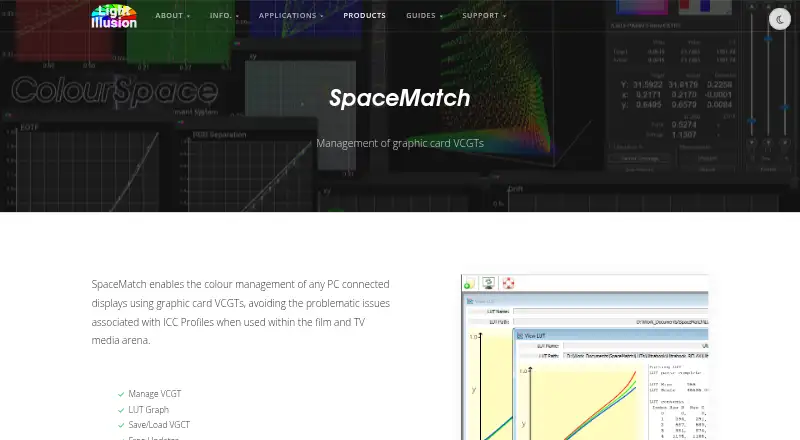
SpaceMatch is paid colour-management software for PC-connected displays in film and television workflows. It uses graphics-card VCGTs to help avoid ICC profile issues and match gamma and colour temperature across facility screens, production laptops, and on-set laptops. The software can manage VCGTs, show a LUT graph, and save or load VCGTs. It reads active ICC profiles and converts them to suitable 1D LUTs, or loads 1D LUTs generated with ColourSpace. VCGT calibration adjusts gamma and colour temperature but cannot control display gamut. Accurate 3D LUT calibration therefore needs a display with built-in 3D LUT capability, a LUT box, or graphics software supporting 3D LUTs. SpaceMatch can apply ColourSpace LUTs and support clean HDMI output workflows. Windows use with Advanced Color, Auto Color Management, or HDR is unverified. Mac use is through Windows emulation. Pricing starts from £115, with no free plan.
Who it suits
It suits colourists and display-management teams matching multiple screens in film, TV, broadcast, or home-cinema workflows. Windows users have native support; Mac users need Windows emulation.
What it does well
- Matches gamma and colour temperature across displays
- Manages, saves, and loads VCGTs
- Converts ICC profiles to 1D LUTs
- Works with ColourSpace-generated LUTs
- Supports command-line startup LUT loading
What to know first
- 1D LUT calibration cannot control display gamut
- Mac use requires Windows emulation
- Windows HDR and color-management reliability is unverified
- Paid software with no free plan
Limits
Graphics-card VCGT calibration uses 1D LUTs and cannot control display gamut. The licence generally covers one workstation, requires internet checks, and Windows HDR or Advanced Color reliability has not been verified.
Plans
| Plan | Billed and limits | Price |
|---|---|---|
| SpaceMatch DCM | Ex. VAT · yearly maintenance fee · Windows OS · Mac via Windows emulation · multiple-license discounts and package deals available by quote | On request |
As lightillusion.com lists them, read 8 Oct 2026. The maker's own page has the final word.
Getting started
- Open the SpaceMatch product page
- Purchase a SpaceMatch licence from Light Illusion
- Install it on a Windows workstation, or use Windows emulation on Mac
- Connect the target displays
- Load an ICC profile or ColourSpace-generated 1D LUT
- Configure command-line startup loading if required
- Disable HDR and Automatically manage color for apps on Windows target displays before relying on SpaceMatch DCM
Verdict
SpaceMatch focuses on graphics-card VCGT and LUT workflows rather than full gamut control. Its platform caveats and 3D LUT requirements matter when planning a calibrated display setup.
Questions
How much does SpaceMatch cost?
SpaceMatch is paid software with pricing from £115. The listed SpaceMatch DCM plan has a yearly maintenance fee, with exact pricing not shown.
Which platforms does SpaceMatch support?
Windows is supported. Mac use is available through Windows emulation.
Does SpaceMatch offer a free plan?
No. SpaceMatch has no free plan.
Can SpaceMatch perform 3D LUT calibration?
Its graphics-card VCGT calibration uses 1D LUTs and cannot control gamut. Accurate 3D LUT calibration requires suitable display, LUT-box, or graphics-software support.
Can it work with ColourSpace?
Yes. SpaceMatch can load LUTs generated with ColourSpace and can enable clean HDMI output for external display profiling and calibration with ColourSpace.
What does the licence require?
Light Illusion generally licenses the software to one workstation, locks it mainly to the host hardware and operating system, and requires internet access for licence-server checks.
Facts from SpaceMatch's own pages
- 3D calibration
- The page says accurate display calibration with 3D LUTs requires a display with built-in 3D LUT capability, a LUT box, or graphics software with 3D LUT capability. · lightillusion.com, 8 Oct 2026
- Automatic loading
- The manual says command-line mode can be used with Task Scheduler or startup operation to load a selected LUT when the PC powers up. · lightillusion.com, 8 Oct 2026
- Calibration limit
- Graphics-card VCGT calibration uses 1D LUTs and adjusts gamma and colour temperature, but cannot control display gamut. · lightillusion.com, 8 Oct 2026
- Display matching
- It is used to match gamma and colour temperature across VFX facility displays and production or on-set laptops. · lightillusion.com, 8 Oct 2026
- Headquarters
- The Granary, Throcking, Buntingford, Hertfordshire, SG9 9RU, UK · lightillusion.com, 28 Sept 2026
- ICC conversion
- SpaceMatch can read active ICC profiles and convert them to suitable 1D LUTs, or load 1D LUTs generated with ColourSpace. · lightillusion.com, 8 Oct 2026
- Integration
- SpaceMatch can apply LUTs generated with ColourSpace, and the product page describes using it to enable clean HDMI output for external display profiling and calibration with ColourSpace. · lightillusion.com, 8 Oct 2026
- License model
- Light Illusion says its software is generally licensed to a single workstation, locks predominantly to the host hardware and operating system, and requires internet access for license-server checks. · lightillusion.com, 8 Oct 2026
- LUT management
- Its listed capabilities include managing VCGTs, viewing a LUT graph, and saving and loading VCGTs. · lightillusion.com, 8 Oct 2026
- Maker
- Light Illusion describes itself as a provider of colour-management tools and services for film, TV, broadcast, and home cinema. · lightillusion.com, 8 Oct 2026
- Purpose
- SpaceMatch manages colour on PC-connected displays through graphics-card VCGTs to avoid ICC profile issues in film and TV workflows. · lightillusion.com, 8 Oct 2026
- Support
- Light Illusion says products purchased directly include a multi-level support contract with remote training, dedicated discussion forums, and direct email and phone communication. · lightillusion.com, 8 Oct 2026
- Windows caveat
- Reliability with Windows Advanced Color, Auto Color Management, or HDR has not been verified; the page advises disabling HDR and Automatically manage color for apps on the target display before relying on SpaceMatch DCM. · lightillusion.com, 8 Oct 2026
Where SpaceMatch stands on Freedom251
- Display Calibration Software#22 of 24