Freedom251 › Photo Slideshow Makers
SmartSHOW 3D
What SmartSHOW 3D is
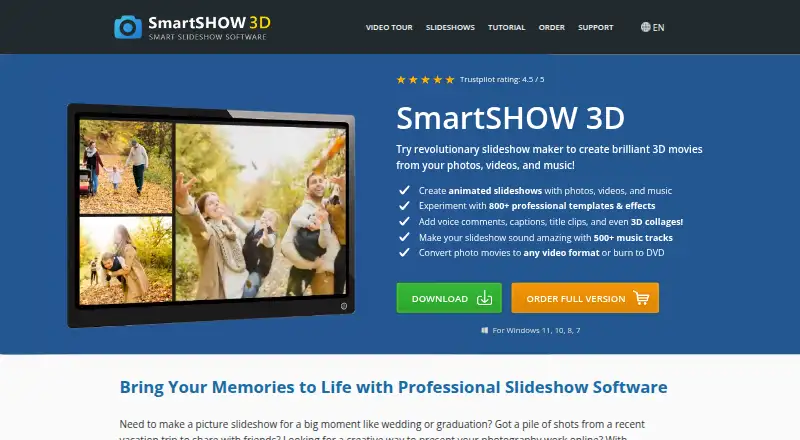
SmartSHOW 3D is Windows software for creating photo and video slideshows with music, animation, and 3D effects. Its editor supports layered slides, keyframes, and controls for animating individual elements. The maker advertises more than 800 templates and effects. Slideshows can be exported to common HD video formats such as MP4, AVI, and 3GP, or burned to DVD. Presets include YouTube, Facebook, mobile-optimized clips, and output for devices including iPhone and iPad. Standard Edition supports photos and music, 100+ transitions and animation effects, and 30+ HD video formats. Deluxe adds video clips, an image editor, DVD burning, and 500+ royalty-free tracks. Gold includes Live Photo, animated travel maps, DVD burning, and 500+ transitions and animation effects. Standard costs $29.95 a year, Deluxe $49.95 a year, and Gold $69.95, paid once for a lifetime license offer through October 10, 2026. A five-day trial is available.
Who it suits
SmartSHOW 3D suits personal slideshow projects and professional photographers, including studios that offer slideshow services. It is designed for Windows 11, 10, 8, and 7.
What it does well
- Layered slides and keyframe animation
- 800+ advertised templates and effects
- Exports video or burns DVDs
- YouTube and Facebook presets
- Five-day trial available
What to know first
- Windows-only software
- License permits one computer at a time
- Trial lasts five days
Limits
The Standard Edition includes 100+ transitions and animation effects and 30+ HD video formats. Deluxe and Gold provide broader effect libraries and additional features; Gold is a lifetime-license offer listed through October 10, 2026.
Plans
| Plan | Billed and limits | Price |
|---|---|---|
| Standard Edition | 1 year license · Unlimited photos and music · 100+ transitions/effects · own music · voice comments · 30+ HD video formats | $29.95 a year |
| Deluxe Edition | 1 year license · Photos, video clips and music · 200+ transitions/effects · 500+ royalty-free tracks · image editor and filters · DVD burning | $49.95 a year |
| Gold Edition | Lifetime license; shown discounted from $99.90 until October 20, 2026 · 500+ transitions/effects · 500+ royalty-free tracks · image editor and filters · Live Photo animation · Animated Travel Maps · DVD burning · 100-template gift | $69.95, paid once |
As smartshow-software.com lists them, read 15 Oct 2026. The maker's own page has the final word.
Getting started
- Open the SmartSHOW 3D website
- Choose Standard, Deluxe, or Gold Edition
- Use the five-day trial on a supported Windows version
- Create slides with photos, video clips, music, captions, and effects
- Export to a video format, device preset, social preset, or DVD
- Activate the selected license for one computer
Verdict
SmartSHOW 3D offers slideshow editing with layered animation, broad export choices, and edition-specific media tools. Buyers should select an edition based on whether they need video clips, royalty-free tracks, DVD output, or lifetime licensing.
Questions
What platforms does SmartSHOW 3D support?
The maker lists Windows 11, 10, 8, and 7.
Is there a free plan or trial?
There is no free plan, but the trial provides five days to test the program.
How much do the editions cost?
Standard is $29.95 a year, Deluxe is $49.95 a year, and Gold is $69.95, paid once for a lifetime license offer through October 10, 2026.
Can it create DVDs and common video files?
Yes. Exports include MP4, AVI, 3GP, other common video formats, and DVD burning.
How many computers can use one license?
The license agreement grants use on one computer at a time.
Facts from SmartSHOW 3D's own pages
- Animation editing
- Slides support multiple layers, keyframes, masks, shapes and animated 3D text, with drag-and-drop effects. · smartshow-software.com, 15 Oct 2026
- API and SDK
- The vendor's public navigation exposes consumer download, order, support and tutorial resources; it does not list developer API or SDK documentation. · smartshow-software.com, 15 Oct 2026
- Audience
- The maker describes the software for personal projects and professional photographers, including photo studios offering slideshow services. · smartshow-software.com, 7 Oct 2026
- Audio
- The current homepage says the built-in music library contains more than 1,000 tracks, including over 450 newly added songs. · smartshow-software.com, 15 Oct 2026
- Automatic workflow
- Its automatic slideshow maker can combine photos, clips and music, synchronize music, add voice comments and export to YouTube, TV, DVD and iPhone targets. · smartshow-software.com, 15 Oct 2026
- Compatibility
- The maker lists compatibility with Windows 11, 10, 8, and 7. · smartshow-software.com, 7 Oct 2026
- Documentation
- The tutorial center provides step-by-step lessons covering photo import, animation, voiceovers, collages, DVD creation, YouTube output and many occasion-specific projects. · smartshow-software.com, 15 Oct 2026
- DVD output
- SmartSHOW 3D can burn completed slideshows to DVD. · smartshow-software.com, 15 Oct 2026
- Editing
- The software supports layered slides, keyframes, and animation controls for individual slide elements. · smartshow-software.com, 7 Oct 2026
- Export
- Slideshows can be exported to common HD video formats or burned to DVD. · smartshow-software.com, 7 Oct 2026
- Export formats
- The software exports to common formats such as MP4, AVI and 3GP and provides presets for phones, Facebook and other devices. · smartshow-software.com, 15 Oct 2026
- Founded
- 2013 · smartshow-software.com, 28 Sept 2026
- Integrations
- The maker describes export presets for YouTube and Facebook, plus video output for devices including iPhone and iPad. · smartshow-software.com, 7 Oct 2026
- Licence
- The EULA gives a proprietary, non-exclusive one-computer licence and prohibits copying, modification, decompilation and reverse engineering. · smartshow-software.com, 15 Oct 2026
- License limit
- The license agreement grants use on one computer at a time. · smartshow-software.com, 7 Oct 2026
- Limit: crashes and instability
- Software Advice and GetApp reviewers report crashes, freezes or unexpected shutdowns, especially with long or large projects on Windows 11. · softwareadvice.com, 15 Oct 2026
- Limit: editing constraints
- Reviewers report that the text editor is limited, advanced multi-layer workflows are harder to understand and effects cannot always be applied globally. · getapp.ae, 15 Oct 2026
- Limit: failed installation or access
- Independent reviews include reports of a JPEG-opening failure requiring a refund request and a paid licence key not arriving promptly. · trustpilot.com, 15 Oct 2026
- Limit: platform coverage
- A Software Advice reviewer reports there is no Mac version and that working with photos on NAS drives is difficult. · softwareadvice.com, 15 Oct 2026
- Limit: templates and audio
- Trustpilot reviewers request more free templates, easier template picture replacement and more flexible audio editing such as overlapping tracks. · trustpilot.com, 15 Oct 2026
- LinkedIn company facts
- LinkedIn lists AMS Software as a public software-development company founded in 2005, headquartered in Florida and employing 51–200 people. · linkedin.com, 15 Oct 2026
- Maker history
- AMS says SmartSHOW 3D began as an early-2000s prototype and officially launched in 2013 with 3D animation. · smartshow-software.com, 15 Oct 2026
- Maker scale
- AMS says it was founded in 2003, serves millions of customers in more than 200 countries and focuses on image, graphic-design and multimedia software. · smartshow-software.com, 15 Oct 2026
- Notable release
- FileHorse records SmartSHOW 3D version 27.0 as released August 12, 2026 for Windows 7, 8, 10 and 11. · filehorse.com, 15 Oct 2026
Where SmartSHOW 3D stands on Freedom251
- Photo Slideshow Makers#19 of 23