Freedom251 › Photo Slideshow Makers

Aiseesoft Slideshow Creator
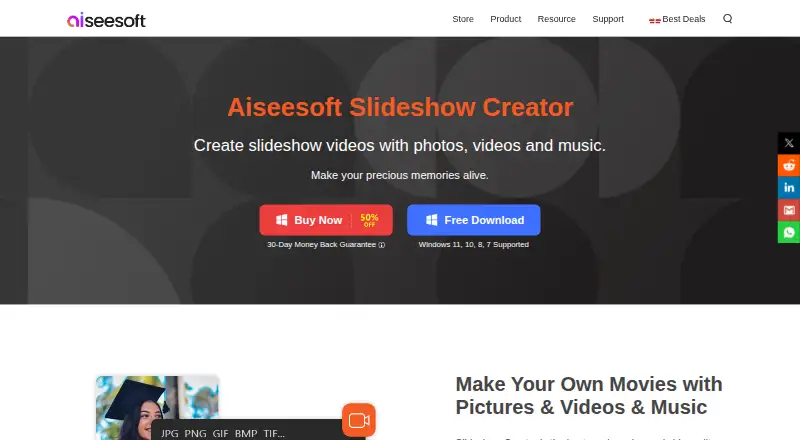
What Aiseesoft Slideshow Creator is
Aiseesoft Slideshow Creator combines photos, video clips, background music, or narration into slideshow movies. It offers image adjustments including contrast, saturation, brightness, hue, temperature, tint, exposure, and 3D LUT, as well as rotate, flip, and crop controls. Video tools support clipping, merging, cropping, speed changes, and mosaic masking. Users can start with ready-made themes and customize text, transitions, filters, and elements; the listed collection includes 31 text effects, 31 transition modes, 32 filters, and 37 elements. Project tools include full-screen preview, saving work for later editing, setting photo duration, panning and zooming photos, looping audio, and extracting audio from video. Listed outputs include 4K UHD MP4, MOV, and MKV, plus other video formats and device playback presets. It runs on Windows 7, 8, 10, and 11, with at least a dual-core 2.0 GHz CPU and 4 GB memory. Some online themes and materials need an internet connection. A 1 Month License costs $12.45 per month; Lifetime License is $39.96 per once, and Business License is $69.96 per once.
Who it suits
It may suit Windows users assembling personal photos and videos into themed slideshow movies with music or narration. Users should check the listed system requirements and note that some online materials require internet access.
What it does well
- Combines photos, clips, music, and narration.
- Includes image and video editing tools.
- Offers 4K UHD MP4, MOV, and MKV output.
- Projects can be saved for later editing.
What to know first
- Windows 7, 8, 10, or 11 required.
- Requires at least a dual-core 2.0 GHz CPU and 4 GB memory.
- Some online themes and materials require internet access.
Limits
The 1 Month License is for one PC and is billed at $12.45 a month. The Lifetime License is for one PC and costs 39.96 USD once; the Business License supports three PCs and costs 69.96 USD once. Some online themes and materials require an internet connection.
Plans
| Plan | Billed and limits | Price |
|---|---|---|
| 1 Month License | Use it for 1 Month · 1 PC · 30-day money-back guarantee for quality problems | $12.45 a month |
| Lifetime License | Use it for Lifetime · 1 PC · 30-day money-back guarantee for quality problems | $39.96, paid once |
| Business License | Use it for Lifetime · 3 PCs · 30-day money-back guarantee for quality problems | $69.96, paid once |
As aiseesoft.com lists them, read 7 Oct 2026. The maker's own page has the final word.
Getting started
- Visit the Aiseesoft Slideshow Creator website.
- Choose the 1 Month, Lifetime, or Business License.
- Install on a Windows 7, 8, 10, or 11 computer meeting the listed system requirements.
- Combine photos and clips, then add music or narration and customize a theme.
Verdict
Slideshow Creator offers editing tools for photos and clips, customizable themes, and multiple output formats. It is limited to Windows and has stated hardware requirements; some online materials also need a connection.
Questions
How much does Aiseesoft Slideshow Creator cost?
The listed 1 Month License is $12.45 a month, the Lifetime License is 39.96 USD once, and the Business License is 69.96 USD once.
Is there a free plan?
No. The product is listed as paid, with no free plan.
Which operating systems does it support?
It supports Windows 7, Windows 8, Windows 10, and Windows 11.
What formats can it export?
Listed formats include MP4, MOV, MKV, AVI, WMV, WebM, M4V, FLV, TS, MPG, TRP, SWF, ASF, OGV, VOB, DV, and 3GP.
Does it have a lifetime option?
Yes. The Lifetime License costs 39.96 USD once and covers one PC.
Does it need an internet connection?
Some online themes and materials need a connection to download and use. Full-version activation also requires an internet connection and periodically checks license validity online.
Facts from Aiseesoft Slideshow Creator's own pages
- Device presets
- Listed output device categories include iPhone, iPad, Samsung and other phone brands, TVs, Xbox, PlayStation, PSP, and Wii. · aiseesoft.com, 7 Oct 2026
- Founded
- 2008 · aiseesoft.com, 28 Sept 2026
- Image editing
- Users can adjust contrast, saturation, brightness, hue, temperature, tint, exposure, and 3D LUT, and rotate, flip, or crop images. · aiseesoft.com, 7 Oct 2026
- Intended use
- The maker describes the product as a way to turn photo albums and videos of personal moments into slideshow movies. · aiseesoft.com, 7 Oct 2026
- Online materials
- Some online themes and materials require an internet connection to download and use. · aiseesoft.com, 7 Oct 2026
- Output formats
- The product lists 4K UHD output in MP4, MOV, and MKV, with additional formats for 1080p HD and common video. · aiseesoft.com, 7 Oct 2026
- Payment security
- The privacy policy says third-party payment processors encrypt customer information before sending it and that SSL is used where needed to protect information in transit. · aiseesoft.com, 7 Oct 2026
- Privacy and activation
- The privacy policy says full-version activation requires an internet connection and periodically checks license validity online, transmitting the license key, a checksum, product code, and version numbers. · aiseesoft.com, 7 Oct 2026
- Project tools
- Users can preview in full screen, save projects for later editing, set photo duration, pan and zoom photos, loop background audio, and extract audio from video. · aiseesoft.com, 7 Oct 2026
- Purpose
- Slideshow Creator combines photos, video clips, and background music or narration into slideshow movies. · aiseesoft.com, 7 Oct 2026
- Support
- Aiseesoft lists email support at [email protected] and help via its @AiseesoftStudio Twitter account. · aiseesoft.com, 7 Oct 2026
- System requirements
- The listed operating systems are Windows 7, 8, 10, and 11 in 32-bit or 64-bit, with at least a dual-core 2.0 GHz CPU and 4 GB memory. · aiseesoft.com, 7 Oct 2026
- Theme options
- The maker lists 31 text effects, 31 transition modes, 32 filters, and 37 elements. · aiseesoft.com, 7 Oct 2026
- Themes
- It includes ready-made themes and lets users customize text, transitions, filters, and elements. · aiseesoft.com, 7 Oct 2026
- Video editing
- The product supports clipping, merging, cropping, speed changes, and mosaic masking for video clips. · aiseesoft.com, 7 Oct 2026
Where Aiseesoft Slideshow Creator stands on Freedom251
- Photo Slideshow Makers#19 of 24