Freedom251 › AI Presentation Makers
Slides
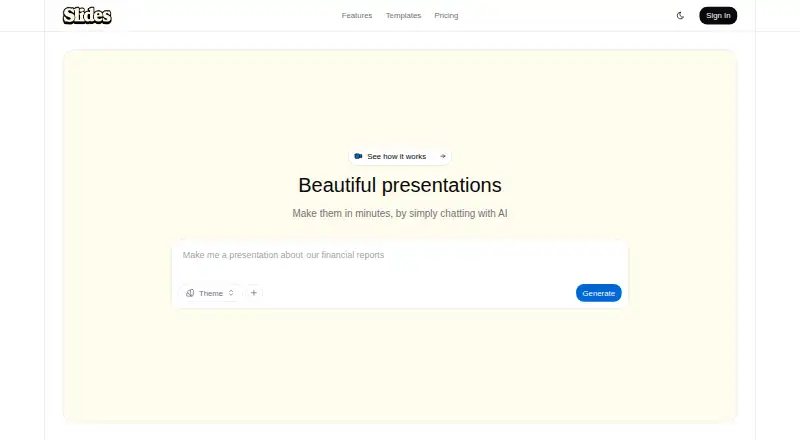
What Slides is
Slides is a web-based presentation tool that uses AI to create and revise presentations from text descriptions. Users can request changes such as new slides, color adjustments, or animations through conversation. Presentations adapt to phones, tablets, and projectors, and each has a unique URL that viewers can open without an account. Password protection and view tracking are available for shared presentations. Visual options include entrance effects, transitions, scrolling animations, and micro-interactions, alongside five style presets: Minimal, Bold, Corporate, Creative, and Technical. Users can upload images, SVGs, and documents to a personal library for reuse. The Free plan costs nothing and includes one presentation per month, five image generations per month, and ten asset storage slots; free users can view presentations online. Premium costs $9 a month and adds HTML export, unlimited asset storage, priority generation, no watermark, and priority support. Enterprise includes team collaboration, SSO, custom branding, dedicated support, and additional export options and workflows.
Who it suits
Slides suits people who want to create and edit presentations through AI prompts, including creators and teams considering Premium. Larger organizations may find the Enterprise plan’s collaboration, SSO, and custom branding relevant.
What it does well
- AI editing by conversational requests
- Presentations adapt to phones, tablets, and projectors
- Password protection and view tracking are available
- Uploads include images, SVGs, and documents
- Premium includes HTML export and priority support
What to know first
- Free plan allows one presentation per month
- Free plan allows five image generations monthly
- Free plan has ten asset storage slots
- HTML export is limited to Premium and Enterprise
Plans
| Plan | Billed and limits | Price |
|---|---|---|
| Premium | 20 presentations/month · 100 image generations/month · unlimited asset storage · priority generation · no watermark · HTML export · priority support | $9 a month |
| Free | 1 presentation/month · 5 image generations/month · 10 asset slots · standard generation speed · Slides watermark | On request |
| Enterprise | Custom usage limits · team collaboration · SSO integration · custom branding · dedicated support · custom exports | On request |
As useslides.com lists them, read 2 Oct 2026. The maker's own page has the final word.
Verdict
Slides combines AI-assisted presentation creation with sharing controls and responsive viewing. The Free plan has monthly creation and storage limits; Premium costs $9 a month and adds HTML export and other benefits.
Facts from Slides's own pages
- Conversational editing
- Users can ask the AI to change colors, add slides, and apply animations through conversation. · useslides.com, 2 Oct 2026
- Export limits
- Free users can view presentations online, Premium users can export HTML, and Enterprise users get additional export options and custom workflows. · useslides.com, 2 Oct 2026
- Free plan
- Yes · useslides.com, 20 Sept 2026
- Privacy controls
- Presentations can be password protected, and view tracking is available. · useslides.com, 2 Oct 2026
- Refunds and cancellation
- The pricing page states paid plans have a 14-day money-back guarantee and subscriptions can be canceled at any time, with access continuing through the billing period. · useslides.com, 2 Oct 2026
- Responsive viewing
- Presentations adapt to phones, tablets, and projectors. · useslides.com, 2 Oct 2026
- Security and AI processing
- Slides says uploaded or provided content is processed by its AI models and private presentation content is not used to train public AI models without explicit consent. · useslides.com, 2 Oct 2026
- Security measures
- Slides says it uses technical and organizational measures to protect personal data, while noting internet transmission cannot be guaranteed fully secure. · useslides.com, 2 Oct 2026
- Sharing
- Each presentation gets a unique URL, and viewers do not need an account to view it. · useslides.com, 2 Oct 2026
- Style presets
- Slides lists five presets: Minimal, Bold, Corporate, Creative, and Technical. · useslides.com, 2 Oct 2026
- Support
- The pricing page lists priority support for Premium and dedicated support for Enterprise. · useslides.com, 2 Oct 2026
- Target users
- The site describes Premium as intended for creators and teams and Enterprise for larger organizations. · useslides.com, 2 Oct 2026
- Uploadable assets
- Users can upload images, SVGs, and documents and save them in a personal library for reuse. · useslides.com, 2 Oct 2026
- Visual features
- The product describes automatic entrance effects, transitions, scroll animations, and micro-interactions. · useslides.com, 2 Oct 2026
- What it does
- Slides uses AI to generate and edit presentations from text descriptions. · useslides.com, 2 Oct 2026
Where Slides stands on Freedom251
- AI Presentation Makers#74 of 109
- Animated Presentation Software#18 of 25