Freedom251 › Mind mapping tools
MyMap
What MyMap is
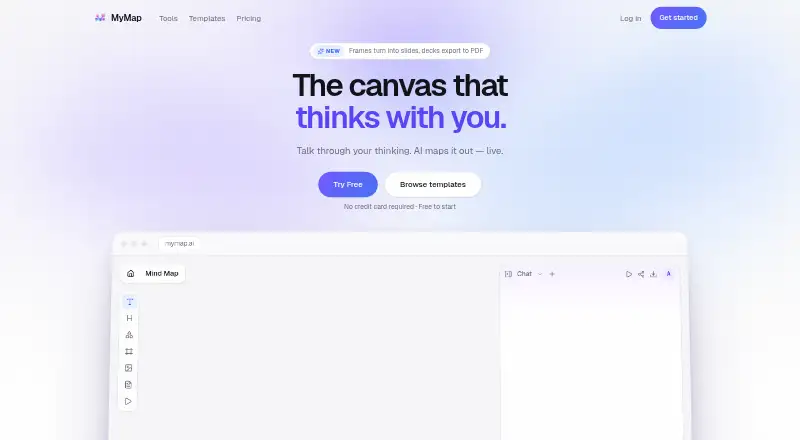
MyMap is an AI-powered visual canvas for turning prompts and conversations into maps, diagrams, and presentations. It supports mind maps, flowcharts, org charts, swimlanes, timelines, Kanban boards, concept maps, genograms, ERD, BPMN, UML, Sankey diagrams, empathy maps, and business model canvases. Users can begin with sentences, pasted notes, PDFs, Word documents, or YouTube links. The assistant can rewrite or expand a selected node while leaving the rest of the board intact. Boards support real-time collaboration, and sections can be framed as slides, presented in a browser, and exported as a PDF deck with one page per frame. Export options include PNG, SVG, PDF, Markdown, and share links; the platform list also includes PowerPoint, Keynote, and Google Slides. MyMap runs on the web, Android, and iOS, but does not support offline mode. Its Free plan costs nothing and provides 20 credits per month and three canvas maps. Pro includes 1,000 monthly credits; the trial starts with $1 today for 14 days, then costs $144/year, and the pricing page says to cancel before the trial ends to avoid the charge. Max costs $100 per month and includes 10,000 monthly credits and unlimited canvas maps. Unused credits do not roll over; free credits refill monthly, while paid-plan credits refill on the subscription billing day.
Who it suits
MyMap suits people who need to turn written material into visual maps or diagrams, including process consultants, quality and compliance teams, students and educators, and family therapists. Its collaboration and presentation features also suit people who need to work on or present a shared board.
What it does well
- Creates many map, diagram, and planning formats from prompts and documents.
- AI can edit a selected node without changing the rest of the board.
- Supports real-time collaboration and browser presentations.
- Available on web, Android, and iOS.
- Exports include PDF, PNG, PowerPoint, Keynote, and Google Slides.
What to know first
- Offline mode is unavailable.
- The Free plan is limited to 20 credits monthly and three canvas maps.
- Unused credits do not roll over.
Limits
The Free plan includes 20 credits per month and three canvas maps. Pro includes 1,000 credits per month; its trial starts at $1 today for 14 days, then costs $144/year, and cancellation before the trial ends avoids the charge. Max includes 10,000 credits per month and unlimited canvas maps for $100 per month.
Plans
| Plan | Billed and limits | Price |
|---|---|---|
| Max | $100/month · Billed monthly · 10,000 credits / month · Unlimited canvas maps · Every premium model · PDF + clean PNG export · Highest AI priority | $100 a month |
| Free | $0/month · 20 credits / month · Up to 3 canvas maps · PNG export with watermark · No premium models · No PDF export | Free |
| Pro | $12/month · Billed annually · $0.39/day Save $96/year · 1,000 credits / month · Unlimited canvas maps · Every premium model · PDF + clean PNG export · Priority AI generation | $12 a month |
As mymap.ai lists them, read 8 Oct 2026. The maker's own page has the final word.
Getting started
- Visit https://www.mymap.ai/.
- Choose the Free plan or review the Pro and Max plans.
- Start a canvas from a prompt, notes, a PDF, a Word document, or a YouTube link.
- Invite collaborators to work on a board in real time.
- Frame board sections as slides to present in a browser or export a PDF deck.
Verdict
Choose MyMap if you want an AI-assisted canvas for mapping ideas, collaborating, or presenting boards across web and mobile. The Free plan provides a defined starting allowance, while larger credit needs call for a paid plan. Offline work is not supported.
Questions
What does MyMap cost?
The Free plan costs nothing. Max costs $100 per month. Pro starts with a 14-day trial for $1 today, then costs $144/year.
What is included in the Free plan?
It includes 20 credits per month and three canvas maps.
Which devices can I use MyMap on?
MyMap is available on the web, Android, and iOS. Offline mode is unavailable.
Can MyMap export presentations and maps?
Yes. Exports include PDF, PNG, PowerPoint, Keynote, and Google Slides. It also offers SVG, Markdown, and share-link exports; presentation frames can be exported as a PDF deck.
Does MyMap support real-time collaboration?
Yes. People can collaborate on a board in real time.
Do unused credits carry over?
No. Free credits refill monthly, while Pro and Max credits refill on the subscription billing day.
Facts from MyMap's own pages
- AI assistance
- Yes · mymap.ai, 20 Sept 2026
- AI data processing
- The Privacy Policy says prompts and canvas context are sent to OpenAI for AI responses and that OpenAI does not use this content to train its models under its API terms. · mymap.ai, 8 Oct 2026
- AI editing
- Users can select a node and ask the assistant to rewrite it or add detail while leaving the rest of the board intact. · mymap.ai, 8 Oct 2026
- Audience
- The site describes use cases for process consultants, quality and compliance teams, students and educators, and family therapists. · mymap.ai, 8 Oct 2026
- Credit limits
- Unused credits do not roll over; free credits refill monthly, while Pro and Max credits refill on the subscription billing day. · mymap.ai, 8 Oct 2026
- Export formats
- PDF,PNG,PowerPoint,Keynote,Google Slides · mymap.ai, 20 Sept 2026
- Formats
- It supports mind maps, flowcharts, org charts, swimlanes, timelines, Kanban boards, concept maps, genograms, ERD, BPMN, UML, Sankey, empathy maps, and business model canvases. · mymap.ai, 8 Oct 2026
- Free plan
- Yes · mymap.ai, 20 Sept 2026
- Inputs and exports
- The product accepts sentences, pasted notes, PDFs, Word documents, and YouTube links, and offers PNG, SVG, PDF, Markdown, and share-link exports. · mymap.ai, 8 Oct 2026
- Integrations and providers
- The Privacy Policy names Supabase for database, authentication, and storage; Vercel for hosting; Google for OAuth sign-in; OpenAI for AI generation; and Paddle for payment processing. · mymap.ai, 8 Oct 2026
- Offline mode
- No · mymap.ai, 20 Sept 2026
- Supported platforms
- web,ios,android · mymap.ai, 20 Sept 2026
- Presentation mode
- Yes · mymap.ai, 20 Sept 2026
- Presentations
- Users can frame parts of a board as slides, present from a browser, and export a deck to PDF with one page per frame. · mymap.ai, 8 Oct 2026
- Privacy
- The Privacy Policy says users own their maps and generated content, which MyMap stores to provide and sync the service and does not use for advertising or sell to third parties. · mymap.ai, 8 Oct 2026
- Product
- MyMap is an AI-powered visual canvas that turns conversations and natural-language prompts into mind maps, flowcharts, diagrams, and connected ideas. · mymap.ai, 8 Oct 2026
- Real-time collaboration
- Yes · mymap.ai, 20 Sept 2026
- Security and compliance
- MyMap says it uses TLS encryption in transit, encryption at rest, access controls, and secure authentication, and describes GDPR rights for EU/EEA users and CCPA/CPRA rights for California residents. · mymap.ai, 8 Oct 2026
- Support
- The Terms page directs questions to [email protected]. · mymap.ai, 8 Oct 2026
- Trial
- The Pro plan starts with a 14-day trial for $1 today, then $144/year, and the pricing page says to cancel before the trial ends to avoid the charge. · mymap.ai, 8 Oct 2026
Where MyMap stands on Freedom251
- Mind mapping tools#29 of 72
- Mind Mapping Software#37 of 72
- AI Presentation Makers#70 of 109
- AI Mind Map Tools#22 of 29