SkyPortal
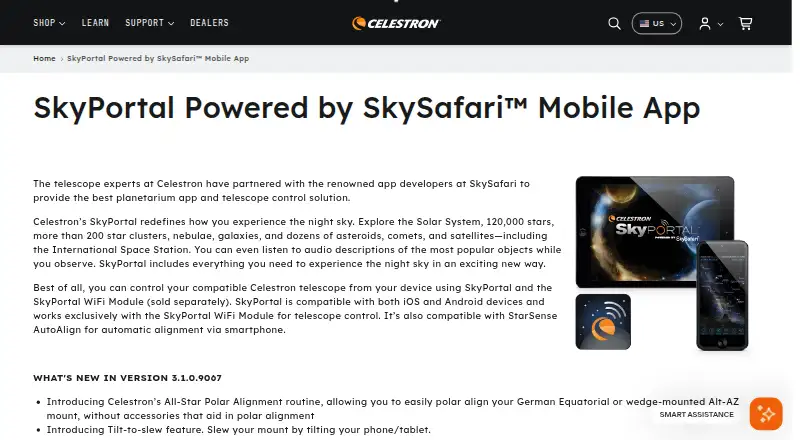
What SkyPortal is
SkyPortal is a free planetarium app and telescope-control solution for Android and iOS, developed with the SkySafari app developers. Its catalog covers the Solar System, 120,000 stars, more than 200 star clusters, nebulae, galaxies, and dozens of asteroids, comets, and satellites, including the ISS. The app can simulate the night sky up to 100 years into the past or future and provide a list of celestial objects based on time, date, and location. Observation features include Compass Mode, Night Vision Mode, hundreds of astronomical and NASA spacecraft images, and more than four hours of audio narration. With a compatible Celestron WiFi telescope, users can align the telescope and tap an object to center it in the eyepiece. SkyPortal also works with the separately sold SkyPortal WiFi Module and StarSense AutoAlign, but not third-party WiFi telescopes or WiFi modules. Listed requirements are Android 12 or later and iOS 18 or newer, including iPhone XR and newer. The current feature list includes All-Star Polar Alignment, tilt-to-slew, French and Italian localization, and augmented reality on iOS.
Who it suits
SkyPortal suits people exploring the night sky on a supported Android or iOS device, especially Celestron telescope users. Telescope control requires a compatible Celestron WiFi telescope or the separately sold SkyPortal WiFi Module.
What it does well
- Free app for Android and iOS
- Catalog includes 120,000 stars
- Simulates the sky up to 100 years in either direction
- Includes more than four hours of audio narration
- Offers telescope control with compatible Celestron WiFi equipment
What to know first
- Does not work with third-party WiFi telescopes or modules
- Requires Android 12 or later or iOS 18 or newer
- Older phones cannot reinstall after uninstalling
Limits
The app is free, but telescope control requires a compatible Celestron WiFi telescope or the separately sold SkyPortal WiFi Module. It does not work with third-party WiFi telescopes or modules.
Plans
| Plan | Billed and limits | Price |
|---|---|---|
| SkyPortal | Free app · telescope control requires compatible Celestron WiFi telescope or SkyPortal WiFi Module, sold separately | Free |
As celestron.com lists them, read 8 Oct 2026. The maker's own page has the final word.
Getting started
- Open the SkyPortal website for app information.
- Install SkyPortal on an Android or iOS device that meets the listed requirements.
- Use the app's sky simulation and observation tools.
- For telescope control, use a compatible Celestron WiFi telescope or the separately sold SkyPortal WiFi Module.
- Use StarSense AutoAlign if it is part of your setup.
Verdict
SkyPortal combines a broad sky catalog and observation aids with control for compatible Celestron equipment. Check the device requirements and telescope compatibility before relying on it for observation or telescope control.
Questions
How much does SkyPortal cost?
SkyPortal is free, listed as free.
Which platforms does it support?
SkyPortal is available for Android and iOS. Listed requirements are Android 12 and later, and iOS 18 and newer, including iPhone XR and newer.
Can it control any WiFi telescope?
No. Telescope control works with compatible Celestron WiFi telescopes and the SkyPortal WiFi Module, but not third-party WiFi telescopes or modules.
What telescope integrations are listed?
SkyPortal works with compatible Celestron WiFi telescopes, the separately sold SkyPortal WiFi Module, and StarSense AutoAlign.
Does SkyPortal include learning content?
It includes more than four hours of audio narration and hundreds of astronomical and NASA spacecraft images.
Facts from SkyPortal's own pages
- Compatibility limit
- SkyPortal does not work with third-party WiFi telescopes or WiFi modules. · celestron.com, 8 Oct 2026
- Current features
- Version 3.1.0.9067 lists All-Star Polar Alignment, tilt-to-slew, French and Italian localization, and augmented reality on iOS. · celestron.com, 8 Oct 2026
- Data safety
- Google Play says the app may share device or other IDs with third parties, may collect personal information, and encrypts data in transit. · play.google.com, 8 Oct 2026
- Device requirements
- The page lists Android 12 and later and iOS 18 and newer, including iPhone XR and newer; users with older phones cannot reinstall after uninstalling. · celestron.com, 8 Oct 2026
- Founded
- 1960 · celestron.com, 28 Sept 2026
- Headquarters
- Torrance, California, United States · celestron.com, 28 Sept 2026
- Integrations
- SkyPortal works with compatible Celestron WiFi telescopes, the separately sold SkyPortal WiFi Module, and StarSense AutoAlign. · celestron.com, 8 Oct 2026
- Maker location
- The Google Play developer listing gives Celestron Acquisition, LLC's address as 2835 Columbia St, Torrance, CA 90503-3877, United States. · play.google.com, 8 Oct 2026
- Observation features
- Features include Compass Mode, Night Vision Mode, hundreds of astronomical and NASA spacecraft images, and more than four hours of audio narration. · celestron.com, 8 Oct 2026
- Purpose
- SkyPortal is a planetarium app and telescope control solution developed with SkySafari app developers. · celestron.com, 8 Oct 2026
- Sky catalog
- It covers the Solar System, 120,000 stars, more than 200 star clusters, nebulae, galaxies, and dozens of asteroids, comets, and satellites, including the ISS. · celestron.com, 8 Oct 2026
- Sky simulation
- The app simulates the night sky up to 100 years in the past or future and provides a custom list of celestial objects based on time, date, and location. · celestron.com, 8 Oct 2026
- Support
- Celestron offers technical support through live chat, email, or phone, alongside a knowledge base with frequently asked questions. · celestron.com, 8 Oct 2026
- Telescope control
- With compatible Celestron WiFi telescopes, users can align the telescope and tap an object to center it in the eyepiece. · celestron.com, 8 Oct 2026
Where SkyPortal stands on Freedom251
- Astronomy Apps#20 of 35