Freedom251 › 3D Model Marketplaces
Sketchfab
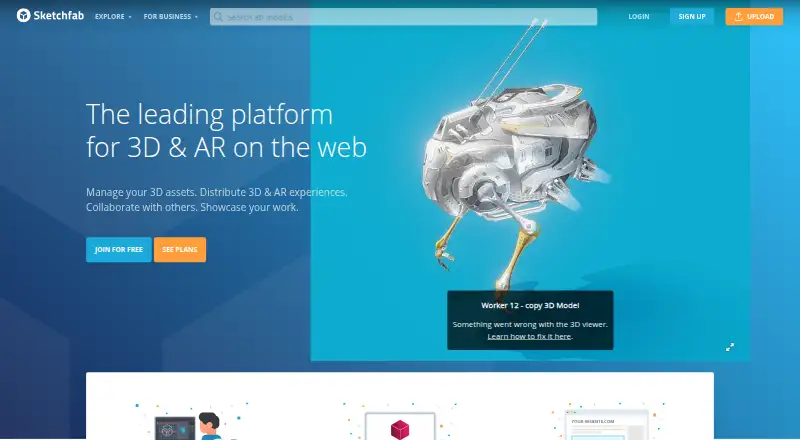
What Sketchfab is
Sketchfab is a platform for publishing and finding 3D content through an interactive online viewer. That viewer can be embedded on websites, allowing visitors to explore 3D and VR content without leaving the page. A built-in editor provides controls for orientation, materials, lighting, camera parameters, and post-processing filters. Uploads can include OBJ, FBX, Blender, STL, and glTF files, and exporter plugins are available for software including Blender, Maya, SketchUp, Unity, and ZBrush. APIs support model uploads, data access, downloads, and viewer control or embedding. The Download API offers glTF, GLB, and USDZ files, not source formats such as FBX and OBJ; a model is downloadable only when its owner permits it. The free Basic plan has a 50MB maximum file size per model. Pro costs $15 a month billed yearly and includes private uploads with a 200MB model limit. Premium costs $79 a month billed yearly, with a 500MB limit and advanced embed customization. Enterprise pricing is by quote.
Who it suits
Sketchfab suits creators and organisations looking to publish, discover, embed, or work with 3D content. Its stated community includes artists, designers, architects, hobbyists, engineers, brands, museums, game studios, and schools.
What it does well
- Embeddable viewer supports 3D and VR viewing.
- Editor adjusts materials, lighting, and camera parameters.
- Exporter plugins cover several 3D software tools.
- APIs support uploads, downloads, and viewer controls.
What to know first
- Basic model files are limited to 50MB.
- Download API does not provide FBX or OBJ source files.
- Model downloads depend on owner permission.
- Traffic above that of 99% of customers may require an upgrade.
Limits
Basic limits each model file to 50MB. Pro allows up to 200MB per model, and Premium allows up to 500MB; these paid plans are billed yearly. Model traffic is generally not limited, but Sketchfab may require an upgrade if an account's traffic exceeds that of 99% of customers.
Plans
| Plan | Billed and limits | Price |
|---|---|---|
| Basic | 10 uploads/month · 50MB maximum model · up to 5 annotations | Free |
| Pro | billed yearly ($180/year) · 50 uploads/month · 200MB maximum model · private uploads · 3D configurator · priority support | $15 a month |
| Premium | billed yearly ($948/year) · 200 uploads/month · 500MB maximum model · unbranded viewer · app-free AR · 10 seats | $79 a month |
| Enterprise | custom uploads and seats · SSO · analytics · dedicated account management · custom traffic volume | On request |
As sketchfab.com lists them, read 14 Oct 2026. The maker's own page has the final word.
Getting started
- Visit Sketchfab's website.
- Choose the free Basic plan or a paid plan based on file size and listed features.
- Upload a model in a supported format such as OBJ, FBX, Blender, STL, or glTF.
- Use an exporter plugin for supported software, or use the APIs for model and viewer workflows.
- Embed the interactive viewer on a website if you want visitors to view models there.
Sketchfab is a platform for publishing and discovering 3D content, built around an interactive viewer that can be embedded on websites. It is best suited to creators and organizations that want to present models online or bring them into a web experience. Its strongest case is flexible presentation; upload size and owner-controlled download permissions may constrain other workflows.
Overview
Sketchfab serves a broad mix of artists, designers, architects, hobbyists, engineers, brands, museums, game studios, and schools. The embedded viewer supports 3D and VR viewing without moving visitors away from the host site, making it a practical option when a model needs to be explored in context rather than shown as a static image.
The platform also functions as a place to find 3D content. Commercial licensing is available, but its scope is custom, so buyers and publishers should verify the terms that apply to a particular asset before relying on it commercially.
Key features
Viewer and editor
The built-in editor adjusts orientation, materials, lighting, camera parameters, and post-processing filters. That gives publishers useful control over how a model appears in its viewer, while keeping the focus on presentation rather than a complete 3D production workflow.
Formats, integrations, and APIs
Uploads accept formats including OBJ, FBX, Blender, STL, and glTF. Exporter plugins for Blender, Maya, SketchUp, Unity, and ZBrush make it easier to bring work from those tools into Sketchfab. Its APIs support uploads, data access, downloads, and viewer control or embedding, which should suit developers building model publishing into a wider service.
Download support has a narrower scope than upload support: the Download API provides glTF, GLB, and USDZ, not source formats such as FBX and OBJ. Models are downloadable only when their owners permit it. That distinction matters to anyone choosing Sketchfab as a source of editable project files rather than as a presentation or distribution platform.
Pricing
Sketchfab uses a freemium model, with paid plans billed yearly at the stated monthly rates. Basic costs nothing and caps each model at 50MB. It is a sensible starting point for modest uploads, but the file-size ceiling will limit larger assets.
Pro costs $15 a month, billed per month billed yearly, with a yearly plan price of $180. It raises the maximum file size to 200MB and adds private uploads, making it the more relevant step up for creators who need larger models or restricted visibility. Premium costs $79 a month, billed per month billed yearly, with a yearly plan price of $948. Its 500MB per-model maximum and advanced embed customization are aimed at publishers with heavier files or a greater need to control the embedded presentation.
Enterprise has custom pricing and is positioned for organizations with global scale, security, and support needs. The plans page says model traffic is generally not limited, but Sketchfab may require an upgrade when an account exceeds the traffic of 99% of customers. Organizations planning high-traffic deployments should account for that qualification.
Platforms
Sketchfab supports Android, iOS, Linux, macOS, Windows, and the web, as well as an API. This broad platform coverage suits teams and audiences working across desktop, mobile, and browser environments.
Who it's for
Choose Sketchfab when the priority is to publish or discover 3D models and let people inspect them through an embeddable 3D or VR viewer. It is also a strong fit for developers who need upload, data, download, or viewer APIs. Look elsewhere if you require source-format downloads through the Download API, dependable access to every model, or upload capacity beyond the limits of your plan.
Pros and cons
- Pros: The embeddable viewer supports both 3D and VR, keeping model exploration within the host website.
- Pros: An editor, exporter plugins, and APIs cover presentation and integration needs alongside publishing.
- Pros: Pro and Premium raise per-model file limits and add private uploads or advanced embed customization, respectively.
- Cons: Basic is capped at 50MB per model, and even Premium tops out at 500MB.
- Cons: Download API formats exclude source formats such as FBX and OBJ, and owners decide whether models can be downloaded at all.
- Cons: The paid monthly rates are billed yearly, and exceptionally high traffic may prompt an upgrade.
Alternatives
For a broader directory of asset sources, browse 3D Asset Libraries; for tools focused on displaying models, see 3D Model Viewer Software.
ambientCG is worth choosing instead when free downloadable assets under CC0 matter more than Sketchfab’s publishing and embedded-viewer features. Blendkit may suit creators seeking a freemium asset collection that also includes models, materials, scenes, HDRIs, brushes, upload, and private storage.
Daz 3D is another option to consider for its free Daz Studio, starter content, monthly Legacy content, and cross-platform exporters. Unity Version Control is the alternative to examine when version control, cloud seats, and storage are the priority rather than 3D model publishing.
Textures.com may fit users looking for a free sample selection or a credit-based paid account. Poly Haven is a better fit when a no-paywall CC0 asset library, including high-resolution HDRIs and textures, is the main need.
CGAxis is an alternative for shoppers who prefer a subscription with monthly download credits. Evermotion offers another asset-library option for readers to compare.
Verdict
Sketchfab is a good choice for creators, teams, and developers who need a flexible way to publish, present, or discover 3D models, especially when an embeddable viewer is central to the job. Its presentation tools and integrations are the main draw. Choose another route if your work depends on source-format downloads, guaranteed download access, or files larger than the plan caps allow.
Verdict
Sketchfab combines publishing and discovery with an embeddable viewer, editing tools, plugins, and APIs. Check model file limits and download permissions against your needs before choosing a plan.
Questions
Is Sketchfab free?
Yes. The Basic plan is listed as free and has a 50MB maximum file size per model.
What do the paid plans cost?
Pro is $15 a month billed yearly, with a yearly plan price of $180. Premium is $79 a month billed yearly, with a yearly plan price of $948.
What platforms does Sketchfab support?
The listed platforms are Android, API, iOS, Linux, macOS, web, and Windows.
Which formats can I download through the Download API?
The Download API provides glTF, GLB, and USDZ. It does not provide source formats such as FBX and OBJ.
Can every Sketchfab model be downloaded?
No. A model is available for download only when its owner allows it.
What is Enterprise pricing?
Enterprise is offered by quote for organizations with global scale, security, and support needs.
Facts from Sketchfab's own pages
- 3D editor
- The built-in editor supports orientation, materials, lighting, camera settings, animation, audio, annotations and post-processing filters. · sketchfab.com, 14 Oct 2026
- Audience
- The company describes its community as including artists, designers, architects, hobbyists, engineers, brands, museums, game studios, and schools. · sketchfab.com, 2 Oct 2026
- Company facts
- Sketchfab says it began in Paris in early 2012 and was founded by Alban Denoyel, Cédric Pinson and Pierre-Antoine Passet. · sketchfab.com, 14 Oct 2026
- Company headquarters and size
- LinkedIn lists New York headquarters, a Paris office and company size of 11–50 employees. · linkedin.com, 14 Oct 2026
- Data API
- Data API v3 provides REST access to upload models, edit settings, manage collections, search and read or write other Sketchfab data. · sketchfab.com, 14 Oct 2026
- Developer APIs
- The developer portal provides OAuth2 Login, Data API, Download API, Viewer API and oEmbed interfaces. · sketchfab.com, 14 Oct 2026
- Documentation depth
- Official documentation includes API navigation, initialization examples, function references, authentication guidance, integration guidelines and code examples in Java, JavaScript, PHP, Python, Ruby and Swift. · sketchfab.com, 14 Oct 2026
- Download API
- The Download API returns glTF, GLB and USDZ archives, requires authenticated end users by default and does not expose source formats such as FBX or OBJ. · sketchfab.com, 14 Oct 2026
- Download control
- Sketchfab says models are not available for download unless the owner allows it. · sketchfab.com, 2 Oct 2026
- Download limit
- The Download API provides downloadable models in glTF, GLB, and USDZ formats, not source formats such as FBX and OBJ. · sketchfab.com, 2 Oct 2026
- Editor
- The built-in 3D editor lets users adjust orientation, materials, lighting, camera parameters, and post-processing filters. · sketchfab.com, 2 Oct 2026
- Embedding
- Models can be embedded on websites, forums, social media and other iframe-supporting services. · sketchfab.com, 14 Oct 2026
- Founded
- 2012 · sketchfab.com, 28 Sept 2026
- Hosting model
- Sketchfab describes itself as cloud hosting and viewing technology for 3D assets rather than a desktop 3D creation application. · static.sketchfab.com, 14 Oct 2026
- Integrations
- Sketchfab lists exporter integrations for tools and ecosystems including Blender, Maya, Photoshop, Unity, Unreal Engine, SketchUp, Minecraft and 3D scanners. · sketchfab.com, 14 Oct 2026
- Legal entity
- The terms identify Sketchfab, Inc. as a Delaware corporation operating the service. · sketchfab.com, 14 Oct 2026
- Licence
- The Sketchfab platform and viewer are proprietary; user models retain creator ownership and may carry separate Creative Commons or commercial licences. · sketchfab.com, 14 Oct 2026
- Limit: Capterra organization and pricing
- Capterra reviewers ask for better file organization and integrated configurator tools, and some consider the pricing high or want trials for paid plans. · capterra.com, 14 Oct 2026
- Limit: G2 performance and library
- G2 reviewers mention slow loading or rendering and say some of the model library is low quality or not useful. · g2.com, 14 Oct 2026
- Limit: Trustpilot account access and moderation
- Trustpilot reviewers report difficulty creating or accessing accounts after Epic sign-in changes, plus complaints about slow loading, poor search, low-quality models, scams and unwanted content. · trustpilot.com, 14 Oct 2026
- Limit: Trustpilot support and billing
- Trustpilot complaints repeatedly describe unanswered support requests, PayPal or login failures, invoice problems and upload issues. · trustpilot.com, 14 Oct 2026
- Mobile apps
- Sketchfab announced that its official iOS and Android apps were removed and recommended using the web browser instead. · sketchfab.com, 14 Oct 2026
- Model formats
- The platform supports uploads in formats including OBJ, FBX, Blender, STL, and glTF. · sketchfab.com, 2 Oct 2026
- Notable ownership news
- Epic announced Sketchfab joined the Epic Games family on July 21, 2021; ArtStation announced that KitBash acquired Sketchfab from Epic on August 10, 2026. · magazine.artstation.com, 14 Oct 2026
Where Sketchfab stands on Freedom251
- 3D Model Marketplaces#6 of 29
- 3D Asset Libraries#14 of 31
- 3D Model Viewer Software#20 of 29