Freedom251 › System Information Software
SIW
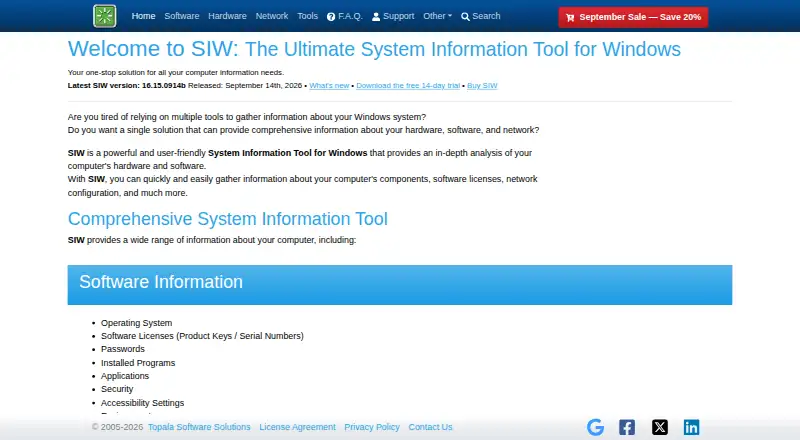
What SIW is
SIW is a Windows system information tool that analyzes computer hardware and software. It lists software, hardware, network, and system details, including licenses, devices, processes, services, network connections, and open ports. Reports can be created in HTML, JSON, CSV, TXT, XML, or ODBC formats. Command-line options can select report modules, create, compress, or append reports, and run report generation silently. Reports can also be saved to databases through ODBC, sent by SMTP email, or uploaded through FTP, FTPS, or HTTP POST. The Technician's Version can run without installation from a USB flash drive, network drive, or domain login script. Custom versions can include company logos or customized reports, and can be built without the Passwords or Network modules; customization costs $50 extra. SIW offers a free viewer and a 14-day trial, which is restricted to specified 64-bit Windows versions and replaces some values with ***TRIAL***. Paid options include a 23.99 USD one-time Technician's Version without updates or support, a 39.99 USD one-time Home Edition, and Technician's licenses with annual or lifetime update options.
Who it suits
SIW is aimed at administrators, technicians, and people who want detailed computer information. Its portable Technician's Version is specifically identified for IT tech support.
What it does well
- Reports support HTML, JSON, CSV, TXT, XML, and ODBC.
- Command-line controls include silent report creation.
- Technician's Version runs without installation.
- The maker states a 30-day money-back guarantee.
What to know first
- The trial expires after 14 days.
- Trial values may be replaced with ***TRIAL***.
- The 23.99 USD option has no updates or support.
- Customization costs $50 extra.
Limits
The free trial expires after 14 days, works only on specified 64-bit Windows versions, and randomly replaces some values with ***TRIAL***. The 23.99 USD one-time Technician’s Version has no updates or support, and compatibility with new hardware and software may be limited.
Plans
| Plan | Billed and limits | Price |
|---|---|---|
| SIW Viewer | — | Free |
| SIW Trial Version | 14-day trial · Windows 10 version 1809 or later 64-bit and Windows 11 64-bit · Some values are randomly replaced with ***TRIAL*** · Cannot be registered or upgraded | Free |
| SIW Technician's Version — Lifetime Free Updates | One-time purchase · Volume discounts available | $103.99, paid once |
| SIW Technician's Version — No Updates / No Support | One-time purchase · No updates · No support · Compatibility with new hardware and software may be limited | $23.99, paid once |
| SIW Technician's Version — 1 Year Free Updates | Annual subscription; renewal after the first year is 19.95 · Per person · Portable · WMI optional · IT Tech Support · License is perpetual; updates renew annually | $39.99 a year |
| SIW Home Edition — Lifetime Free Updates | One-time purchase · May be activated on three computers; license can be deactivated and moved | $39.99, paid once |
As gtopala.com lists them, read 7 Oct 2026. The maker's own page has the final word.
Getting started
- Open https://www.gtopala.com/ and choose the free viewer, trial, or a paid edition.
- For the trial, use a supported 64-bit Windows version; the trial page provides winget and Chocolatey installation commands.
- Install SIW, or use the Technician’s Version from a USB flash drive, network drive, or domain login script.
- Review the computer details and choose report modules or an output format as needed.
- Use command-line options to create or send reports if that matches your workflow.
Verdict
SIW combines detailed system inventory with flexible report formats and command-line options. Review the trial restrictions and the update and support terms attached to each paid license before choosing an edition.
Questions
Is SIW free?
SIW Viewer is listed as free. A 0.00 USD trial is also available for 14 days.
What does the trial include and limit?
It works on Windows 10 version 1809 or later 64-bit and Windows 11 64-bit. Some values are randomly replaced with ***TRIAL***, and it cannot be registered or upgraded.
What platforms does SIW support?
The listed operating system is Windows.
What does the Technician’s Version cost?
The no-updates, no-support edition is $23.99, paid once. Other listed Technician’s Version choices are $39.99 a year for one year of free updates or $103.99, paid once for lifetime free updates.
Can SIW run without installation?
The Technician’s Version is described as a standalone utility that can run from a USB flash drive, network drive, or domain login script.
Who makes SIW?
The website is gtopala.com. The maker is listed as founded in 2005 and headquartered in Vaughan, Canada.
Facts from SIW's own pages
- Audience
- The maker identifies IT tech support as the audience for the Technician's Version and describes SIW as useful for administrators, technicians, and people wanting computer information. · gtopala.com, 7 Oct 2026
- Command line
- Command-line options can create, compress, and append reports, choose report modules, and run report creation silently. · gtopala.com, 7 Oct 2026
- Coverage
- The product lists software, hardware, network, and system details, including licenses, devices, processes, services, network connections, and open ports. · gtopala.com, 7 Oct 2026
- Customization
- Technician's Version customizations include company logos, customized reports, command-line-only builds, and builds without the Passwords or Network modules; customization costs $50 extra. · gtopala.com, 7 Oct 2026
- Distribution
- The trial page provides installation commands for Windows Package Manager (winget) and Chocolatey. · gtopala.com, 7 Oct 2026
- Founded
- 2005 · gtopala.com, 28 Sept 2026
- Headquarters
- Vaughan, Canada · gtopala.com, 28 Sept 2026
- Integrations
- The command line supports saving reports to a database using ODBC and sending reports by email through SMTP or uploading them by FTP, FTPS, or HTTP POST. · gtopala.com, 7 Oct 2026
- Platforms
- The maker lists Windows 11, Windows 10, Windows 8.1, Windows 8, Windows 7, and several Windows Server releases as supported platforms. · gtopala.com, 7 Oct 2026
- Portable use
- The Technician's Version is a standalone utility that can run from a USB flash drive, network drive, or domain login script without installation. · gtopala.com, 7 Oct 2026
- Product
- SIW is a system information tool for Windows that analyzes computer hardware and software. · gtopala.com, 7 Oct 2026
- Refunds
- The maker states that all orders have a 30-day unconditional money-back guarantee. · gtopala.com, 7 Oct 2026
- Reports
- SIW can generate reports in HTML, JSON, CSV, TXT, XML, or ODBC formats for saving or printing. · gtopala.com, 7 Oct 2026
- Security and payment
- The maker says orders are handled by FastSpring and describes its payment platform as PCI DSS certified and BBB accredited, with GDPR and PCI compliance. · gtopala.com, 7 Oct 2026
- Support
- The maker offers a support forum and support email, and says support is provided only for the latest SIW version and is unavailable for expired subscriptions. · gtopala.com, 7 Oct 2026
- Trial limit
- The free trial expires after 14 days, only works on specified 64-bit Windows versions, and randomly replaces some values with ***TRIAL***. · gtopala.com, 7 Oct 2026
Where SIW stands on Freedom251
- System Information Software#20 of 34