Freedom251 › Color Palette Generators
Site Palette
What Site Palette is
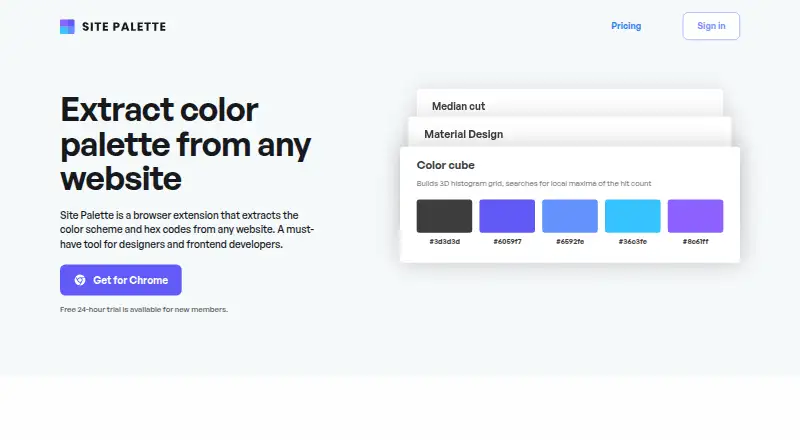
Site Palette is a browser extension that extracts a website’s color scheme and hex codes. It can generate palettes using Median Cut, Material Design, or Color Cube methods, with extraction performed locally unless a palette is shared. Generated palettes are saved in personal history and synchronized across devices. Users can share palettes through permalinks or download them as SVG, Sketch, or Adobe Swatch files. A Figma plugin brings the workflow into a Figma workspace, while Google Art Palette and Coolors.co integrations support palette refinement. The extension is described for designers and frontend developers and is available for Chrome, Firefox, and Safari. Sign-in uses a password-free MagicLink. The Chrome Web Store listing says it handles personally identifiable information and website content. Site Palette has no free plan but offers a one-day trial. Subscription costs $2.50 a month, billed annually, and Lifetime costs $99, paid once, billed once.
Who it suits
Site Palette fits designers and frontend developers who need website-based color extraction, saved palette history, sharing, and design-file exports. Its browser and Figma options support workflows across Chrome, Firefox, Safari, and Figma.
What it does well
- Extracts website colors and hex codes
- Offers three palette-generation methods
- Saves palettes and syncs history across devices
- Exports SVG, Sketch, and Adobe Swatch files
- Provides a Figma plugin
What to know first
- No free plan is available
- Subscription is billed annually
- Chrome listing says it handles personal data and website content
Plans
| Plan | Billed and limits | Price |
|---|---|---|
| Subscription | billed annually · Unlimited palette generations · personal palette history · sharing and exports | $2.50 a month |
| Lifetime | billed once · Lifetime access | $99, paid once |
As palette.site lists them, read 9 Oct 2026. The maker's own page has the final word.
Verdict
Site Palette focuses on turning website colors into reusable palettes with local extraction, history, sharing, and design-tool exports. The one-day trial allows a short evaluation before its paid plans.
Facts from Site Palette's own pages
- Additional integrations
- The extension description lists Google Art Palette and Coolors.co integrations for palette refinement. · chromewebstore.google.com, 9 Oct 2026
- Extraction methods
- It offers Median Cut, Material Design, and Color Cube palette generation methods. · palette.site, 9 Oct 2026
- Figma integration
- Site Palette offers a Figma plugin for using the product workflow from a Figma workspace. · palette.site, 9 Oct 2026
- Free trial
- New members can use a free 24-hour trial. · palette.site, 9 Oct 2026
- Headquarters
- Auckland, New Zealand · palette.site, 28 Sept 2026
- Intended users
- The site describes the extension as a tool for designers and frontend developers. · palette.site, 9 Oct 2026
- Local processing
- The site says palette extraction is done locally unless the user shares the palette. · palette.site, 9 Oct 2026
- Palette history
- Generated palettes are saved in personal history and synced across devices. · chromewebstore.google.com, 9 Oct 2026
- Privacy disclosure
- The Chrome Web Store listing says the extension handles personally identifiable information and website content. · chromewebstore.google.com, 9 Oct 2026
- Sharing and exports
- Palettes can be shared by permalink and downloaded as SVG, Sketch, or Adobe Swatch files. · palette.site, 9 Oct 2026
- Sign-in
- The extension description says users can sign in with a MagicLink without a password. · chromewebstore.google.com, 9 Oct 2026
- Support
- The help page directs users with questions about subscriptions to [email protected]. · palette.site, 9 Oct 2026
- Supported browsers
- The site’s FAQ says the extension is available for Chrome, Firefox, and Safari. · palette.site, 9 Oct 2026
- What it does
- Site Palette is a browser extension that extracts a website’s color scheme and hex codes. · palette.site, 9 Oct 2026
Where Site Palette stands on Freedom251
- Color Palette Generators#33 of 34