Freedom251 › Sanctions Screening Software

Sigma360 Sanctions Screening
What Sigma360 Sanctions Screening is
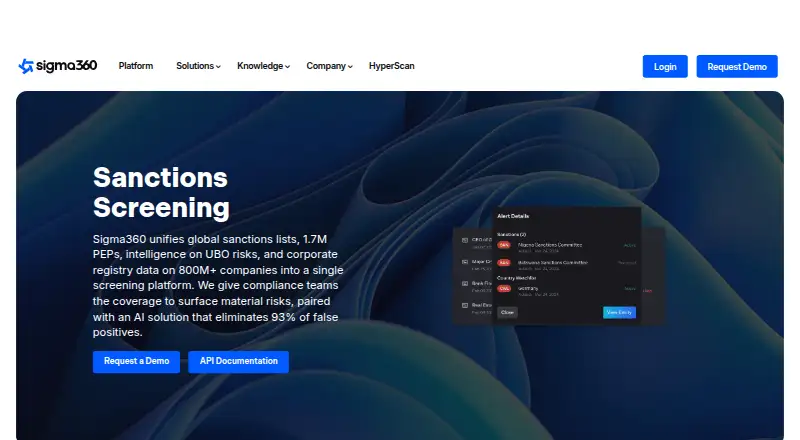
Sigma360 Sanctions Screening combines sanctions lists, politically exposed person (PEP) information, beneficial-ownership risk data and corporate-registry records in one screening platform. Its coverage includes 1.7 million PEPs, more than 800 million companies and 232 jurisdictions. Users can choose lists such as OFAC, UN, EU, HMT and PEP, then add datasets including UBO, offshore-leak and global-trade information. Screening is available for transactions, batches and through the API, while continuous third-party monitoring can alert users to changes in sanctions, watchlists, ownership, media or other risk indicators. Sigma360 reports 93% fewer false positives with tunable matching and entity resolution; its Match Agent automates alert triage and reports 90% less manual work. Analyst decisions are kept in an audit trail, with explanations for AI match decisions. Data can be ingested by API, SFTP, upload or through the interface. Pricing is on request; a 30-day trial follows a short onboarding session.
Who it suits
Sigma360 describes the platform for financial-services firms, corporates and professional-services firms. It may suit organizations that need screening, ongoing monitoring and integration with case-management systems or CRMs.
What it does well
- Covers 232 jurisdictions and more than 800 million companies.
- Supports transaction, batch and API screening.
- Continuous monitoring includes 24/7 alerts for risk changes.
- Provides an audit trail and explanations of AI match decisions.
- 30-day trial available after a short onboarding session.
What to know first
- No free plan.
- Pricing is available on request.
- API defaults to 100 requests per second per account.
- Filter-set administration and review workflow remain in the UI.
Limits
The trial provides access for 30 days after onboarding, and there is no free plan. API accounts have a default limit of 100 requests per second; filter-set administration and review workflow remain in the UI.
Plans
| Plan | Billed and limits | Price |
|---|---|---|
| Enterprise platform | pricing not published · request demo | On request |
As sigma360.com lists them, read 1 Oct 2026. The maker's own page has the final word.
Getting started
- Open the Sigma360 sanctions-screening website
- Request a demo or pricing
- Complete the short onboarding session
- Use the 30-day trial
- Connect through the web interface or API
- Add data through API, SFTP, manual upload, web upload or the Sigma360 interface
Verdict
Sigma360 combines screening, monitoring and data ingestion options with broad company and PEP coverage. Buyers should account for the API request limit and the fact that pricing is provided on request.
Questions
How much does Sigma360 cost?
Sigma360 is paid, with pricing on request. Its Enterprise platform does not list a published price.
Is there a free trial?
Yes. The trial lasts 30 days and follows a short onboarding session.
Which platforms are supported?
Sigma360 provides web and API access.
Does it support PEP and transaction screening?
Yes. PEP screening and transaction screening are supported, along with batch screening and continuous monitoring.
Can it integrate with other systems?
Enterprise integrations can connect with case-management systems such as Actimize and Oracle, and CRMs such as Salesforce and Workday.
Facts from Sigma360 Sanctions Screening's own pages
- Alert automation
- Its Match Agent automates alert triage and reports 90% less manual work. · sigma360.com, 1 Oct 2026
- API
- The API supports screening and monitoring, has a default limit of 100 requests per second per account, and keeps filter-set administration and review workflow in the UI. · docs.sigma360.com, 1 Oct 2026
- Auditability
- The platform records analyst decisions in a complete audit trail and provides explanations of each AI match decision. · sigma360.com, 1 Oct 2026
- Data coverage
- The sanctions-screening platform includes 1.7 million PEPs, data on more than 800 million companies and coverage across 232 jurisdictions. · sigma360.com, 1 Oct 2026
- Data ingestion
- Third-party data can be delivered through API, SFTP, manual upload, web upload or the Sigma360 interface. · sigma360.com, 1 Oct 2026
- False positives
- Sigma360 reports 93% fewer false positives through tunable matching and entity resolution. · sigma360.com, 1 Oct 2026
- Headquarters
- New York City, New York, United States · sigma360.com, 28 Sept 2026
- Integrations
- The enterprise platform can integrate with case-management systems such as Actimize and Oracle and CRMs such as Salesforce and Workday. · sigma360.com, 1 Oct 2026
- Monitoring
- Sigma360 supports continuous third-party monitoring with 24/7 alerts when sanctions, watchlists, ownership, media or other risk indicators change. · sigma360.com, 1 Oct 2026
- Purpose
- Sigma360 unifies global sanctions lists, PEPs, UBO-risk intelligence and corporate-registry data in one screening platform. · sigma360.com, 1 Oct 2026
- Screening lists
- Users can select OFAC, UN, EU, HMT, PEP and other lists, and add datasets such as UBO, offshore-leak and global-trade data. · sigma360.com, 1 Oct 2026
- Security
- Sigma360 states that it is ISO 27001 and SOC 2 Type 2 compliant and supports GDPR-related privacy requirements. · sigma360.com, 1 Oct 2026
- Support
- Sigma360 offers dedicated success partners, personalized training and customer support through [email protected]. · sigma360.com, 1 Oct 2026
- Target users
- Sigma360 describes its software as serving financial-services firms, corporates and professional-services firms. · sigma360.com, 1 Oct 2026
- Trial
- The free trial provides access for 30 days after a short onboarding session, with hands-on access to the platform. · sigma360.com, 1 Oct 2026
Where Sigma360 Sanctions Screening stands on Freedom251
- Sanctions Screening Software#13 of 24