
ShellCheck
What ShellCheck is
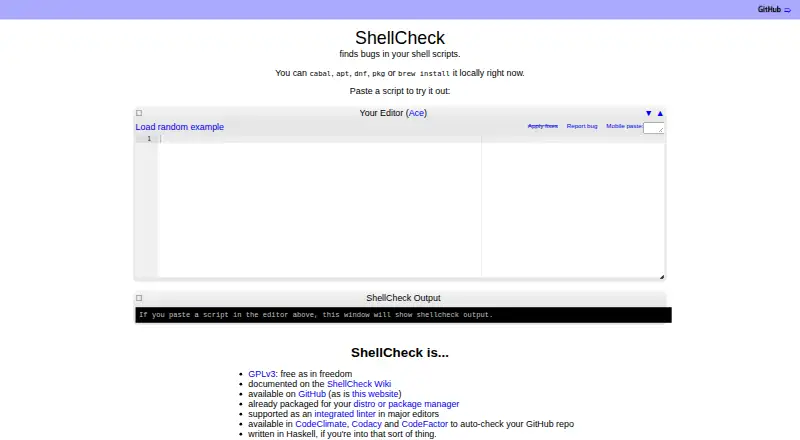
ShellCheck is a free static analysis tool for Bash and sh scripts. It flags syntax problems, semantic issues and subtle pitfalls that might cause scripts to fail in future circumstances, then provides warnings and suggestions. Users can paste a script into ShellCheck.net for instant feedback or run it in a terminal with `shellcheck yourscript`. Editor integrations are listed for Vim, Emacs, Sublime, Pulsar Edit and VS Code, while GCC-compatible warnings can serve other editors. ShellCheck can also be added to builds or test suites; listed CI services include Travis CI, Codacy, Code Climate, CodeFactor, CircleCI, GitHub Actions and Trunk. Output options include JSON, CheckStyle-compatible XML, GCC-compatible warnings and readable text with or without ANSI colors. Installation routes include package managers, precompiled binaries, Docker and source compilation. The project says the tool is mostly intended for interactive use, but it can also run in builds and tests. ShellCheck is licensed under GPLv3, with documentation in its wiki and bug reports accepted through GitHub issues. The project has no official Apple Silicon binaries and points users to third-party builds; compiling from source requires 2 GB of RAM.
Who it suits
ShellCheck suits people writing Bash or sh scripts who want warnings about potential problems. It can be used interactively or added to builds and test suites.
What it does well
- Free and licensed under GPLv3.
- Works through a web page, terminal or editor integrations.
- Can be added to builds and test suites.
- Offers JSON, XML, GCC-compatible and readable text output.
What to know first
- No official Apple Silicon binaries are available.
- Compiling from source requires 2 GB of RAM.
Plans
| Plan | Billed and limits | Price |
|---|---|---|
| ShellCheck | Free, open-source software under GPLv3 · Static analysis for shell scripts · use on web, terminal, in editors, or in build and test suites | Free |
As shellcheck.net lists them, read 7 Oct 2026. The maker's own page has the final word.
Getting started
- Open ShellCheck.net to paste a script for feedback.
- Install ShellCheck through a package manager, precompiled binary, Docker, or source compilation.
- Run `shellcheck yourscript` from a terminal.
- Use a listed editor integration or GCC-compatible warnings in another editor.
- Add ShellCheck to a build or test suite if that suits your workflow.
Verdict
ShellCheck offers several ways to review shell scripts, from a browser paste to editor and CI integrations. Apple Silicon users may need a third-party build, and source compilation has a stated memory requirement.
Questions
How much does ShellCheck cost?
The listed ShellCheck plan is free. The software is open source under GPLv3.
Is there a free plan or trial?
Yes, ShellCheck has a free plan. There is no free trial.
Which platforms and editors are supported?
Listed platforms are extension, Linux, macOS, web, and Windows. Integrations are listed for Vim, Emacs, Sublime, Pulsar Edit, and VS Code.
Can ShellCheck run in CI?
Yes. The project lists support from Travis CI, Codacy, Code Climate, CodeFactor, CircleCI, GitHub Actions, and Trunk.
What output formats can it produce?
It can emit JSON, CheckStyle-compatible XML, GCC-compatible warnings, and human-readable text with or without ANSI colors.
What license does ShellCheck use?
ShellCheck is available under the GPLv3 license.
Facts from ShellCheck's own pages
- Apple Silicon
- The project states that it has no official Apple Silicon binaries and points to third-party builds. · github.com, 7 Oct 2026
- Build requirement
- Compiling ShellCheck from source requires 2 GB of RAM, according to the project README. · github.com, 7 Oct 2026
- Checks
- It aims to identify syntax problems, semantic issues, and subtle pitfalls that could make scripts fail in future circumstances. · github.com, 7 Oct 2026
- CI integrations
- The project lists services including Travis CI, Codacy, Code Climate, CodeFactor, CircleCI, GitHub Actions, and Trunk as supporting ShellCheck. · github.com, 7 Oct 2026
- Command line
- ShellCheck can run from a terminal with the command `shellcheck yourscript`. · github.com, 7 Oct 2026
- Editor integrations
- The project lists integrations for Vim, Emacs, Sublime, Pulsar Edit, and VS Code, with GCC error compatibility for other editors. · github.com, 7 Oct 2026
- Install options
- The project documents installation through package managers, precompiled binaries, Docker, and source compilation. · github.com, 7 Oct 2026
- Intended use
- The project says ShellCheck is mostly intended for interactive use, but can also be added to builds or test suites. · github.com, 7 Oct 2026
- License
- ShellCheck is available under the GPLv3 license. · shellcheck.net, 7 Oct 2026
- Output formats
- ShellCheck can emit JSON, CheckStyle compatible XML, GCC compatible warnings, and human-readable text with or without ANSI colors. · github.com, 7 Oct 2026
- Platforms
- The project documents binaries for Linux, macOS, and Windows and package manager installations across several operating systems. · github.com, 7 Oct 2026
- Purpose
- ShellCheck is a static analysis tool that gives warnings and suggestions for Bash and sh scripts. · github.com, 7 Oct 2026
- Support and documentation
- The project documents ShellCheck in its wiki and invites users to report bugs through GitHub issues. · github.com, 7 Oct 2026
- Web use
- Users can paste a shell script on ShellCheck.net for instant feedback. · github.com, 7 Oct 2026
Where ShellCheck stands on Freedom251
- Linters#22 of 33