Freedom251 › Video Editing Software
Sharklish AI Editor
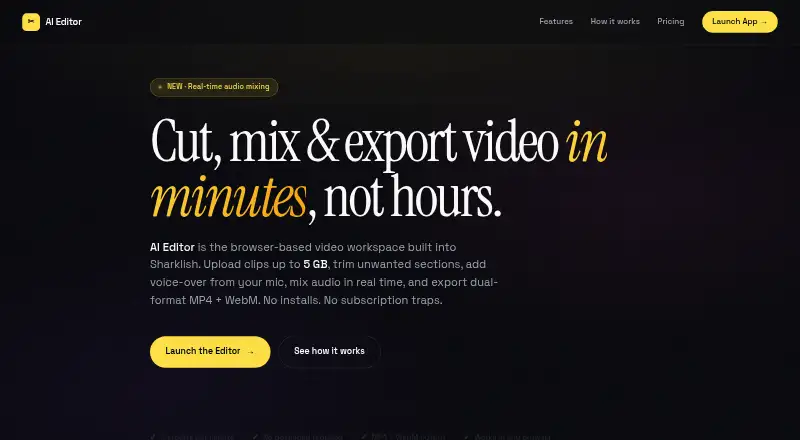
What Sharklish AI Editor is
Sharklish AI Editor is a paid, browser-based video workspace for creators who prefer a simpler editing workflow. Users can mark multiple timeline ranges for removal, preview cuts, record voice-over or upload audio, set its start time, and balance tracks with two faders and live preview. Each completed export creates MP4 and WebM files for separate or combined download. The chunked uploader accepts MP4, MOV, and WebM videos up to 5 GB and can resume after interruptions. Voice-over audio supports MP3, WAV, and WebM. Export jobs run in a server-side queue, so users can close the tab and return later. Files are account-linked and not public by default. Credits are deducted only after successful exports. Sharklish says users own exports for personal, business, client, and advertising work. The web app works on tablets; desktop is recommended for phone users.
Who it suits
It suits creators who want browser-based cutting, voice-over, audio balancing, and queued exports without a desktop application. Tablet users are supported, while phone users are directed toward desktop interaction.
What it does well
- Exports MP4 and WebM files
- Accepts videos up to 5 GB
- Resumes interrupted uploads
- Queued processing works after closing tab
- Failed exports do not cost credits
What to know first
- No desktop app
- No mobile app
- Desktop recommended for phone users
- Plans start at $50 a month
Plans
| Plan | Billed and limits | Price |
|---|---|---|
| Launch | one-time payment · 100 credits · Up to 100 minutes of transcription | $50, paid once |
| Growth | one-time payment · 210 credits · Up to 210 minutes of transcription | $100, paid once |
| Scale | one-time payment · 444 credits · Up to 444 minutes of transcription | $200, paid once |
| Per-minute editing | 2 credits per output minute · Pay for output duration · no monthly fees · Sharklish credits work here | On request |
As e.sharklish.com lists them, read 22 Sept 2026. The maker's own page has the final word.
Verdict
Sharklish AI Editor offers focused browser editing with large uploads, queued exports, and account-linked files. Consider its platform limits and listed credit plans before use.
Facts from Sharklish AI Editor's own pages
- Audio mixing
- Two faders let users balance audio tracks with a live preview while editing. · e.sharklish.com, 12 Oct 2026
- Background processing
- Export jobs run server-side in a queue, so users can close the tab and return later. · e.sharklish.com, 12 Oct 2026
- Commercial use
- The maker says users own their exports and may use them in personal, business, client, and advertising projects. · e.sharklish.com, 12 Oct 2026
- Cuts
- Users can mark multiple timeline ranges for removal and preview them before export. · e.sharklish.com, 12 Oct 2026
- Desktop app
- No · c.sharklish.com, 22 Sept 2026
- Device guidance
- The app works on tablets, while the maker recommends desktop for phones because of the timeline interaction. · e.sharklish.com, 12 Oct 2026
- Exports
- Each job produces MP4 and WebM files, which users can download separately or together. · e.sharklish.com, 12 Oct 2026
- Failed exports
- Credits are deducted only when an export completes successfully; failed jobs do not cost credits. · e.sharklish.com, 12 Oct 2026
- Mobile app
- No · c.sharklish.com, 22 Sept 2026
- Privacy
- The maker says files are tied to the user’s account, visible only to that user, and not public by default. · e.sharklish.com, 12 Oct 2026
- Product
- AI Editor is a browser-based video workspace built into Sharklish for creators who want speed over complexity. · e.sharklish.com, 12 Oct 2026
- Shared account and credits
- The company says its studios use a shared account and credit balance, and the AI Editor accepts existing Sharklish credits. · sharklish.com, 12 Oct 2026
- Supported formats
- Video input supports MP4, MOV, and WebM; voice-over audio supports MP3, WAV, and WebM. · e.sharklish.com, 12 Oct 2026
- Upload limit
- The chunked uploader accepts video files up to 5 GB and can resume after a connection interruption. · e.sharklish.com, 12 Oct 2026
- Voice-over
- Users can record voice-over from a microphone or upload an audio file, then set its start time. · e.sharklish.com, 12 Oct 2026
- Web app
- Yes · c.sharklish.com, 22 Sept 2026
Where Sharklish AI Editor stands on Freedom251
- Video Editing Software#114 of 153