Freedom251 › Employee Directory Software

SharePoint Smart Org Chart & Directory
Visit SharePoint Smart Org Chart & Directory Alternatives Pricing
What SharePoint Smart Org Chart & Directory is
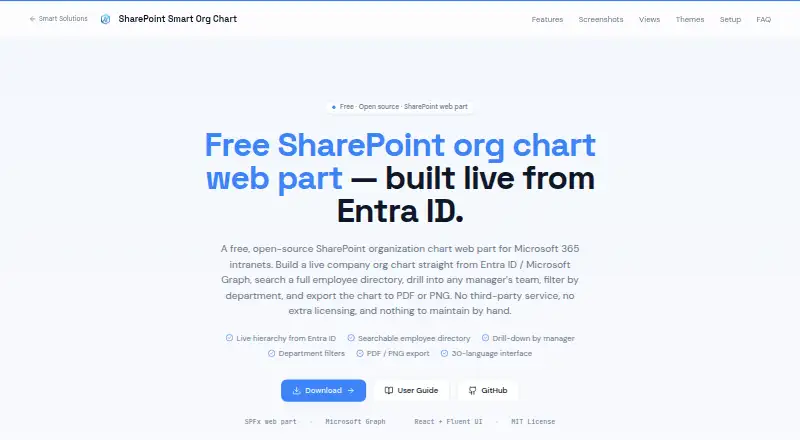
SharePoint Smart Org Chart & Directory adds an employee directory and reporting chart to a modern SharePoint page. The directory shows employee photos, names, job titles, departments, offices, email addresses, and phone numbers, with search and A–Z filtering. The chart turns Entra ID manager and direct-report relationships into drill-down, vertical tree, or horizontal tree views using Microsoft Graph. Profile cards can display Microsoft Teams presence.
You can adjust card size, sorting, visible fields, and manager levels, and choose from five themes, including a custom accent. The interface supports 30 languages and uses each person's Microsoft 365 language setting or the site's default. From the browser, charts can be exported to PDF or PNG, and directory data to Excel or CSV.
The web part runs client-side with delegated Microsoft Graph permissions; the maker says employee data stays within the tenant. A Global or SharePoint administrator must approve the User.Read.All and User.ReadBasic.All scopes. Installation involves uploading and deploying the .sppkg package in the tenant App Catalog, then adding the web part to a modern page. It is open source under MIT, community-supported through GitHub, and the listed free plan costs nothing.
Who it suits
It suits organizations that want employee search and reporting views on a modern SharePoint page, using Entra ID manager relationships. It may also suit teams that want configurable directory fields, multilingual interface support, and browser exports.
What it does well
- Searches directory entries and filters them A–Z.
- Offers drill-down, vertical tree, and horizontal tree chart layouts.
- Shows Teams presence on profile cards.
- Exports charts and directory data from the browser.
- Open source under the MIT license with no sign-up or subscription required.
What to know first
- Requires administrator approval for two delegated Microsoft Graph scopes.
- Installation requires tenant App Catalog deployment.
- Chart relationships use Entra ID manager and direct-report data.
Plans
| Plan | Billed and limits | Price |
|---|---|---|
| Free | No per-user licensing · MIT-licensed SPFx web part · SharePoint Online | Free |
As sharepointsmartsolutions.com lists them, read 7 Oct 2026. The maker's own page has the final word.
Getting started
- Upload the .sppkg package to the tenant App Catalog.
- Deploy the package.
- Have a Global or SharePoint administrator approve User.Read.All and User.ReadBasic.All delegated Graph scopes.
- Add the web part to a modern SharePoint page.
- Configure directory fields, chart layout, and other display settings.
Verdict
Choose SharePoint Smart Org Chart & Directory if you need a configurable employee directory and organization chart inside a modern SharePoint page. Its free, MIT-licensed web part includes Microsoft Graph profile data, Teams presence, and browser exports. Look elsewhere if your reporting structure cannot be represented through Entra ID manager relationships.
Questions
How much does SharePoint Smart Org Chart & Directory cost?
The listed Free plan costs nothing. No per-user licensing or subscription is required.
Is there a free trial?
No. The product has a free plan.
What platform does it support?
The listed platform is web, and the web part is added to a modern SharePoint page.
Is it open source?
Yes. The web part is licensed under MIT.
What permissions are required?
A Global or SharePoint administrator must approve the delegated Microsoft Graph User.Read.All and User.ReadBasic.All scopes.
What data does the chart use?
It builds reporting hierarchies from Entra ID manager and direct-report relationships through Microsoft Graph.
Facts from SharePoint Smart Org Chart & Directory's own pages
- Chart layouts
- The chart supports drill-down, vertical tree, and horizontal tree layouts. · sharepointsmartsolutions.com, 7 Oct 2026
- Customization
- It offers five themes, including a custom accent, and lets users configure card size, sorting, visible fields, and manager levels. · sharepointsmartsolutions.com, 7 Oct 2026
- Data source
- It builds reporting hierarchies from Entra ID manager and direct-report relationships through Microsoft Graph. · sharepointsmartsolutions.com, 7 Oct 2026
- Directory
- The directory displays employee photos, names, job titles, departments, offices, email addresses, and phone numbers, with search and A–Z filtering. · sharepointsmartsolutions.com, 7 Oct 2026
- Exports
- It exports charts to PDF or PNG and directory data to Excel or CSV from the browser. · sharepointsmartsolutions.com, 7 Oct 2026
- Installation
- Installation requires uploading the .sppkg package to the tenant App Catalog, deploying it, and adding the web part to a modern page. · sharepointsmartsolutions.com, 7 Oct 2026
- License
- The web part is open source under the MIT license, with no sign-up or subscription required. · sharepointsmartsolutions.com, 7 Oct 2026
- Localization
- The interface supports 30 languages and uses each user's Microsoft 365 language setting or the site default. · sharepointsmartsolutions.com, 7 Oct 2026
- Microsoft integrations
- It reads user profiles and photos through Microsoft Graph and displays Microsoft Teams presence on profile cards. · sharepointsmartsolutions.com, 7 Oct 2026
- Notable limitation
- The chart uses Entra ID manager relationships; the maker says its Smart Org Chart reads live from Entra ID and Microsoft Graph. · sharepointsmartsolutions.com, 7 Oct 2026
- Permissions
- A Global or SharePoint administrator must approve the delegated User.Read.All and User.ReadBasic.All Graph scopes. · sharepointsmartsolutions.com, 7 Oct 2026
- Purpose
- It adds a searchable employee directory and interactive organization chart to a modern SharePoint page. · sharepointsmartsolutions.com, 7 Oct 2026
- Security
- The web part runs client-side with delegated Microsoft Graph permissions and says employee data does not leave the tenant. · sharepointsmartsolutions.com, 7 Oct 2026
- Support
- The maker describes the project as community-supported through GitHub issues and pull requests. · sharepointsmartsolutions.com, 7 Oct 2026
Where SharePoint Smart Org Chart & Directory stands on Freedom251
- Employee Directory Software#12 of 43
- Org Chart Software#9 of 21