Freedom251 › Art Learning Apps
ShadowDraw
What ShadowDraw is
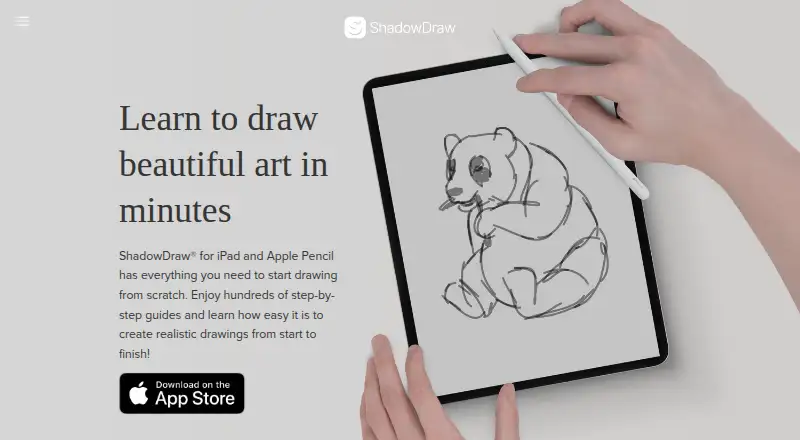
ShadowDraw is a drawing app built around guided lessons that reveal a picture one stage at a time. Its library has hundreds of tutorials described as hand-drawn by art professionals, and the app requires completion of the current step before showing the next. Lessons are designed to support a daily drawing routine. In Sketch My Way, learners select their own brushes and colors; Art Teacher Mode instead applies the art teacher’s selections. Apple Pencil and third-party styluses are supported, along with a blank canvas for drawing independently.
The free plan provides a daily lesson and searchable free content, with a limited selection of lessons and features. ShadowDraw+ adds unlimited drawings and new content for $7.99 a month or $49.99 a year; both subscriptions support Apple Family Sharing. The app is available for iOS and macOS. Listed device requirements are iPadOS 16 or later, or macOS 13 or later on a Mac with Apple M1 or later. Subscriptions are processed through Apple In-App Purchase and renew automatically unless canceled at least 24 hours before the billing period ends. Content is licensed for personal, non-commercial use.
Who it suits
ShadowDraw suits learners who want structured drawing practice, step-by-step guidance, and a daily lesson routine. It also fits people who want a choice between setting their own drawing tools and following an art teacher’s selections.
What it does well
- Hundreds of step-by-step drawing guides
- Requires completing a step before revealing the next
- Offers a daily free lesson and searchable free content
- Supports Apple Pencil and third-party styluses
- Both paid plans include Apple Family Sharing
What to know first
- Free plan limits the number of lessons and features
- Available only on iOS and macOS
- Content is licensed for personal, non-commercial use
Limits
The free plan includes a limited number of lessons and features, alongside a daily free lesson, searchable free content, and a blank canvas. ShadowDraw+ removes the drawing and new-content limits with unlimited drawings and new content.
Plans
| Plan | Billed and limits | Price |
|---|---|---|
| ShadowDraw+ Yearly Plan | Yearly Plan · Unlimited drawings and new content · Family Sharing | $49.99 a year |
| ShadowDraw+ Monthly Plan | Monthly Plan · Unlimited drawings and new content · Family Sharing | $7.99 a month |
As shadowdrawapp.com lists them, read 8 Oct 2026. The maker's own page has the final word.
Getting started
- Visit https://www.shadowdrawapp.com/
- Install ShadowDraw on a compatible iPad or Mac
- Use the free plan to access a daily lesson, searchable free content, and the blank canvas
- Choose ShadowDraw+ Monthly Plan for $7.99 a month or ShadowDraw+ Yearly Plan for $49.99 a year through Apple In-App Purchase
Verdict
Choose ShadowDraw for guided drawing lessons, structured progression, and practice tools on Apple devices. Look elsewhere if you need commercial rights for the resulting artwork or use a different platform.
Questions
Is ShadowDraw free?
Yes. The free plan includes a daily free lesson, searchable free content, and a blank canvas, with a limited number of lessons and features.
How much does ShadowDraw+ cost?
The monthly plan is $7.99 a month. The yearly plan is $49.99 a year.
Which devices can run ShadowDraw?
It is available on iOS and macOS. Listed compatibility is iPadOS 16 or later, or macOS 13 or later on Macs with Apple M1 or later.
Does ShadowDraw support styluses?
Yes. It supports Apple Pencil and third-party styluses.
Can I use ShadowDraw artwork commercially?
No. ShadowDraw content is licensed for personal, non-commercial use.
Who makes ShadowDraw?
The maker is Shadow Draw Inc., which lists an address in Lehi, Utah.
Facts from ShadowDraw's own pages
- Billing
- Subscriptions are processed through Apple In-App Purchase and automatically renew unless canceled at least 24 hours before the billing period ends. · shadowdrawapp.com, 8 Oct 2026
- Daily practice
- ShadowDraw lessons encourage users to practice drawing every day. · shadowdrawapp.com, 8 Oct 2026
- Drawing modes
- Sketch My Way lets users choose colors and brushes, while Art Teacher Mode uses choices selected by the art teacher. · shadowdrawapp.com, 8 Oct 2026
- Family Sharing
- Both monthly and yearly ShadowDraw+ subscriptions are included in Apple Family Sharing. · shadowdrawapp.com, 8 Oct 2026
- Free access
- The free plan includes a limited number of lessons and features, with a daily free lesson, searchable free content, and a blank canvas described in the FAQ. · shadowdrawapp.com, 8 Oct 2026
- Free trial
- The terms state that a seven-day free trial is available when offered. · shadowdrawapp.com, 8 Oct 2026
- Guided progression
- The app checks that a step is completed before revealing the next drawing step. · shadowdrawapp.com, 8 Oct 2026
- Headquarters
- Lehi, Utah, United States · shadowdrawapp.com, 28 Sept 2026
- Lesson library
- The homepage says ShadowDraw offers hundreds of step-by-step guides, and describes lessons as hand-drawn by art professionals. · shadowdrawapp.com, 8 Oct 2026
- Maker
- The privacy policy identifies the maker as Shadow Draw Inc. and lists an address in Lehi, Utah. · shadowdrawapp.com, 8 Oct 2026
- Privacy
- The privacy policy says the current App Store apps do not collect personal information, while anonymous analytics and crash-related usage data may be collected through Fabric. · shadowdrawapp.com, 8 Oct 2026
- Purpose
- ShadowDraw is a drawing app that teaches users through guided, step-by-step drawing tutorials. · shadowdrawapp.com, 8 Oct 2026
- Stylus support
- ShadowDraw supports Apple Pencil and third-party styluses. · shadowdrawapp.com, 8 Oct 2026
- Support
- The FAQ directs users to email [email protected] for help, including troubleshooting and classroom-use inquiries. · shadowdrawapp.com, 8 Oct 2026
- Supported devices
- The App Store lists compatibility with iPadOS 16 or later and Macs with macOS 13 or later and Apple M1 or later. · apps.apple.com, 8 Oct 2026
- Usage restriction
- ShadowDraw content is licensed for personal, non-commercial use, and the FAQ says selling an illustration printed on a T-shirt is not permitted. · shadowdrawapp.com, 8 Oct 2026
Where ShadowDraw stands on Freedom251
- Art Learning Apps#15 of 27