Freedom251 › Restaurant Self-Ordering Kiosk Software
ServaOS Self-Service Kiosk
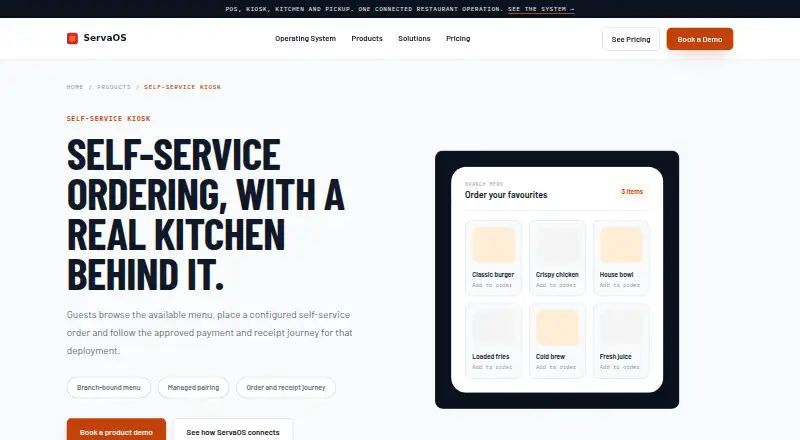
What ServaOS Self-Service Kiosk is
ServaOS Self-Service Kiosk lets restaurant guests browse a location’s available menu, select items, place an order and follow the configured payment and receipt flow. The kiosk supports payment initiation and verification, receipt retrieval and a print view; configured orders can enter the location’s service and kitchen workflow. After an authorized operator approves a time-limited pairing code and assigns the device to a restaurant location, the kiosk requests that location’s menu. Regular health check-ins report conditions such as unpaired, active, degraded or invalid-token. ServaOS describes integration evaluation areas covering payments, finance, ordering and delivery, identity, hardware and analytics, but does not claim all providers are supported. Payment availability depends on the configured provider and operating market. Hardware, display format, printer, payment terminal and peripherals must be checked against the supported deployment configuration. Starter costs $39 a month per branch and includes a single kiosk deployment lane and email support. Growth costs $79 a month per branch and includes multiple devices across branches and priority support.
Who it suits
It suits restaurants that want guests to place self-service orders, including single-site and multi-branch operations. Payment providers and hardware need to be confirmed for the intended deployment.
What it does well
- Supports item selection, ordering and receipt retrieval.
- Configured orders can enter service and kitchen workflows.
- Reports kiosk health and device condition states.
- Free trial is listed.
What to know first
- Payment options depend on provider and operating market.
- Hardware and peripherals require configuration checks.
- No free plan is listed.
Limits
Starter is limited to one branch and a single kiosk deployment lane. Growth supports multiple branches and multiple POS, kiosk, KDS, and order-display devices; Enterprise terms are custom.
Plans
| Plan | Billed and limits | Price |
|---|---|---|
| Starter | $39 per branch / month · single-site operators · single kiosk deployment lane · email support | $39 a month |
| Growth | $79 per branch / month · multi-branch operations · multiple POS, kiosk, KDS and order-display devices · priority support | $79 a month |
| Enterprise | Custom tailored commercial model · unlimited branches · custom integrations and governance · dedicated support design · SLA and onboarding planning | On request |
As servaos.com lists them, read 8 Oct 2026. The maker's own page has the final word.
Getting started
- Open the ServaOS Self-Service Kiosk website
- Choose Starter, Growth, or an Enterprise commercial model
- Check the kiosk, screen, printer, payment terminal, and peripheral configuration
- Configure the payment provider and operating market
- Start a kiosk pairing session and have an authorized operator approve its code
- Assign the approved kiosk to a restaurant location
Verdict
ServaOS Self-Service Kiosk covers menu browsing, ordering, configured payment and receipt retrieval, with device pairing and health reporting. Starter is $39 a month per branch; confirm payment and hardware compatibility for the planned setup.
Questions
How much does it cost?
Starter is $39 per branch per month. Growth is $79 per branch per month, while Enterprise uses custom pricing.
Is there a free plan?
No. A free trial is available.
What payment methods are supported?
Payment availability depends on the configured provider and operating market, with supported options confirmed during deployment planning.
Can orders reach the kitchen?
Configured kiosk orders can enter the location’s service and kitchen flow. KDS integration is listed.
How are kiosks paired?
A kiosk starts a time-limited pairing session with a code that an authorized operator approves and assigns to a restaurant location.
Facts from ServaOS Self-Service Kiosk's own pages
- Branch menus
- After approval, the kiosk uses its restaurant and location identity to request the menu available to that location. · servaos.com, 8 Oct 2026
- Compliance boundary
- ServaOS says its security page does not claim a specific independent security certification or universal legal compliance. · servaos.com, 8 Oct 2026
- Compliance claims
- ServaOS says its security page does not claim a specific security certification or universal legal compliance. · servaos.com, 8 Oct 2026
- Device health
- Regular check-ins and condition states help operators identify active, unpaired, degraded, or invalid-token kiosk installations. · servaos.com, 8 Oct 2026
- Device monitoring
- Kiosks report regular health check-ins and condition states, including unpaired, active, degraded and invalid-token states. · servaos.com, 8 Oct 2026
- Device pairing
- A kiosk starts a time-limited pairing session with a code that an authorized operator can approve and assign to a restaurant location. · servaos.com, 8 Oct 2026
- Hardware limits
- Kiosk hardware, screen format, printer, payment terminal and peripherals must be checked against the supported deployment configuration. · servaos.com, 8 Oct 2026
- Integrations
- ServaOS describes integration evaluation areas including payments, accounting and finance, ordering and delivery, identity and access, hardware and peripherals, and data and analytics, but does not claim every provider is supported. · servaos.com, 8 Oct 2026
- Intended users
- ServaOS presents its products for restaurant operations, including full-service, quick-service, fast-casual, cafe and bakery, food truck, bar and lounge, fine-dining, multi-brand and enterprise operations. · servaos.com, 8 Oct 2026
- Kitchen connection
- Configured kiosk orders can enter the location’s service and kitchen flow as part of the ServaOS operating system. · servaos.com, 8 Oct 2026
- Kitchen workflow
- Configured kiosk orders can enter the location’s service and kitchen flow as part of ServaOS operations. · servaos.com, 8 Oct 2026
- Order flow
- The kiosk supports item selection, order creation, configured payment initiation and verification, and receipt retrieval with a print view. · servaos.com, 8 Oct 2026
- Ordering features
- The kiosk supports item selection, order creation, configured payment initiation and verification, receipt retrieval, and a print view. · servaos.com, 8 Oct 2026
- Payment limits
- Payment availability depends on the configured provider and operating market, and supported options are confirmed during deployment planning. · servaos.com, 8 Oct 2026
- Payments
- Payment availability depends on the configured provider and operating market, and supported options are confirmed during deployment planning. · servaos.com, 8 Oct 2026
- Purpose
- The kiosk lets restaurant guests browse the available menu, place configured self-service orders, and follow the approved payment and receipt journey for the deployment. · servaos.com, 8 Oct 2026
- Security controls
- ServaOS describes controlled device pairing and approval, location assignment, credential rotation, revocation and unpairing workflows. · servaos.com, 8 Oct 2026
- Support
- The Starter plan includes email support, while Growth includes priority support. · servaos.com, 8 Oct 2026
- What it does
- The kiosk lets guests browse the available menu, place a self-service order and follow the configured payment and receipt journey. · servaos.com, 8 Oct 2026