Freedom251 › Code Search Tools
Sensegrep
What Sensegrep is
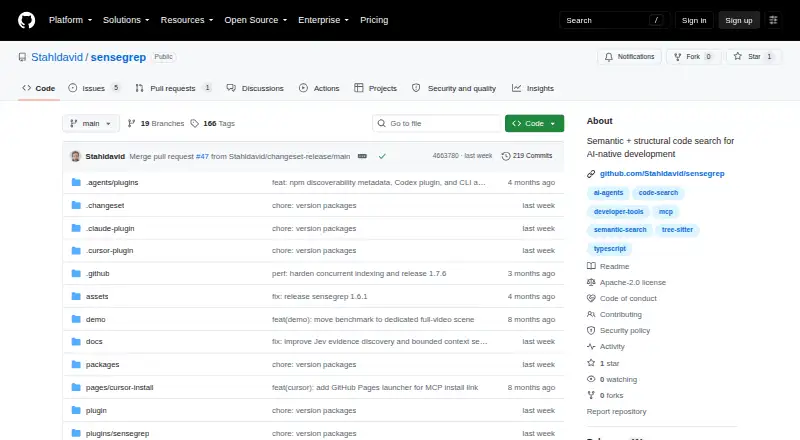
Sensegrep is a source-code search tool for developers and AI coding agents. It searches by meaning with AI embeddings, while also matching exact text and code structure through tree-sitter AST parsing. This combined retrieval can return context related to a query’s intent, literal terms, or structural patterns. The project lists more than 30 structural filters, logical duplicate detection, and tree-shaking that removes irrelevant code from results. Built-in language support covers TypeScript, JavaScript, Python, Java, and Vue. Sensegrep can use local Ollama, Gemini, OpenAI-compatible APIs, or Amazon Bedrock for embeddings. Its MCP server exposes semantic search tools to AI coding assistants, with integrations or setup guidance for Claude Code, Cursor, Codex, VS Code, and generic MCP clients. The VS Code extension includes semantic search, survey and cluster, duplicate detection, structural filters, Code Lens, auto-indexing, and semantic folding. It supports API, extension, Linux, macOS, self-hosting, and Windows, and is licensed under Apache-2.0.
Who it suits
Sensegrep suits developers and AI coding agents that need semantic code search. Its CLI documentation also describes CI pipelines and terminal-first automation.
What it does well
- Free plan is available
- Combines semantic, exact, and AST-aware retrieval
- Supports five documented built-in languages
- MCP server connects AI coding assistants
- Runs on Linux, macOS, Windows, and self-hosted setups
What to know first
- Cursor marketplace approval is pending
- VS Code extension requires VS Code 1.85+
- VS Code extension requires Node.js 18+
Getting started
- Open the Sensegrep GitHub project
- Install the CLI, extension, or MCP setup for your preferred client
- Configure Ollama or another supported embedding provider
- Use the VS Code extension with VS Code 1.85+ and Node.js 18+
- Connect Sensegrep to Claude Code, Cursor, Codex, VS Code, or a generic MCP client
Verdict
Sensegrep combines several code-retrieval methods with structural filters and duplicate detection. It is a free option for teams or automation workflows that can use its listed providers and integrations.
Questions
Is Sensegrep free?
Yes. Sensegrep is listed as free and licensed under Apache-2.0.
Which languages are supported?
The documented built-in languages are TypeScript/JavaScript, Python, Java, and Vue.
Which embedding providers can it use?
It supports local Ollama by default, plus Gemini, OpenAI-compatible APIs, and Amazon Bedrock.
What happens without a provider or API key?
The documented default uses Ollama at 127.0.0.1:11434 with qwen3-embedding:0.6b.
What does the VS Code extension require?
The extension requires VS Code 1.85 or newer and Node.js 18 or newer.
Can AI coding assistants use Sensegrep?
Yes. Its MCP server exposes semantic search and related tools, with setup guidance for Claude Code, Cursor, Codex, VS Code, and generic MCP clients.
Facts from Sensegrep's own pages
- Credential storage
- The project says the VS Code extension stores provider API keys in VS Code SecretStorage and keeps workspace settings non-secret. · github.com, 5 Oct 2026
- Embedding providers
- It supports local Ollama by default, plus Gemini, OpenAI-compatible APIs, and Amazon Bedrock. · github.com, 5 Oct 2026
- Integrations
- The project provides plugins or setup instructions for Claude Code, Cursor, Codex, VS Code, and generic MCP clients. · github.com, 5 Oct 2026
- Intended users
- The README presents Sensegrep as semantic code search for AI coding agents; its CLI skill docs also describe use in CI pipelines and terminal-first automation. · github.com, 5 Oct 2026
- Languages
- The documented built-in languages are TypeScript/JavaScript, Python, Java, and Vue. · github.com, 5 Oct 2026
- License
- The project is licensed under Apache-2.0. · github.com, 5 Oct 2026
- Local operation
- When no provider or API key is configured, the documented default is Ollama at 127.0.0.1:11434 with qwen3-embedding:0.6b. · github.com, 5 Oct 2026
- MCP
- Its MCP server exposes semantic search and related tools to AI coding assistants. · github.com, 5 Oct 2026
- Purpose
- Sensegrep searches source code by meaning using AI embeddings and tree-sitter AST parsing. · github.com, 5 Oct 2026
- Requirements
- The VS Code extension requires VS Code 1.85+ and Node.js 18+. · marketplace.visualstudio.com, 5 Oct 2026
- Retrieval
- It combines semantic search, exact matching, and AST-aware structural retrieval to return more relevant code context. · github.com, 5 Oct 2026
- Search features
- The project lists 30+ structural filters, logical duplicate detection, and tree-shaking that collapses irrelevant code. · github.com, 5 Oct 2026
- Setup limit
- The Cursor plugin listing says marketplace approval is pending. · github.com, 5 Oct 2026
- VS Code extension
- The VS Code extension offers semantic search, survey and cluster, duplicate detection, structural filters, Code Lens, auto-indexing, and semantic folding. · marketplace.visualstudio.com, 5 Oct 2026
Where Sensegrep stands on Freedom251
- Code Search Tools#19 of 42