Freedom251 › Restaurant Self-Ordering Kiosk Software
Seito Self Ordering Kiosk
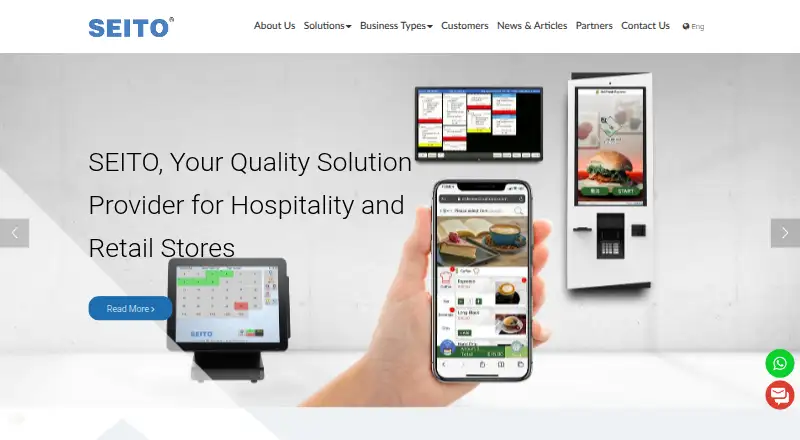
What Seito Self Ordering Kiosk is
Seito Self Ordering Kiosk lets restaurant customers browse a menu, adjust items, pay, and collect a receipt with an order number. It connects with Seito POS, which passes orders to the kitchen’s corresponding printers. Item pictures and menu information synchronize with Seito POS and can be managed through one backend program. The kiosk supports item modifiers, integrated payments, multilingual ordering, and a customizable interface. Restaurants can display promotional images and special offers alongside menu items. Seito positions the product for quick-service restaurants handling busy periods, where customer self-ordering can reduce staff time spent processing complex orders and help manage cashier queues. Seito Systems Limited has developed POS solutions for hospitality, food service, and retail since 1994 and is headquartered in Hong Kong. Its broader system ecosystem includes payment, POS, delivery, and other partners such as Worldpay, Verifone, Stripe, Alipay, WeChat Pay, foodpanda, Deliveroo, and GrabFood. Seito’s service offering includes system planning, installation, training, maintenance, hotline and remote support, hardware repair, and software updates. Pricing is on request.
Who it suits
This kiosk suits quick-service restaurants that want customers to place and pay for orders themselves, including during peak periods. It may fit restaurants already using Seito POS and kitchen printers, or those seeking multilingual ordering and menu management through a shared backend.
What it does well
- Orders connect to Seito POS and corresponding kitchen printers.
- Customers can customize items with modifiers.
- Menu information and item pictures synchronize with Seito POS.
- Supports multilingual ordering and integrated payments.
- Promotional images and special offers can appear on the kiosk.
- Service includes installation, training, maintenance, and support.
What to know first
- Pricing is available on request.
- The listed POS connection is with Seito POS.
- The license restricts use to licensed computers.
Getting started
- Visit the Seito website.
- Contact Seito for pricing and system planning.
- Arrange installation for the kiosk and its Seito POS connection.
- Use Seito’s training to prepare staff.
- Manage item pictures and menu data through the shared backend.
Verdict
Consider Seito Self Ordering Kiosk if your restaurant needs self-service ordering tied to Seito POS and kitchen printers. Its modifiers, multilingual interface, and shared menu management address several parts of the ordering workflow. Look elsewhere if you need a stated price before contacting the vendor or require a POS connection beyond the listed Seito POS integration.
Questions
How much does Seito Self Ordering Kiosk cost?
Pricing is on request.
Can customers customize orders?
Yes. The kiosk supports item modifiers and lets customers customize orders.
How do kiosk orders reach the kitchen?
The kiosk connects with Seito POS, which sends orders to the corresponding kitchen printers.
Does it support integrated payments?
Yes. It supports integrated payments and various fast and secure payment options.
Can the menu be managed centrally?
Item pictures and menu data synchronize with Seito POS and can be managed in one backend program.
What support does Seito provide?
Seito lists planning, installation, training, maintenance, hotline and remote support, hardware repair, and software updates.
Facts from Seito Self Ordering Kiosk's own pages
- Company history
- Seito Systems Limited says it has developed and marketed POS solutions since 1994 for hospitality, food service, and retail. · seito.com.hk, 8 Oct 2026
- Company reach
- Seito says it serves more than 6,000 customers in over 15 countries or regions and has over 70,000 computers or POS terminals running its systems. · seito.com.hk, 8 Oct 2026
- Customization
- The product brochure lists a customizable kiosk interface design. · seito.com.hk, 8 Oct 2026
- Founded
- 1994 · seito.com.hk, 28 Sept 2026
- Headquarters
- Hong Kong · seito.com.hk, 28 Sept 2026
- Integration ecosystem
- Seito's partner page lists payment, POS, delivery, and other system partners, including Worldpay, Verifone, Stripe, Alipay, WeChat Pay, foodpanda, Deliveroo, and GrabFood. · seito.com.hk, 8 Oct 2026
- Integrations
- The kiosk connects with Seito POS; Seito says its broader system APIs connect with third-party technology partners. · seito.com.hk, 8 Oct 2026
- Intended customers
- Seito describes the kiosk as an ordering solution for quick-service restaurants and says it can improve service during peak periods. · seito.com.hk, 8 Oct 2026
- Kitchen orders
- The kiosk communicates with Seito POS and sends orders to the corresponding kitchen printers. · seito.com.hk, 8 Oct 2026
- Languages
- The kiosk offers multilingual ordering options and displays item photos and information. · seito.com.hk, 8 Oct 2026
- License terms
- Seito's end-user license says its software is licensed rather than sold and restricts use to the licensed computer or computers. · seito.com.hk, 8 Oct 2026
- Menu management
- Item pictures and menu data synchronize with Seito POS and can be managed in one backend program. · seito.com.hk, 8 Oct 2026
- Offline operation
- Seito says its POS system can continue using a local database during server or network failure and synchronize data when service resumes. · seito.com.hk, 8 Oct 2026
- Payments
- The kiosk supports electronic payment, and the product brochure also describes a pay-at-counter option. · seito.com.hk, 8 Oct 2026
- POS and kitchen connection
- Kiosk orders connect to Seito POS and are sent to the corresponding kitchen printers. · seito.com.hk, 8 Oct 2026
- Pricing
- The opened product and download pages do not state a kiosk price. · seito.com.hk, 8 Oct 2026
- Product
- Self-ordering kiosks let restaurant customers choose items, pay using available methods, and receive a receipt with an order number. · seito.com.hk, 8 Oct 2026
- Promotions
- Promotional photos and special offers can be used to upsell customers and encourage impulse orders. · seito.com.hk, 8 Oct 2026
- Queue handling
- Seito says the kiosk can improve the ordering process at cashier queues and restaurant workspace efficiency. · seito.com.hk, 8 Oct 2026
- Security and privacy
- Seito’s privacy policy says it recognizes its responsibilities under Hong Kong’s Personal Data (Privacy) Ordinance and is committed to protecting personal data. · seito.com.hk, 8 Oct 2026
- Support
- Seito says its services include system planning, installation, training, ongoing maintenance, hotline and remote support, hardware repair, and software updates for bug fixes. · seito.com.hk, 8 Oct 2026
- Target users
- Seito describes the kiosk as a restaurant solution for improving efficiency during peak times and reducing staff time spent processing complex orders. · seito.com.hk, 8 Oct 2026
- What it does
- The kiosk lets customers browse a restaurant menu, customize orders, pay, and receive an order number. · seito.com.hk, 8 Oct 2026