Freedom251 › Classroom Management Software

Securly Classroom
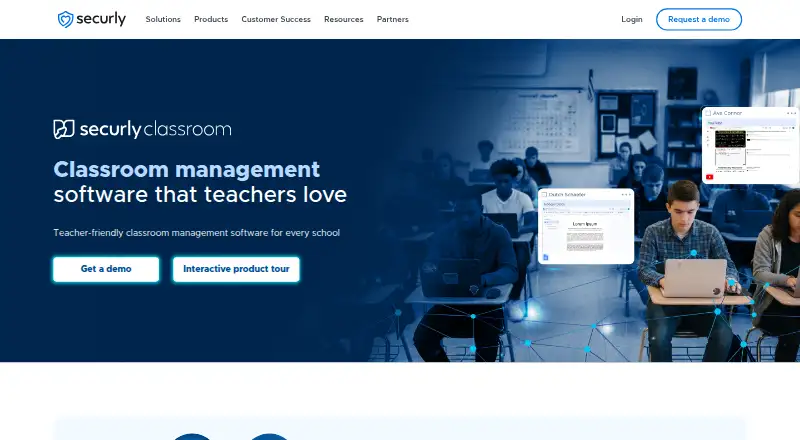
What Securly Classroom is
Securly Classroom helps K-12 teachers monitor student devices and manage classroom technology so students can stay focused on learning. During class, teachers can view student screens and open tabs, lock screens, limit browsing to selected websites, block sites, and close Windows apps. Access Plans let teachers apply website and app restrictions to an entire class, a group, or individual students.
Teachers can send announcements, chat one-on-one with students, and connect with remote students by video or voice. Class history lets teachers review students’ in-class browsing during or after class. Classes can be scheduled to start at a set time, and schools or districts can define bell schedules.
The product lists integrations with Google Classroom, Canvas, OneRoster, ClassLink, and Schoology. It can also work with Securly Filter to temporarily allow sites pushed during a class session, and with Securly Pass for digital hall passes. Student devices can use Chromebooks, Windows, or macOS; the product is listed for web, Windows, and macOS. Securly offers live webinars, on-demand training videos, and a user guide. It says it does not sell, rent, or trade student data or use it for targeted advertising, and describes AES-256 encryption at rest, TLS in transit, and an independently audited SOC 2 Type 2 security program.
Who it suits
Securly Classroom suits K-12 teachers and school or district teams that need to monitor student screens, guide browsing, and manage class device access. It also fits schools using the listed learning platforms or Securly Filter and Pass.
What it does well
- Teachers can view student screens and open tabs during class.
- Restrictions can target a class, group, or individual students.
- Teachers can communicate by announcement, chat, video, or voice.
- Class browsing history is available during or after class.
- Integrations include Google Classroom, Canvas, OneRoster, ClassLink, and Schoology.
What to know first
- The product is paid, with pricing provided on request.
- Listed student devices are Chromebooks, Windows, and macOS.
Limits
Securly Classroom is paid, and pricing is available by demo request.
Plans
| Plan | Billed and limits | Price |
|---|---|---|
| Securly Classroom | Pricing by demo request | On request |
As securly.com lists them, read 8 Oct 2026. The maker's own page has the final word.
Getting started
- Visit the Securly Classroom website.
- Request a demo to obtain pricing.
- Confirm student devices use Chromebooks, Windows, or macOS.
- Review the available integrations and Securly Filter or Pass connections.
- Use Securly's live webinars, on-demand videos, or user guide for training.
Verdict
Schools seeking class-time screen monitoring, website controls, and student communication should consider Securly Classroom. Its class, group, and individual restrictions give teachers several ways to manage access. Schools that need a price before requesting a demo may prefer an option with published pricing.
Questions
How much does Securly Classroom cost?
It is a paid product, and pricing is available on request through a demo.
Which platforms and student devices are supported?
The product is listed for web, Windows, and macOS. Student devices can use Chromebooks, Windows, or macOS.
Which integrations does it list?
Integrations include Google Classroom, Canvas, OneRoster, ClassLink, and Schoology. It can also integrate with Securly Filter and Securly Pass.
What can teachers control during class?
Teachers can lock screens, restrict students to selected websites, block sites, and close Windows apps. Access Plans can apply website and app restrictions to a class, group, or individual students.
Who makes Securly Classroom?
Securly makes the product. The company was founded in 2013 and describes its work as helping K-12 schools keep students safe, secure, and ready to learn.
What does Securly say about student data and security?
Securly says it does not sell, rent, or trade student data or use it for targeted advertising. It describes AES-256 encryption at rest, TLS in transit, and an independently audited SOC 2 Type 2 information security program.
Facts from Securly Classroom's own pages
- Class controls
- Teachers can lock screens, restrict students to selected websites, block sites, and close Windows apps. · securly.com, 8 Oct 2026
- Class history
- Teachers can review students’ in-class browsing history during or after class. · securly.com, 8 Oct 2026
- Class scheduling
- Classes can be scheduled to start at a specific time, and schools or districts can define bell schedules. · securly.com, 8 Oct 2026
- Communication
- Teachers can send announcements, chat one-on-one with students, and connect with remote students by video or voice. · securly.com, 8 Oct 2026
- Different student restrictions
- Access Plans can apply website and app restrictions to a whole class, a group, or individual students. · securly.com, 8 Oct 2026
- Founded
- 2013 · securly.com, 28 Sept 2026
- Integrations
- The product lists integrations with Google Classroom, Canvas, OneRoster, ClassLink, and Schoology. · securly.com, 8 Oct 2026
- Intended customers
- Securly describes its work as helping K-12 schools keep students safe, secure, and ready to learn. · securly.com, 8 Oct 2026
- Privacy
- Securly says it does not sell, rent, or trade student data and does not use it for targeted advertising. · securly.com, 8 Oct 2026
- Purpose
- Securly Classroom helps teachers monitor student devices and manage classroom technology to keep students focused on learning. · securly.com, 8 Oct 2026
- Screen and tab monitoring
- Teachers can view student screens and open tabs during class. · securly.com, 8 Oct 2026
- Security
- Securly describes AES-256 encryption for data at rest, TLS for data in transit, and an independently audited SOC 2 Type 2 information security program. · securly.com, 8 Oct 2026
- Securly integrations
- Securly Classroom can integrate with Securly Filter to temporarily allow pushed sites during a class session and with Securly Pass for digital hall passes. · securly.com, 8 Oct 2026
- Supported devices
- The product page says student devices can use Chromebooks, Windows, and macOS. · securly.com, 8 Oct 2026
- Training and support
- Securly offers live teacher training webinars, on-demand training videos, and a user guide for administrators and teachers. · securly.com, 8 Oct 2026
Where Securly Classroom stands on Freedom251
- Classroom Management Software#25 of 25