Freedom251 › Threat Intelligence Platforms
Security Vision TIP
What Security Vision TIP is
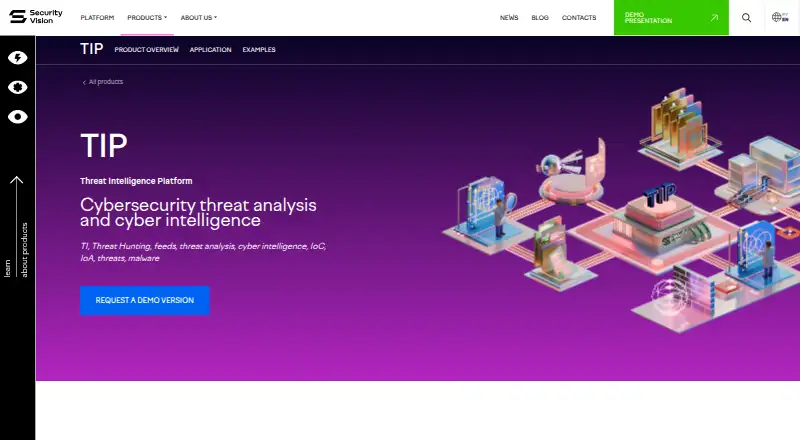
Security Vision TIP collects, analyzes, and enriches cybersecurity threat data to support infrastructure detection, investigation, and response. It covers indicators at technical, tactical, operational, and strategic levels, including hashes, IP addresses, URLs, processes, vulnerabilities, and attacker attribution. The product has more than 50 connectors for event sources such as SIEM, NGFW, proxy, and email systems, with support for developing additional connectors. Listed formats include Syslog, CEF, LEEF, EMBLEM, and Event log. TIP uses machine learning for DGA detection and supports match and retrospective searches. Analysts can enrich indicators using MITRE ATT&CK and services such as VirusTotal, Shodan, KasperskyOpenTIP, IPInfo.io, and MaxMind Geo-IP. Graph and table views can launch response actions, including blocking an IP, adding a URL to a web-control policy, stopping host processes, or ending a user session. The self-hosted, browser-accessed platform supports Linux distributions and Windows Server 2016 and higher, and includes an API. Pricing is calculated individually through sales; the product page offers a demo but states no price or trial duration. Security Vision is headquartered in Moscow, Russia.
Who it suits
TIP suits security teams that need to gather and enrich threat indicators, search collected data, and initiate response actions. Its stated operating-system support and self-hosted deployment are relevant to organizations evaluating infrastructure requirements.
What it does well
- More than 50 event-source connectors.
- Supports match and retrospective searches.
- Enriches indicators with MITRE ATT&CK and external services.
- Analysts can initiate response actions from graph and table views.
- Includes an API and supports Linux and Windows Server 2016 and higher.
What to know first
- Pricing is calculated individually through sales.
- Self-hosted deployment is required.
- At least one trained technician is required for operations.
Plans
| Plan | Billed and limits | Price |
|---|---|---|
| Security Vision TIP | Individual calculation via sales · Modules and products · connectors or processed events per second · additional nodes · support level · permanent or temporary license · multi-tenancy | On request |
As securityvision.ru lists them, read 1 Oct 2026. The maker's own page has the final word.
Getting started
- Visit the Security Vision TIP product page.
- Contact sales at [email protected] for an individual price calculation.
- Request a demo through the product page.
- Plan a self-hosted deployment on supported Linux distributions or Windows Server 2016 and later.
- Arrange at least one trained technician for administration and development or management.
Overview
Security Vision TIP is a self-hosted threat intelligence platform for security teams that need to connect telemetry, investigate indicators and coordinate response. It is best suited to organizations with established security infrastructure and dedicated technical staff; teams looking for a hosted, low-overhead tool should look elsewhere.
Its case is strongest when an organization wants threat feeds, internal events, enrichment and response actions in one browser-accessed deployment. The trade-off is a quote-based purchase and a substantial staffing commitment.
Key features
TIP draws on SIEM, next-generation firewall, proxy and email systems through more than 50 connectors, with the option to develop additional ones. It accepts Syslog, CEF, LEEF, EMBLEM and Event Log formats. That breadth can help consolidate telemetry from varied environments, but bespoke connector work makes development capacity important.
The analytical base spans technical, tactical, operational and strategic threat levels, covering indicators such as hashes, IP addresses, URLs, processes, vulnerabilities and attacker attribution. Analysts can search for matches and retrospectively query collected data; machine learning supports detection of domain-generation algorithms. The combination supports both current investigations and searches across accumulated telemetry.
Threat inputs include commercial subscriptions from Kaspersky, Group IB, BI.Zone and RST Cloud, as well as open sources such as Alien Vault, Feodo Tracker and DigitalSide. A separate Security Vision feed package provides about 50,000 IoCs daily without a subscription or request limit through the API or web interface. That feed can add useful coverage, though it does not remove the cost of the platform itself.
Automatic enrichment uses MITRE ATT&CK and services including VirusTotal, Shodan, KasperskyOpenTIP, IPInfo.io and MaxMind Geo-IP. Graph and table views can launch actions such as blocking an IP, adding a URL to a web-control policy, stopping host processes or terminating a user session. These links between context and action suit teams that want investigations to lead directly into operational response.
Cards and tables can be adapted with properties, columns and buttons without licensing restrictions. TIP also supports STIX/TAXII, report management, workflow automation and case management. Its hybrid anomaly methods and automated response capabilities add breadth, but effective use still depends on the team's ability to configure and operate the system.
Pricing
Security Vision TIP uses custom pricing: the listed plan is calculated individually through sales. The quote can account for modules and products, connectors or processed events per second, additional nodes, support level, permanent or temporary licensing, and multi-tenancy. This allows the deployment to be scoped around an organization's environment, but makes direct budget comparison difficult before engaging sales.
There are no published seat, event-quota, trial-duration or renewal terms to weigh. A demo is offered, and sales can be contacted at [email protected]. Technical support is priced as a percentage: standard and extended support are 25% and 33% in license format, 30% and 40% by certificate, and 35% and 45% when services are provided. Buyers should include the chosen support basis in the overall cost discussion.
Platforms
TIP is a client-server platform delivered as web applications and accessed in a browser, rather than through a thick client. It is self-hosted, supports multiple Linux distributions and Microsoft Windows Server 2016 and higher, and provides an API for interaction with technology partners and their APIs. This suits organizations that require control over deployment, but puts hosting and administration within their remit.
Security Vision is FSTEC-certified at trust level 4, appears in the Unified Register of Russian Computer Programs and Databases, and meets GOST R ISO 9001-2015, GOST R ISO/IEC 27001 and PCI DSS requirements. These credentials may matter to organizations evaluating formal security and management-system requirements.
Who it's for
The clearest fit is a security operation that already runs SIEM, firewall, proxy or email infrastructure and wants to connect that telemetry to threat intelligence, investigation and response. Organizations needing multi-tenancy, extra nodes or tailored connector development can discuss those requirements as part of an individual deployment.
Plan for at least one trained technician, with 0.5 FTE for administration and at least 0.5 FTE for development and management. That is a meaningful operating commitment. A small team without that capacity, or a buyer seeking predictable self-service pricing, is unlikely to find TIP a practical fit.
Pros and cons
- Pros: More than 50 connectors, common event formats and the ability to build new connectors give teams several ways to bring existing security data into analysis.
- Pros: Feed subscriptions, automatic enrichment, retrospective search and response actions connect threat context with investigation and operational follow-through.
- Pros: The separate free feed package supplies about 50,000 IoCs daily without subscription or request limits through API or web access.
- Cons: Individual pricing and support percentages make the total cost harder to compare without a sales discussion.
- Cons: Self-hosting and the stated technician staffing requirement rule out teams that cannot allocate ongoing administration and development capacity.
Alternatives
For readers comparing behavior analytics or insider-risk tools, the User and Entity Behavior Analytics Software category and the Threat Intelligence Platforms category provide broader starting points.
- Netskope One Behavior Analytics is worth considering when the priority is cloud-app behavior analytics: its Standard UEBA plan covers sequential anomaly rules for uploads, downloads, deletes, failed logins, rare events, risky countries and data movement between co.
- DTEX Insider Risk Management is an option for buyers focused on insider risk who want a product spanning Linux, macOS, web and Windows.
- Securonix UEBA may suit teams comparing explicit storage and search-capacity tiers, including an Advanced plan with 365 days of hot storage and five times Standard search capacity.
- Varonis SSPM is another paid, web-based option for buyers seeking a demo and quote-based purchase.
- VbtEngine UEBA is an alternative for buyers considering a self-hosted, web-based UEBA product.
- CYBERQUEST UEBA is another self-hosted, web-based UEBA option.
- EverShield Insider Risk Management is an option for buyers seeking a tailored insider-risk solution through a demo or direct contact.
- Exabeam New-Scale Analytics is worth comparing when API access or a self-hosted deployment is a priority.
Verdict
Security Vision TIP is a strong candidate for organizations that want to unite threat feeds, internal security telemetry, enrichment and response in a self-hosted platform. Its breadth is the main reason to choose it; individual pricing and the need to commit trained technical capacity are the main reasons to look elsewhere. Choose it when that operating model matches your security team, not merely because its feature set is broad.
Verdict
Security Vision TIP combines threat-data ingestion, enrichment, searching, and response in a self-hosted platform. Buyers should account for individual pricing and the stated need for trained technical staffing.
Questions
How is Security Vision TIP priced?
Pricing is calculated individually through sales. The listed plan can be configured by modules and products, connectors or processed events per second, additional nodes, support level, license term and multi-tenancy.
Does Security Vision TIP have a free plan?
No free plan is stated for TIP. A Security Vision feed package provides about 50,000 IoCs daily without a subscription, with no request limit through its API or web interface.
Where can Security Vision TIP run?
TIP is self-hosted and supports multiple Linux distributions and Microsoft Windows Server 2016 and higher. It is accessed through a web browser as a client-server platform.
Can TIP connect to other security products?
It provides more than 50 connectors for SIEM, NGFW, proxy and email solution event sources, with support for developing new connectors. It also has an API for interaction with technology partners and their APIs.
What threat feeds and enrichment services does it support?
Listed commercial feeds include Kaspersky, Group IB, BI.Zone and RST Cloud; open-source sources include Alien Vault, Feodo Tracker and DigitalSide. Enrichment can use MITRE ATT&CK, VirusTotal, Shodan, KasperskyOpenTIP, IPInfo.io and MaxMind Geo-IP.
Who makes Security Vision TIP, and where is the company based?
Security Vision makes TIP and is headquartered in Moscow, Russia. Its company page states that it is FSTEC-certified at trust level 4 and meets specified management-system requirements.
Facts from Security Vision TIP's own pages
- Access model
- Security Vision is a client-server platform implemented as web applications and accessed through a web browser without a thick client. · securityvision.ru, 1 Oct 2026
- API
- The platform has an API for interaction with technology partners and their APIs. · securityvision.ru, 1 Oct 2026
- Commercial feeds
- Supported commercial subscriptions include Kaspersky, Group IB, BI.Zone and RST Cloud. · securityvision.ru, 1 Oct 2026
- Connectors
- TIP provides 50+ connectors for SIEM, NGFW, proxy and email-server classes, with the ability to develop new connectors. · securityvision.ru, 1 Oct 2026
- Customization
- Cards and table views can add properties, columns and buttons without licensing restrictions. · securityvision.ru, 1 Oct 2026
- Data formats
- Listed supported formats include Syslog, CEF, LEEF, EMBLEM, and Event log. · securityvision.ru, 30 Sept 2026
- Data sources
- TIP uses internal SIEM, NGFW, proxy and email-server sources, commercial and open-source feeds, analytical-center data and Syslog, CEF, LEEF, EMBLEM and Event Log formats. · securityvision.ru, 1 Oct 2026
- Demo and contact
- The product page offers a demo and lists [email protected] as a contact; it does not state a trial duration or product price. · securityvision.ru, 30 Sept 2026
- Detection
- DGA mechanisms using machine learning, match and retro search detect matches in object parameters. · securityvision.ru, 1 Oct 2026
- Enrichment
- Automatic indicator enrichment uses MITRE ATT&CK, VirusTotal, Shodan, KasperskyOpenTIP, IPgeolocation.io, IPInfo.io, MaxMind Geo-IP, HaveIBeenPwned and LOLBAS. · securityvision.ru, 1 Oct 2026
- Event collection
- The product page states that TIP has 50+ connectors for receiving events from SIEM, NGFW, proxy, and email solutions, and can support development of new connectors. · securityvision.ru, 30 Sept 2026
- Free feeds
- A company news page says a Security Vision feed package provides about 50,000 IoCs daily without a subscription and without a request limit via API or web interface. · securityvision.ru, 30 Sept 2026
- Headquarters
- Moscow, Russia · securityvision.ru, 28 Sept 2026
- Indicator coverage
- The analytical base covers technical, tactical, operational and strategic threat-analysis levels. · securityvision.ru, 1 Oct 2026
- Open-source feeds
- Supported open-source indicator sources include Alien Vault, Feodo Tracker and DigitalSide. · securityvision.ru, 1 Oct 2026
- Operating systems
- The platform supports multiple Linux distributions and Microsoft Windows Server 2016 and higher. · securityvision.ru, 1 Oct 2026
- Operational staffing
- At least one trained technician is required, covering 0.5 FTE administration and at least 0.5 FTE development and management. · securityvision.ru, 1 Oct 2026
- Purpose
- Security Vision TIP collects, analyzes and enriches cybersecurity threat data and supports infrastructure detection, investigation and response. · securityvision.ru, 1 Oct 2026
- Response actions
- Analysts can launch actions such as blocking IP traffic, adding URLs to Web-control policy, stopping host processes and services, and terminating sessions or changing passwords. · securityvision.ru, 1 Oct 2026
- Security and compliance
- The company page states that Security Vision is FSTEC-certified at trust level 4 and meets GOST R ISO 9001-2015 and GOST R ISO/IEC 27001 management-system requirements. · securityvision.ru, 30 Sept 2026
- Security certifications
- Security Vision is FSTEC-certified at the fourth trust level, included in the Unified Register of Russian Computer Programs and Databases, and meets GOST R ISO 9001-2015, GOST R ISO/IEC 27001 and PCI DSS requirements. · securityvision.ru, 1 Oct 2026
- Support pricing
- Technical-support percentages listed are 25% standard and 33% extended in license format, 30% and 40% by certificate, and 35% and 45% when services are provided. · securityvision.ru, 1 Oct 2026
- Threat data
- It processes indicators across technical, tactical, operational, and strategic levels, including hashes, IP addresses, URLs, processes, vulnerabilities, and attacker attribution. · securityvision.ru, 30 Sept 2026
- Threat feeds
- The product page lists commercial feed subscriptions from Kaspersky, Group IB, BI.Zone, and RST Cloud, plus open sources including Alien Vault, Feodo Tracker, and DigitalSide. · securityvision.ru, 30 Sept 2026
Where Security Vision TIP stands on Freedom251
- Threat Intelligence Platforms#21 of 32