Freedom251 › Password Managers
Secure Vault
by Secure Vault
What Secure Vault is
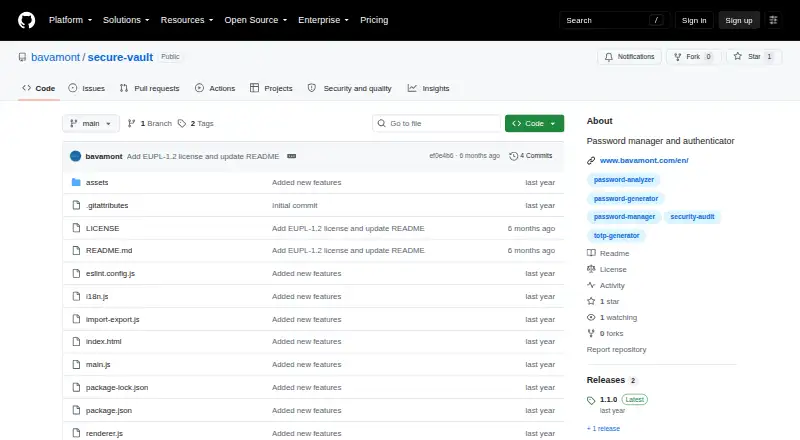
Secure Vault is a free, open-source desktop password manager and two-factor authenticator for Windows, macOS, and Linux. It stores credentials locally with AES-256-CBC encryption and does not require a cloud account or network connection for core functions. Password tools include generation, strength analysis, categories, search, and one-click copying with configurable clipboard clearing. Its RFC 6238 TOTP authenticator scans QR codes, supports multiple accounts, and offers six- or eight-digit codes with 30- or 60-second periods. Imports cover LastPass, Bitwarden, KeePass, Chrome, Firefox, WinAuth, and generic CSV or JSON files. Exports include encrypted .svault backups plus JSON and CSV formats, including LastPass CSV and Bitwarden JSON. The project describes zero-knowledge handling and PBKDF2 with SHA-512 at 100,000 iterations. Auto-lock can be set from 5 to 60 minutes, and clipboard clearing from 10 seconds to 2 minutes. It reports no telemetry or usage-data collection. Windows 10 or later, macOS 10.14 or later, and Ubuntu 18.04 or equivalent are listed. A forgotten master password causes complete data loss.
Who it suits
Secure Vault suits users seeking local, offline credential storage with an integrated TOTP authenticator. It supports common password-manager imports and desktop systems including Windows, macOS, and Linux.
What it does well
- Local storage with AES-256-CBC
- Built-in RFC 6238 authenticator
- Imports from major password managers
- Encrypted .svault backups
- No telemetry or usage data
What to know first
- Forgotten master password cannot be recovered
- Search may be slower with 1,000 or more entries
- JSON and CSV exports are not encrypted
- Desktop operating-system requirements apply
Verdict
Secure Vault combines encrypted local credentials, password tools, TOTP codes, and broad import options in a desktop application. Its unrecoverable master password makes careful credential management essential.
Facts from Secure Vault's own pages
- Authenticator
- Its TOTP feature supports RFC 6238, QR scanning, multiple accounts, and six- or eight-digit codes with 30- or 60-second periods. · github.com, 12 Oct 2026
- Encrypted backups
- Users can export compressed, encrypted .svault backups; JSON and CSV exports are also available without encryption. · github.com, 12 Oct 2026
- Encryption details
- The README specifies AES-256-CBC encryption and PBKDF2 with SHA-512 at 100,000 iterations for key derivation. · github.com, 12 Oct 2026
- Exports
- It offers encrypted .svault backups as well as generic JSON, generic CSV, LastPass CSV, and Bitwarden JSON exports. · github.com, 12 Oct 2026
- Free plan
- Yes · github.com, 20 Sept 2026
- Headquarters
- Füssen, Bavaria, Germany · github.com, 28 Sept 2026
- Import formats
- It supports imports from LastPass, Bitwarden, KeePass, Chrome, Firefox, WinAuth, and generic CSV or JSON files. · github.com, 12 Oct 2026
- Imports
- It supports imports from LastPass, Bitwarden, KeePass, Chrome, Firefox, WinAuth, and generic CSV or JSON files. · github.com, 12 Oct 2026
- License
- Secure Vault is licensed under the European Union Public Licence 1.2 (EUPL-1.2). · github.com, 12 Oct 2026
- License and intended use
- Secure Vault is licensed under EUPL-1.2 and is described as a desktop credential manager for offline use. · github.com, 12 Oct 2026
- Limit
- A forgotten master password cannot be recovered and results in complete data loss. · github.com, 12 Oct 2026
- Local storage
- It stores credentials locally with AES-256 encryption and requires no cloud account or network connection for core functions. · github.com, 12 Oct 2026
- Maker
- The project credits Bavamont as its developer and gives its location as Füssen, Bavaria, Germany. · github.com, 12 Oct 2026
- Network and telemetry
- The project states that it collects no telemetry and uses HTTPS with certificate validation for update checks. · github.com, 12 Oct 2026
- Notable limit
- The README says search may be slower in vaults with 1,000 or more entries. · github.com, 12 Oct 2026
- Password tools
- Features include password generation, strength analysis, category organization, search, and one-click copying with configurable clipboard clearing. · github.com, 12 Oct 2026
- Platform support
- The project lists Windows 10 or later, macOS 10.14 or later, and Ubuntu 18.04 or equivalent Linux distributions. · github.com, 12 Oct 2026
- Privacy
- The README says core use works offline, update checks use HTTPS with certificate validation, and the app collects no telemetry or usage data. · github.com, 12 Oct 2026
- Product
- Secure Vault is an open-source desktop password manager and two-factor authenticator. · github.com, 12 Oct 2026
- Security
- The project describes a zero-knowledge design, AES-256-CBC encryption, and PBKDF2 with SHA-512 at 100,000 iterations. · github.com, 12 Oct 2026
- Security limits
- The master password cannot be recovered; forgetting it results in complete data loss. · github.com, 12 Oct 2026
- Session controls
- Auto-lock can be configured for 5 to 60 minutes of inactivity, and copied clipboard data can be cleared after 10 seconds to 2 minutes. · github.com, 12 Oct 2026
- Supported platforms
- Windows,macOS,Linux · github.com, 20 Sept 2026
- Supported systems
- The README lists Windows 10 or later, macOS 10.14 or later, and Ubuntu 18.04 or equivalent Linux distributions. · github.com, 12 Oct 2026
Where Secure Vault stands on Freedom251
- Password Managers#65 of 104