Freedom251 › Password Managers
KeePass2Android
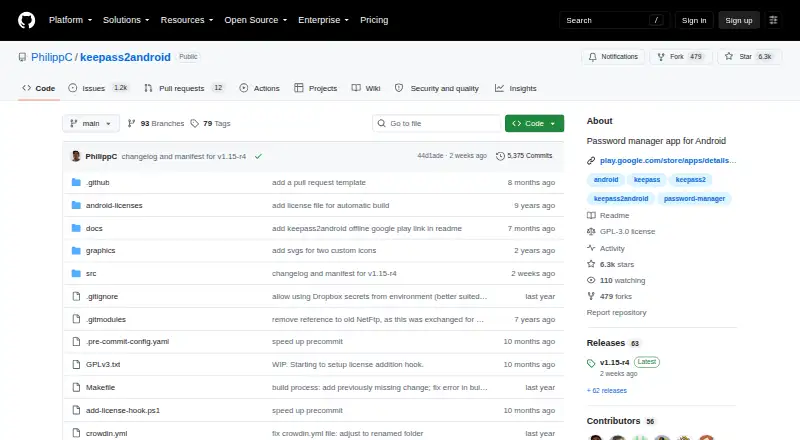
What KeePass2Android is
KeePass2Android is a free Android password manager that stores passwords and other sensitive information in an encrypted database file. It works with KeePass 2.x, KeePassXC, and many other KeePass ports. The regular edition synchronizes through Google Drive, Dropbox, OneDrive, pCloud, WebDAV, SFTP, and FTPS, while cached databases remain usable offline. Keepass2Android Offline uses Android’s file browser for local files and requests no internet permission. Listed encryption choices include AES, ChaCha20, and TwoFish. QuickUnlock and fingerprint unlocking support repeated access, while an integrated keyboard and Android AutoFill enter credentials into websites and apps. Other listed features include TOTP variants, YubiKey unlocking, entry templates, and child databases for sharing passwords. Opening a database requires its file, master password, and any chosen second factor. The app keeps one local read-only backup of the last successfully opened file. File conflicts can be overwritten, merged, or cancelled. The project is GPLv3 software.
Who it suits
It suits Android users who need an encrypted KeePass-compatible vault with cloud synchronization, offline access, or local-only storage. The Offline edition suits users who do not want internet permission.
What it does well
- Compatible with KeePass 2.x and KeePassXC
- Supports multiple cloud and server protocols
- Works offline with cached databases
- Offers Android AutoFill and integrated keyboard
- Supports AES, ChaCha20, and TwoFish
What to know first
- Android only
- Database access requires the file and master password
- Local backup does not replace separate backups
- Offline edition uses local files only
Plans
| Plan | Billed and limits | Price |
|---|---|---|
| Free | Open source · Encrypted password vault · Cloud and server synchronization · Android Autofill · Integrated keyboard | On request |
| Keepass2Android | Android app · built-in cloud and web protocol support | Free |
| Keepass2Android Offline | Android app · local files and Android file browser only · no Internet permission | Free |
As github.com lists them, read 16 Sept 2026. The maker's own page has the final word.
Verdict
KeePass2Android offers broad KeePass compatibility, synchronization choices, offline operation, and several credential-entry methods at no listed cost. Users should understand its file-and-master-password security model and maintain separate backups.
Facts from KeePass2Android's own pages
- Additional features
- The app listing names TOTP variants, YubiKey unlocking, entry templates, and child databases for sharing passwords. · play.google.com, 11 Oct 2026
- Backups
- The documentation says the app keeps one local read-only backup of the last successfully opened file, but it does not replace separate backups. · github.com, 11 Oct 2026
- Credential entry
- The app provides an integrated keyboard and an Android AutoFill service for passing credentials to websites and apps. · play.google.com, 11 Oct 2026
- Database compatibility
- The app is compatible with KeePass 2.x, KeePassXC, and many other KeePass ports. · github.com, 11 Oct 2026
- Encryption
- The app listing says it supports AES, ChaCha20, and TwoFish encryption. · play.google.com, 11 Oct 2026
- File conflict handling
- When a database has changed elsewhere, the app can prompt users to overwrite, merge the changes, or cancel saving. · github.com, 11 Oct 2026
- Free plan
- Yes · github.com, 16 Sept 2026
- Headquarters
- Stutensee, Germany · github.com, 28 Sept 2026
- License and support
- The project is distributed under GPLv3, and the repository directs users to its wiki for further information and issue reporting. · github.com, 11 Oct 2026
- Offline access
- The regular app caches database files by default so they can be opened and changed while the device has no internet connection. · github.com, 11 Oct 2026
- Offline edition
- Keepass2Android Offline reads and writes through Android's file browser and does not request Internet permission. · github.com, 11 Oct 2026
- Passkey support
- Yes · github.com, 16 Sept 2026
- Purpose
- Keepass2Android is an Android password manager for storing and retrieving passwords and other sensitive information in an encrypted database file. · github.com, 11 Oct 2026
- Secure sharing
- Yes · github.com, 16 Sept 2026
- Security model
- The documentation says database access requires the database file and master password, plus any second factor the user has chosen. · github.com, 11 Oct 2026
- Supported platforms
- android · github.com, 16 Sept 2026
- Synchronization
- The regular app has built-in support for cloud providers and protocols including Google Drive, Dropbox, OneDrive, pCloud, WebDAV, SFTP, and FTPS. · github.com, 11 Oct 2026
- Unlock options
- QuickUnlock lets users reopen a database by entering a few characters after initially unlocking it with the full password, and the listing also names fingerprint unlocking. · play.google.com, 11 Oct 2026
Where KeePass2Android stands on Freedom251
- Password Managers#61 of 104