Freedom251 › Password Managers
Martchus Password Manager
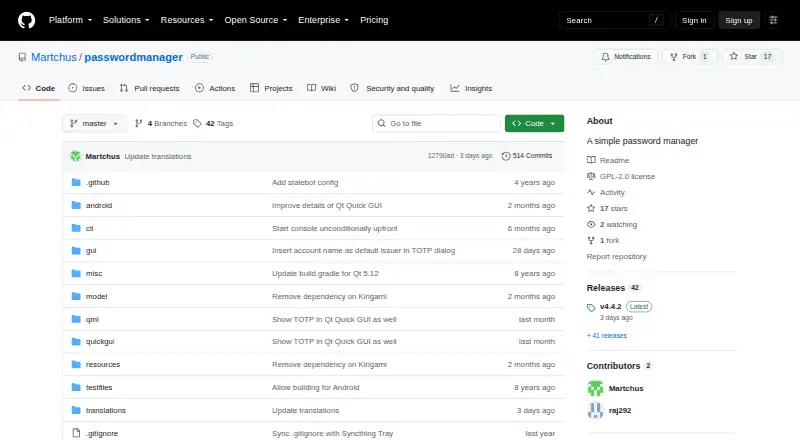
What Martchus Password Manager is
Martchus Password Manager is a free, open-source password manager for Android, Linux and Windows. It offers a Qt graphical interface and an interactive command-line interface, with the command-line build available without the Qt GUI. The project describes AES-256-CBC encryption through OpenSSL and stores data in ordinary files rather than a cloud service. Its README suggests Syncthing for synchronization. Desktop screens use Qt Widgets, while mobile screens use Qt Quick and Qt Quick Controls 2. Linux downloads include packages or binaries for several distributions and generic systems, and Windows binaries are provided. The stable Qt 6 Windows version requires Windows 10 version 1809 or newer; an older Qt 5 version may work on Windows 7 but is not regularly checked. Android requires version 9 or later on aarch64 or x86-64 hardware. GitHub Releases lists version 4.4.1 assets for Android, Linux and Windows. Generic Linux and Windows binaries are signed with the listed GPG key, and code is GPL-2-or-later.
Who it suits
This manager suits users who prefer local file storage, open-source software and optional command-line access across Android, Linux and Windows. It fits people prepared to synchronize files themselves with Syncthing.
What it does well
- Free, open-source software
- AES-256-CBC encryption via OpenSSL
- No cloud functionality; ordinary file storage
- Graphical and command-line interfaces
- Android, Linux and Windows builds
What to know first
- No built-in cloud functionality
- Android requires version 9 or later
- Qt 6 Windows requires Windows 10 1809+
- Synchronization is suggested through Syncthing
Plans
| Plan | Billed and limits | Price |
|---|---|---|
| Free and open-source software | No cloud service; data is stored in files | Free |
As github.com lists them, read 12 Oct 2026. The maker's own page has the final word.
Verdict
Martchus Password Manager keeps encrypted data in local files and offers both graphical and command-line use. Its platform requirements and self-managed synchronization are important considerations for choosing it.
Facts from Martchus Password Manager's own pages
- Android requirement
- The Android app requires Android 9 or later and an aarch64 or x86-64 CPU. · github.com, 12 Oct 2026
- Android support
- The README says it has been tested under Android and states that the app requires Android 9 or later on aarch64 or x86-64 hardware. · github.com, 5 Oct 2026
- Command line
- The project includes an interactive command-line interface and can be built without the GUI. · github.com, 12 Oct 2026
- Desktop interface
- The desktop GUI uses Qt Widgets. · github.com, 12 Oct 2026
- Distribution
- Downloads include Linux, Windows, and Android builds, and the README links Linux packages for Arch, openSUSE, and Fedora. · github.com, 12 Oct 2026
- Download integrity
- The README states that generic Linux and Windows binaries are signed with the listed GPG key. · github.com, 5 Oct 2026
- Downloads
- The project README directs users to its GitHub releases for source code and binaries; the releases page lists Android, Linux, and Windows assets for version 4.4.1. · github.com, 5 Oct 2026
- Encryption
- It uses AES-256-CBC encryption via OpenSSL. · github.com, 12 Oct 2026
- Integrations
- For building, the project depends on c++utilities and passwordfile, and its Qt GUI also requires qtutilities. · github.com, 5 Oct 2026
- Intended audience
- The maker says the project was mainly started as a way to learn C++ and Qt programming. · github.com, 5 Oct 2026
- License
- The project code is licensed under GPL-2-or-later. · github.com, 12 Oct 2026
- Linux support
- The README says it has been tested under GNU/Linux and offers packages or binaries for several Linux distributions and generic Linux systems. · github.com, 5 Oct 2026
- Local storage
- It stores data in ordinary files and states that it has no cloud functionality. · github.com, 12 Oct 2026
- Maker
- The repository credits copyright to Marius Kittler for 2015–2026. · github.com, 12 Oct 2026
- Mobile interface
- The mobile GUI uses Qt Quick and Qt Quick Controls 2. · github.com, 12 Oct 2026
- Platforms
- The README says the application has been tested under GNU/Linux, Android, and Windows. · github.com, 12 Oct 2026
- Purpose
- The project describes itself as a simple password manager with a Qt GUI and command-line interface. · github.com, 12 Oct 2026
- Release signing
- The README says generic GNU/Linux and Windows binaries are signed with the listed GPG key. · github.com, 12 Oct 2026
- Supported platforms
- windows,linux,android · github.com, 20 Sept 2026
- Synchronization
- The project suggests using Syncthing for synchronization. · github.com, 12 Oct 2026
- Windows requirement
- The stable Qt 6-based Windows version supports Windows 10 version 1809 and newer; the Qt 5 version may work down to Windows 7 but is not regularly checked. · github.com, 12 Oct 2026
- Windows support
- The README says it has been tested under Windows and provides Windows binaries; the Qt 6 version requires Windows 10 version 1809 or newer. · github.com, 5 Oct 2026
Where Martchus Password Manager stands on Freedom251
- Password Managers#58 of 104