Freedom251 › Search Analytics Software

SearchUnify Analytics
What SearchUnify Analytics is
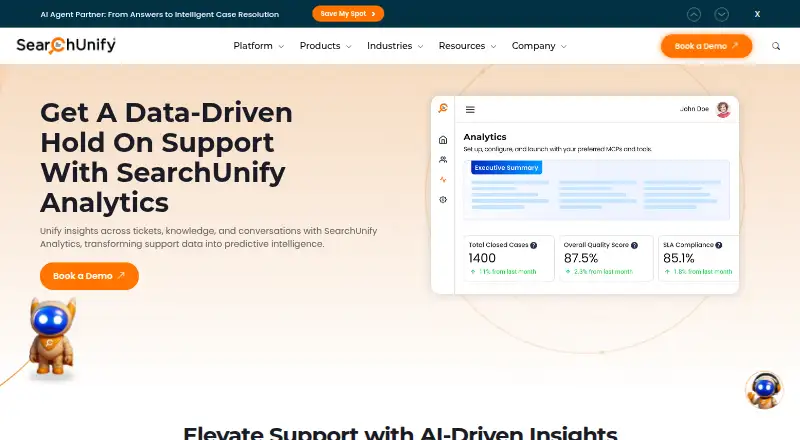
SearchUnify Analytics is a paid analytics product for examining search activity and outcomes. Its reports cover search trends, queries, content sources, feedback, cases, and result relevance. The Overview tab tracks eight metrics, including sessions, clicks, cases logged, and searches with or without results. Separate capabilities cover zero-result reporting, search conversion tracking, and result-click analytics. Reports can be downloaded as CSV files for Microsoft Excel or Google Sheets. SearchUnify MCP provides an analytics tool for retrieving reports, with up to 500 records per request. The product is available through web and API platforms. Connectors are listed for Salesforce, ServiceNow, Slack, Khoros, Zendesk, SharePoint, and other enterprise applications; the Universal Content API can be used to build a custom connector when a native one is unavailable. SearchUnify describes permission-aware indexing, single-tenant deployment, and AES-256 encryption for stored content-source access and refresh tokens. Pricing is on request, and the seven-day trial includes two content sources of the customer's choice.
Who it suits
It suits teams that need visibility into search queries, results, feedback, and related cases. Organizations using enterprise content sources may also value the listed connectors and custom connector option.
What it does well
- Reports cover trends, queries, feedback, cases, and relevance.
- Tracks searches with and without results.
- Exports reports as CSV files.
- Trial includes two content sources.
- Offers API and custom connector options.
What to know first
- Paid pricing is available only on request.
- Trial lasts seven days.
- API-based additional sources may require a quote.
Limits
The free trial lasts seven days and includes two content sources of your choice. Adding a supported API-based content source requires contacting SearchUnify for a quote.
Plans
| Plan | Billed and limits | Price |
|---|---|---|
| Custom pricing | Pricing tailored to business requirements; contact SearchUnify for details | On request |
As searchunify.com lists them, read 11 Oct 2026. The maker's own page has the final word.
Getting started
- Open the SearchUnify Analytics website
- Use the seven-day trial
- Select two content sources for the trial
- Connect supported enterprise applications or use the Universal Content API
- Retrieve analytics through the web, API, or SearchUnify MCP
Verdict
SearchUnify Analytics brings search reporting, exports, and retrieval tools together with enterprise content connectors. Consider the seven-day trial and request pricing to assess fit and costs for your content sources.
Questions
What platforms support SearchUnify Analytics?
SearchUnify Analytics is available through web and API platforms.
Is there a free trial?
Yes. The trial lasts seven days and includes two content sources of the customer's choice.
How much does it cost?
Pricing is paid and available on request. Pricing is tailored to business requirements.
Can reports be exported?
Yes. Analytics reports can be downloaded as CSV files compatible with Microsoft Excel and Google Sheets.
Which integrations are listed?
Connectors are listed for Salesforce, ServiceNow, Slack, Khoros, Zendesk, SharePoint, and other enterprise applications.
Does it provide an analytics API?
Yes. SearchUnify MCP exposes an analytics tool for retrieving reports, with a maximum of 500 records per request.
Facts from SearchUnify Analytics's own pages
- Access controls
- The connector page says permission-aware indexing preserves role-based access to enterprise content. · searchunify.com, 11 Oct 2026
- Additional source costs
- Adding a public content source is free; adding a supported API-based content source requires contacting SearchUnify for a quote. · searchunify.com, 11 Oct 2026
- Analytics API
- SearchUnify MCP exposes an analytics tool for retrieving analytics reports, with a maximum count of 500 records per request. · docs.searchunify.com, 11 Oct 2026
- Analytics reports
- Search Analytics includes reports for search trends, queries, content sources, feedback, cases, and result relevance. · docs.searchunify.com, 11 Oct 2026
- Company history
- SearchUnify's About page says the product was born in 2016. · searchunify.com, 11 Oct 2026
- Core metrics
- The Overview tab tracks eight metrics, including sessions, clicks, cases logged, searches with results, and searches with no results. · docs.searchunify.com, 11 Oct 2026
- Custom connectors
- The Universal Content API can be used to build a custom connector when a platform is not supported by a native connector. · searchunify.com, 11 Oct 2026
- Headquarters
- Mountain View, California, USA · searchunify.com, 28 Sept 2026
- Integrations
- SearchUnify lists connectors for Salesforce, ServiceNow, Slack, Khoros, Zendesk, SharePoint, and other enterprise applications. · searchunify.com, 11 Oct 2026
- Report exports
- Analytics reports can be downloaded as CSV files compatible with Microsoft Excel and Google Sheets. · docs.searchunify.com, 11 Oct 2026
- Security
- The FAQ says SearchUnify uses a single-tenant solution and encrypts stored content-source access and refresh tokens with AES-256. · searchunify.com, 11 Oct 2026
- Support
- SearchUnify offers free email support with a 24-hour turnaround time and says premium support packages are also available. · searchunify.com, 11 Oct 2026
- Trial limits
- The free trial lasts seven days and includes two content sources of the customer's choice. · searchunify.com, 11 Oct 2026
Where SearchUnify Analytics stands on Freedom251
- Search Analytics Software#19 of 37
- Enterprise Search Software#16 of 20