Freedom251 › Screenwriting Software
Scriptum
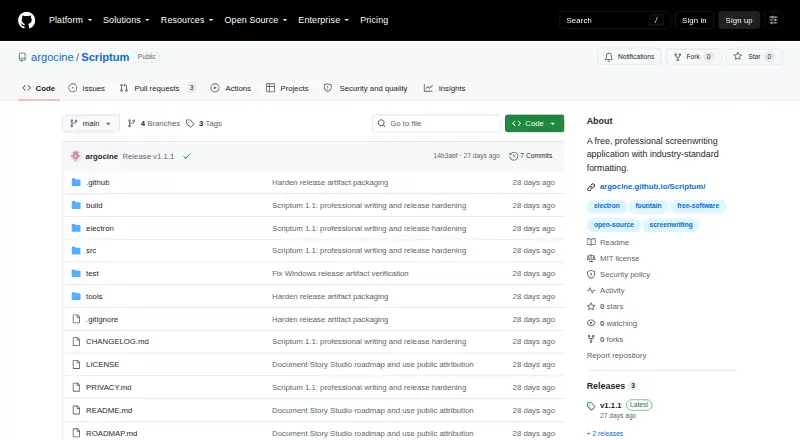
What Scriptum is
Scriptum is a free, open-source screenwriting application for Linux, macOS, Windows, and the web. It includes screenplay elements, keyboard formatting, autocomplete, dual dialogue, notes, find and replace, scene navigation, and word, runtime, and page counts. For planning, its Index Card board and Story Timeline organize acts, sequences, colour-coded lanes, and beats linked to scenes. Revision Room saves named snapshots, compares drafts, and can restore an earlier state after preserving the current one. Production tools let users tag text for breakdowns, export CSV reports, generate scene and revision reports, and lock scene and page numbering. Scriptum imports and exports .scriptum, Final Draft FDX, Fountain, and plain text, and exports PDF. Some Scriptum-only project information does not carry into FDX or Fountain exports. The project says the app has no accounts, analytics, advertising, telemetry, cloud sync, or crash-reporting service, and its code does not receive or transmit screenplay text. It does not provide real-time collaboration, dictation, or scheduling and budgeting integrations.
Who it suits
Scriptum suits screenwriters who want formatting, revision, planning, and production breakdown tools in one application. Its project description also points to production workflows, while its lack of cloud sync and live collaboration is relevant for teams.
What it does well
- Free and open-source
- Available on Linux, macOS, Windows, and web
- Revision snapshots compare and restore drafts
- Includes production breakdown and CSV reporting tools
- Works offline
What to know first
- No real-time collaboration
- No cloud sync
- Some project data is lost in FDX or Fountain exports
- Current macOS builds are not Apple-notarized
Plans
| Plan | Billed and limits | Price |
|---|---|---|
| Free | No subscription · Free, open-source screenwriting application | Free |
As github.com lists them, read 3 Oct 2026. The maker's own page has the final word.
Getting started
- Visit the Scriptum project on GitHub.
- Choose a supported platform: Linux, macOS, Windows, or web.
- Use the free application; it has no subscription.
Verdict
Scriptum covers drafting, story planning, revision, and production breakdowns without a subscription. Writers who need live collaboration, cloud sync, or complete transfer of project-specific data to FDX or Fountain should account for its stated limits.
Questions
How much does Scriptum cost?
The Free plan costs nothing, with no subscription.
Which platforms does Scriptum support?
It supports the web, Windows, macOS, and Linux.
Can Scriptum work offline?
Yes. Offline mode is supported.
Which file formats can it export?
It exports .scriptum, Final Draft FDX, Fountain, plain text, and PDF. Some Scriptum-only project data is not carried into FDX or Fountain exports.
Does Scriptum support collaboration?
It does not provide real-time collaboration or cloud sync.
Is Scriptum open source?
Yes. Scriptum is free and open-source.
Facts from Scriptum's own pages
- Desktop security
- The desktop renderer is sandboxed, lacks Node.js access, denies system permissions, blocks HTTP and HTTPS traffic, and only accesses files selected through a system dialog. · github.com, 3 Oct 2026
- Download verification
- Releases include SHA-256 checksums and signed GitHub build-provenance attestations; the current macOS builds are not Apple-notarized and Windows builds lack a publicly trusted publisher certificate. · github.com, 3 Oct 2026
- Draft management
- Revision Room creates named snapshots, compares drafts, and restores earlier states after making a safety snapshot of the current state. · github.com, 3 Oct 2026
- File formats
- Scriptum imports and exports .scriptum, Final Draft FDX, Fountain, and plain text, and exports PDF; some Scriptum-only project data is not carried into FDX or Fountain exports. · github.com, 3 Oct 2026
- Integrations and collaboration
- Scriptum does not provide real-time collaboration, cloud sync, online screenplay accounts, speech-to-script dictation, or scheduling and budgeting system integration. · github.com, 3 Oct 2026
- Intended users
- Scriptum describes itself as a professional screenwriting application for writers and provides production breakdown and revision tools for production workflows. · github.com, 3 Oct 2026
- Privacy
- The project states that Scriptum has no accounts, analytics, advertising, telemetry, cloud sync, or crash-reporting service, and that its application code does not receive or transmit screenplay text. · github.com, 3 Oct 2026
- Production tools
- Users can tag text for production breakdowns, export CSV reports, generate scene and revision reports, and lock scene and page numbering. · github.com, 3 Oct 2026
- Purpose
- Scriptum is a free, open-source screenwriting application with industry-standard formatting. · github.com, 3 Oct 2026
- Story planning
- Its Index Card board and Story Timeline support acts, sequences, colour-coded lanes, and beats linked to scenes. · github.com, 3 Oct 2026
- Support
- The project welcomes suggestions, bug reports, accessibility feedback, translations, and pull requests through GitHub issues. · github.com, 3 Oct 2026
- Writing features
- It includes screenplay elements, keyboard formatting, autocomplete, dual dialogue, notes, find and replace, scene navigation, and word, runtime, and page counts. · github.com, 3 Oct 2026
Where Scriptum stands on Freedom251
- Screenwriting Software#10 of 27
- Script Writing Software#10 of 25